 SkillBamboo

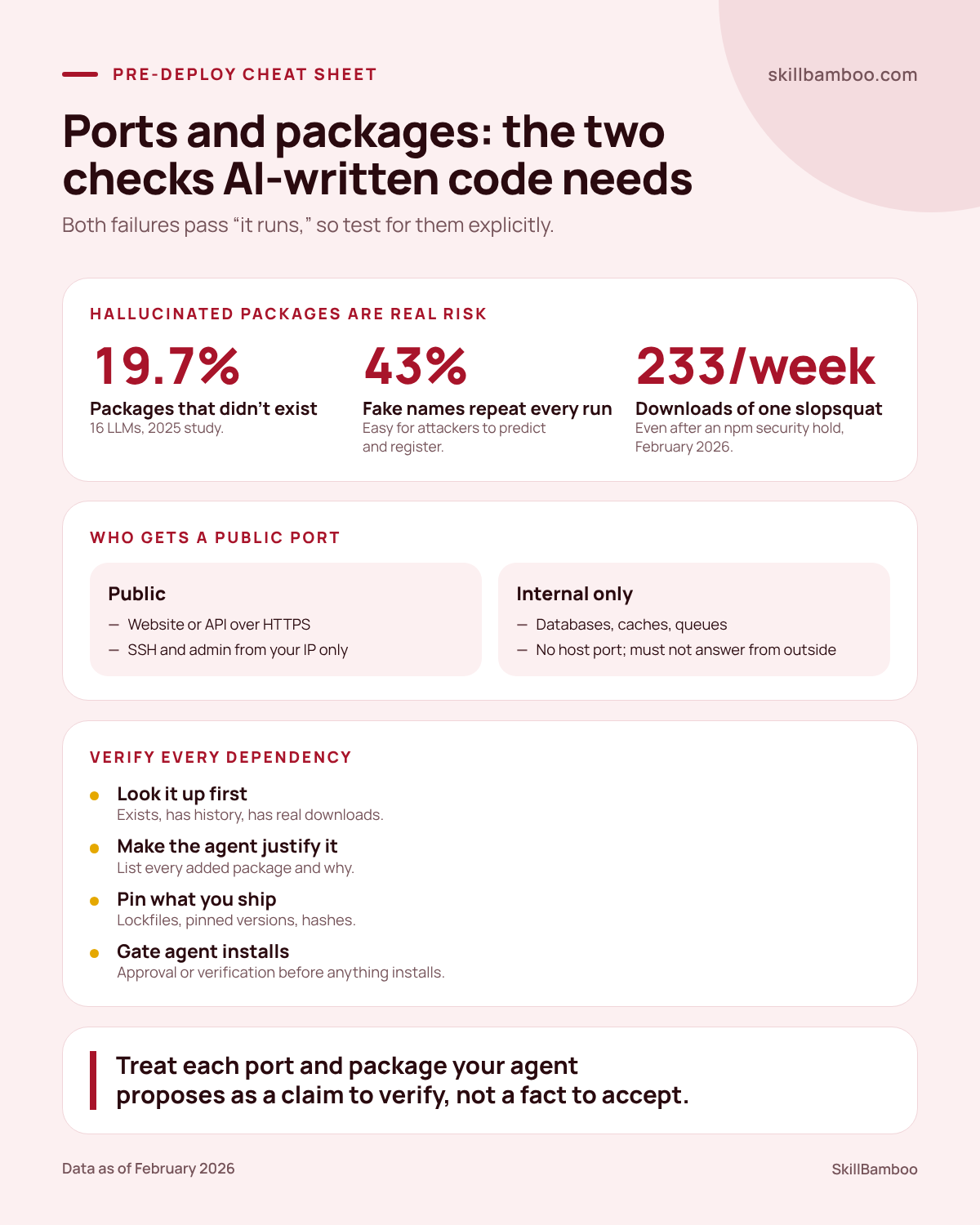
Vibe coding security rarely fails on clever bugs. AI-written side projects get breached through one database port that should never have been public and one install line for a package that never existed. Your agent wrote the bot, the Compose file and the install commands. You ran it on your VPS. It answered, so you shipped. Later the server is constantly overloaded, or a dependency you never looked at is sitting in your build. Here's how both failures happen and a short vibe coding security checklist for ports, database permissions, external testing and every new package your agent adds.
Why AI-Written Projects Fail on Boring Things
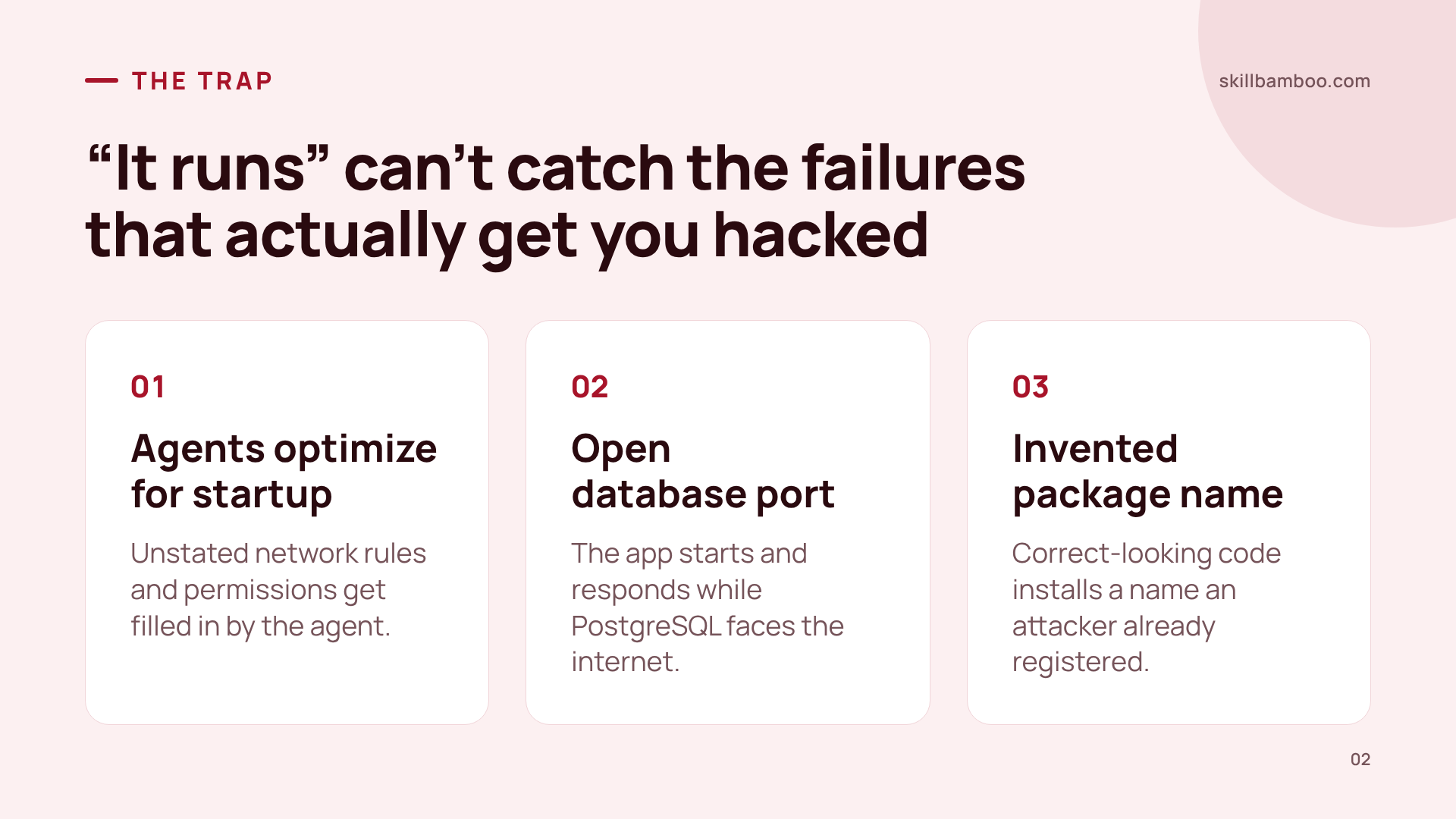
Coding agents are very good at one goal: making the thing start. If your prompt says “add PostgreSQL so the bot runs” and says nothing about network boundaries or permissions, the agent fills those gaps on its own. It can get the app running and, in the same change, leave the database open to the outside world.
Nothing about that looks wrong in a quick test. In one real incident, a developer confirmed the app started and responded to commands. That check passed. But it could not reveal that a single setting had opened the database to external connections.
Dependencies fail the same way. With slopsquatting, the model invents a package name inside code that looks entirely correct, and an attacker has already registered that exact name with something malicious inside. You didn't make a typo. You just trusted an install line that worked.
Both pass the “does it run” test, so functional testing won't catch them. Each one needs its own check before deploy.
Exposed Database Port: One Compose Line, One Cryptominer
The project was a small Telegram bot, and an AI agent wrote all of its code. Its docker-compose file published the PostgreSQL port to the host, so anyone on the internet could reach the database.
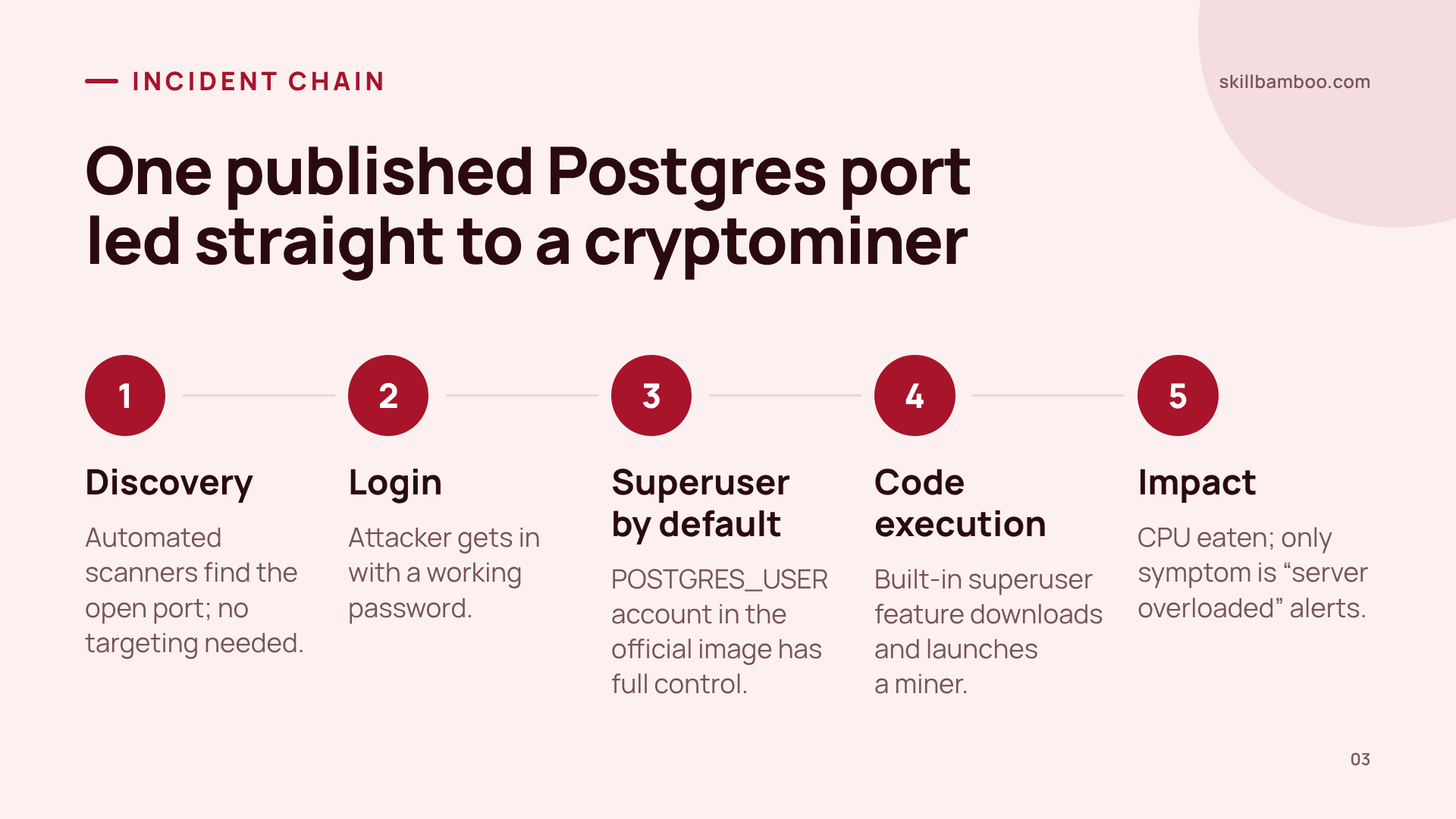
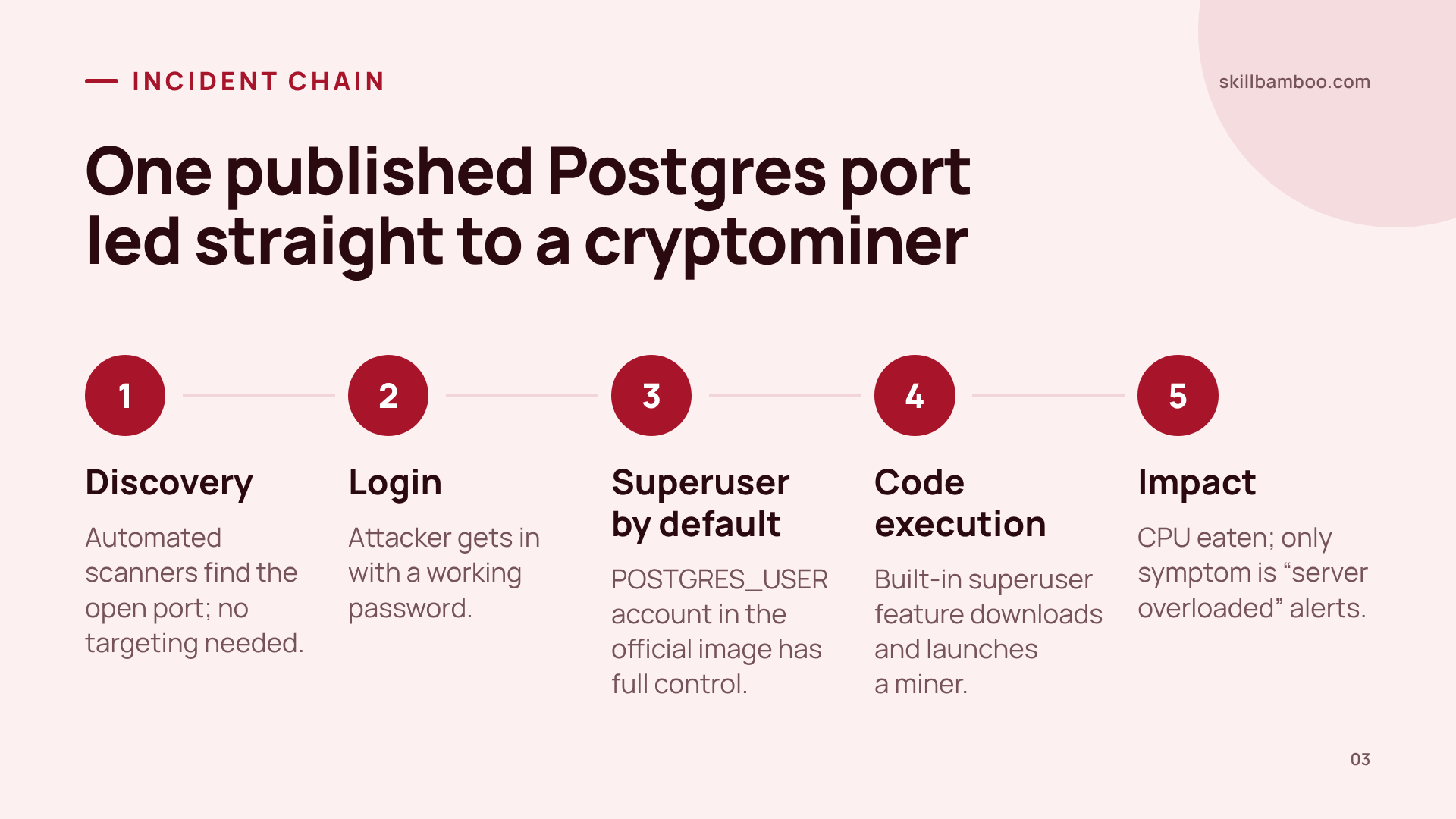
Here's the likely chain:
Discovery. Automated scanners sweep internet addresses and probe for open ports. Nobody needs to be targeting you specifically. An exposed service simply gets found.
Login. The attacker reached PostgreSQL and got in with a working password. How the password was obtained is unknown.
Privileges. In the official PostgreSQL Docker image, the account created through
POSTGRES_USERis a superuser. So the attacker wasn't just reading bot data – they had full control of the database.Code execution. PostgreSQL lets a superuser run commands on the server as a standard admin feature. The attacker used it to download and launch a cryptominer inside the container.
Impact. The miner ate the server's CPU. The first visible symptom was nothing more than repeated “server overloaded” alerts.
postgres – Official Image | Docker Hub – environment variables of the official PostgreSQL image
The bot never needed outside clients to reach its database. That published port solved nothing for the project and opened the door to everything that followed.
The default database user is too powerful
If your app connects with the account created by POSTGRES_USER, it runs as a superuser. Give the app a separate role with only the permissions it needs, and keep elevated rights for migrations.
Ports: Expose Only What Has an Outside Client, Then Test From Outside
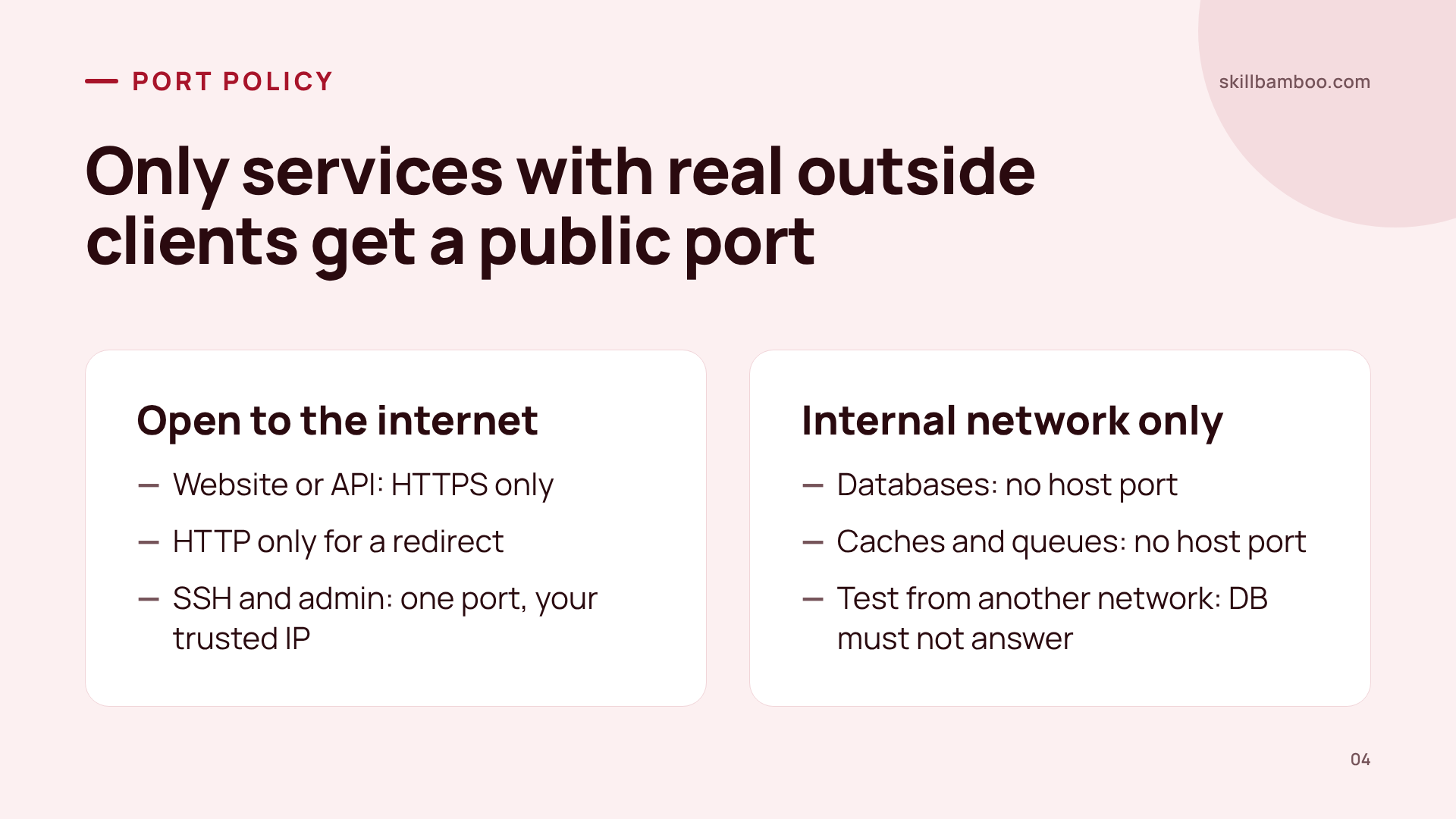
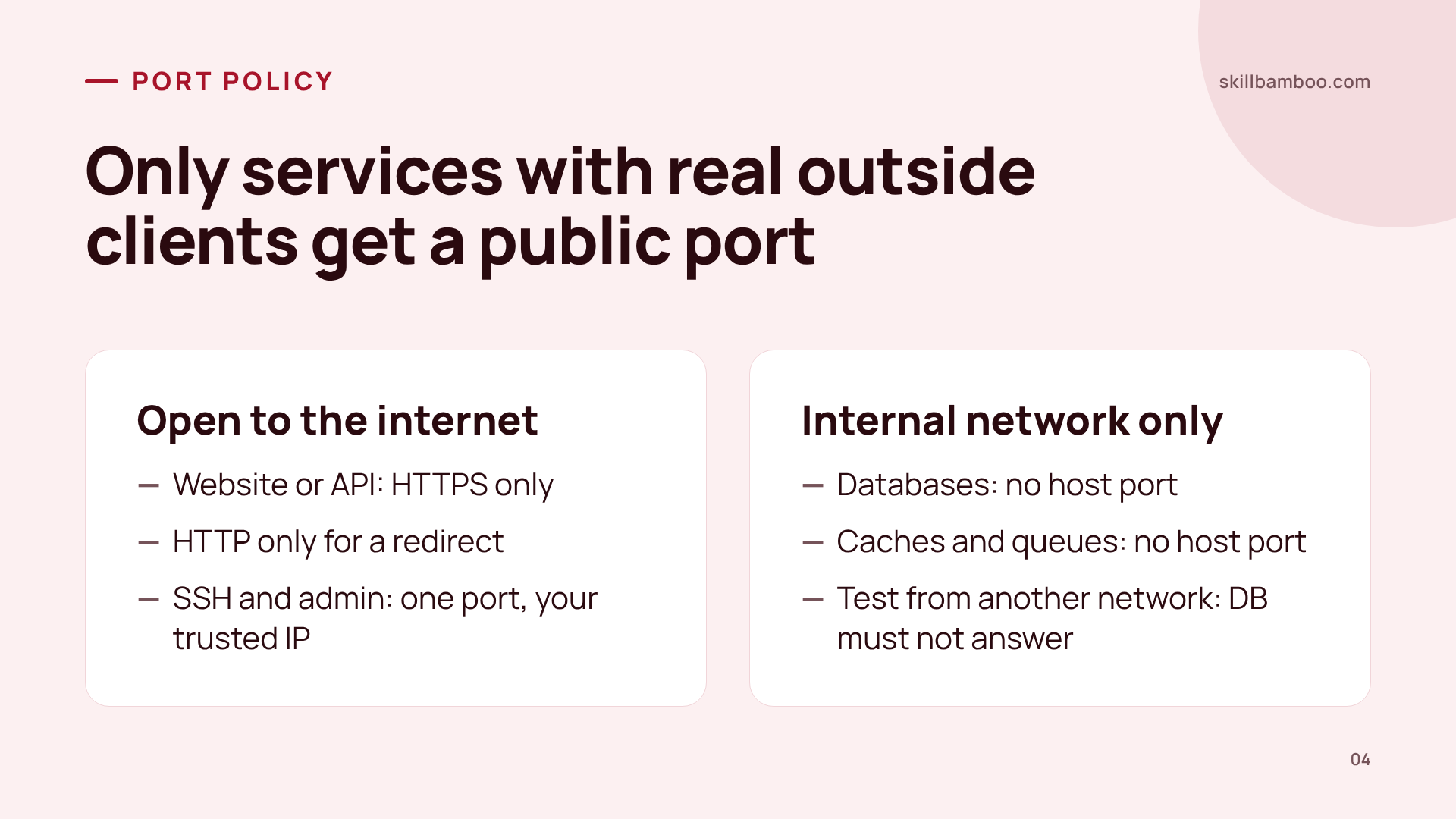
Start with one question for every service: who actually connects to it? If the answer is “only my app, on the same server,” the service doesn't get a public port.
| Service | Who connects | What to allow from the internet |
|---|---|---|
| Website or API | Visitors | HTTPS only; HTTP only if you need a redirect |
| SSH, admin panels | You | The one port you use, from your trusted IP only |
| Database, cache, queue | Your app, on the internal network | Nothing. Don't publish the port on the host |
Think of security here as three separate doors. A network rule decides who can even reach a port. Authentication decides who gets in. Service permissions decide what they can do once inside. None of these replaces the others, so a strong password is no excuse to put an internal service on every network.
Then prove it. Run the port test from a different network than the server, for example from your home machine when the server is in the cloud. A check run on the server itself tells you what the server sees, not what the internet sees. Your web port should answer. Your database port should not.
If you want to set this up from scratch, see a step-by-step guide to locking down a VPS with keys, a non-root user and a firewall.
Hallucinated Packages and Slopsquatting: How Often, How Predictable
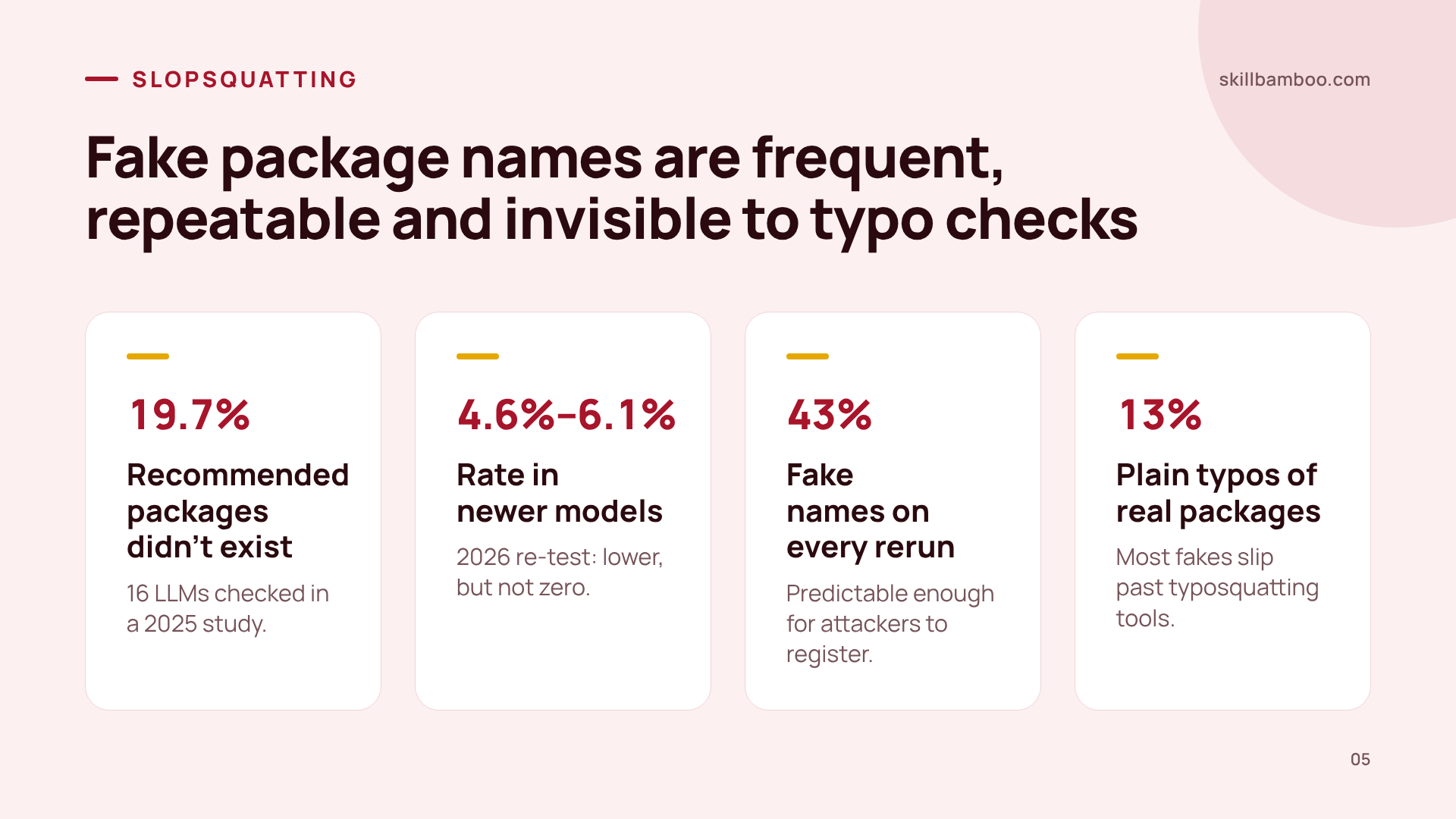
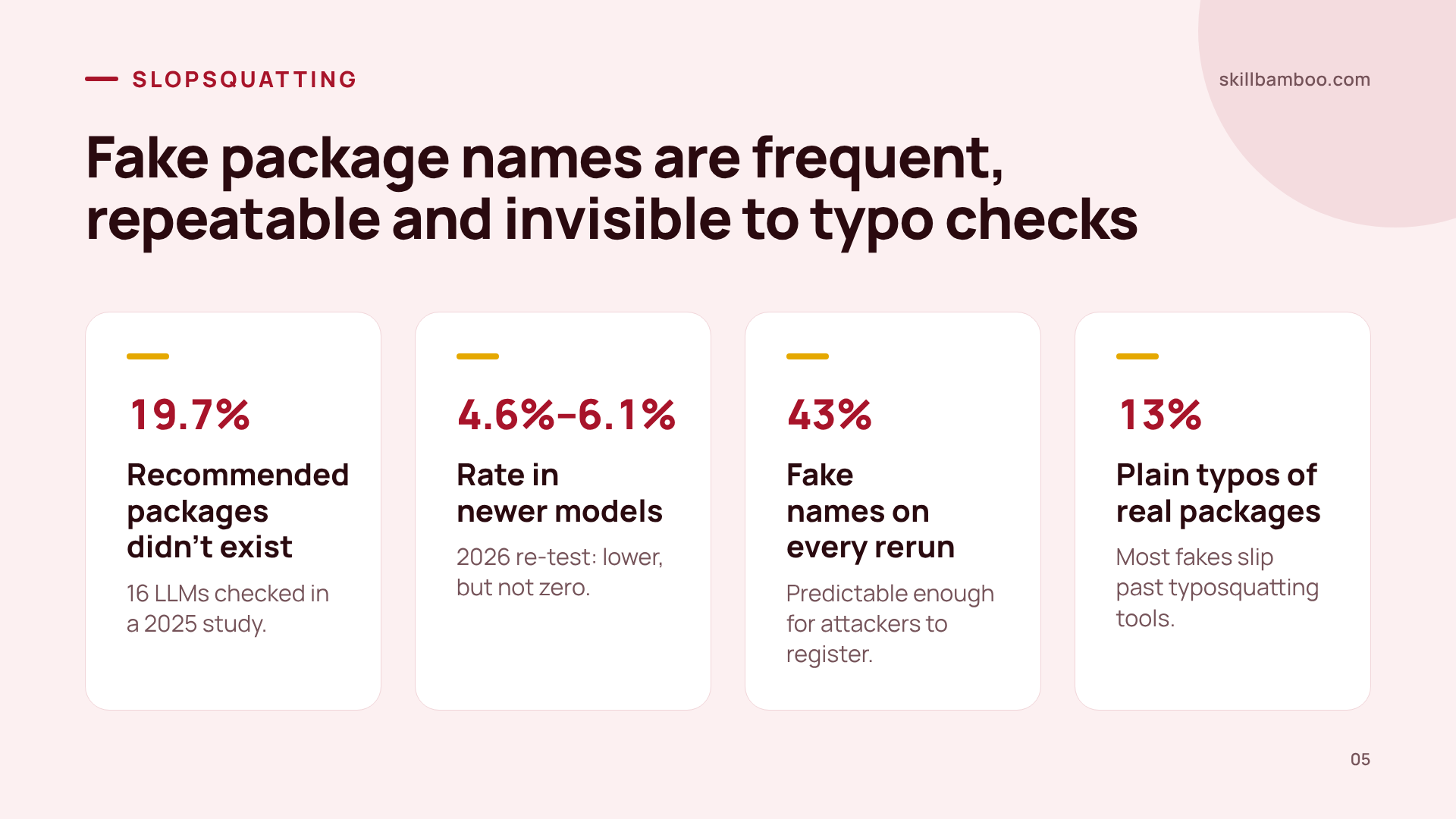
The second failure mode is quieter. A USENIX Security 2025 study checked packages recommended by 16 different LLMs and found that 19.7% of them didn't exist, close to one in five. The good news is that newer models do better: when frontier models were re-tested in 2026, the rate fell to roughly 4.6%–6.1%. But that's still not zero, and agents add a lot of dependencies.
USENIX Security 2025 paper: a comprehensive analysis of package hallucinations by code-generating LLMs – study of hallucinated packages in LLM-generated code
On its own, a missing package only breaks your install. What actually makes it dangerous is predictability. In the same 2025 study, researchers re-ran 500 prompts that had produced fake packages ten more times each. About 43% of the invented names showed up on every single run. So an attacker doesn't have to guess. They ask popular models common questions, collect the names that keep recurring, and register them.
Your existing defenses mostly won't help. Tools built against typosquatting look for names that are one or two characters away from a real package. Yet just 13% or so of the invented names were plain misspellings of real packages, and nearly half looked nothing like any existing package. They simply sound believable (producing believable text is what language models do best).
This is already happening
In February 2026, one documented slopsquatted package still drew about 233 downloads a week despite a security hold placed on it by npm. People and their agents kept installing it.
Verify Every Dependency and Gate Your Agent's Installs
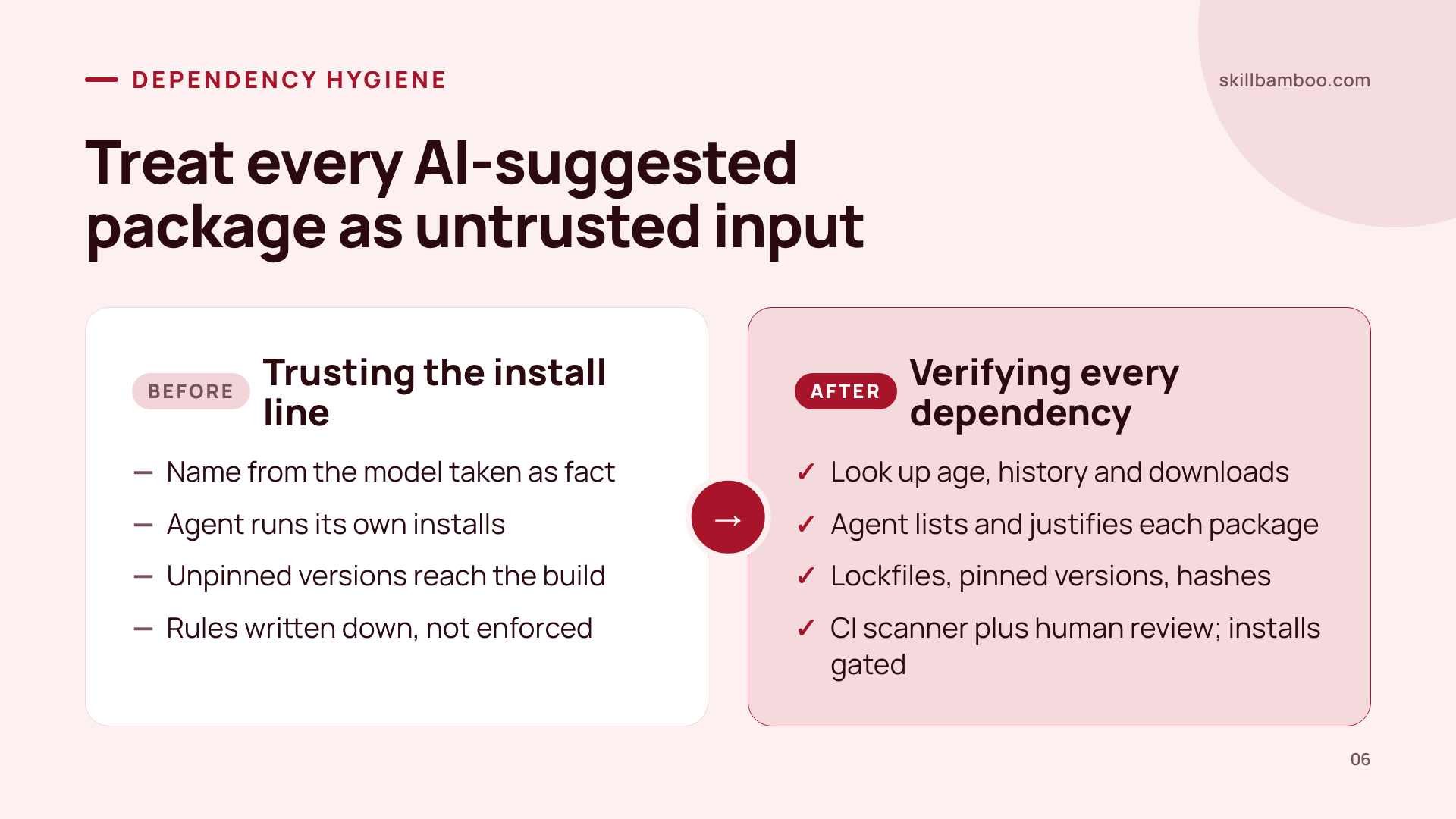
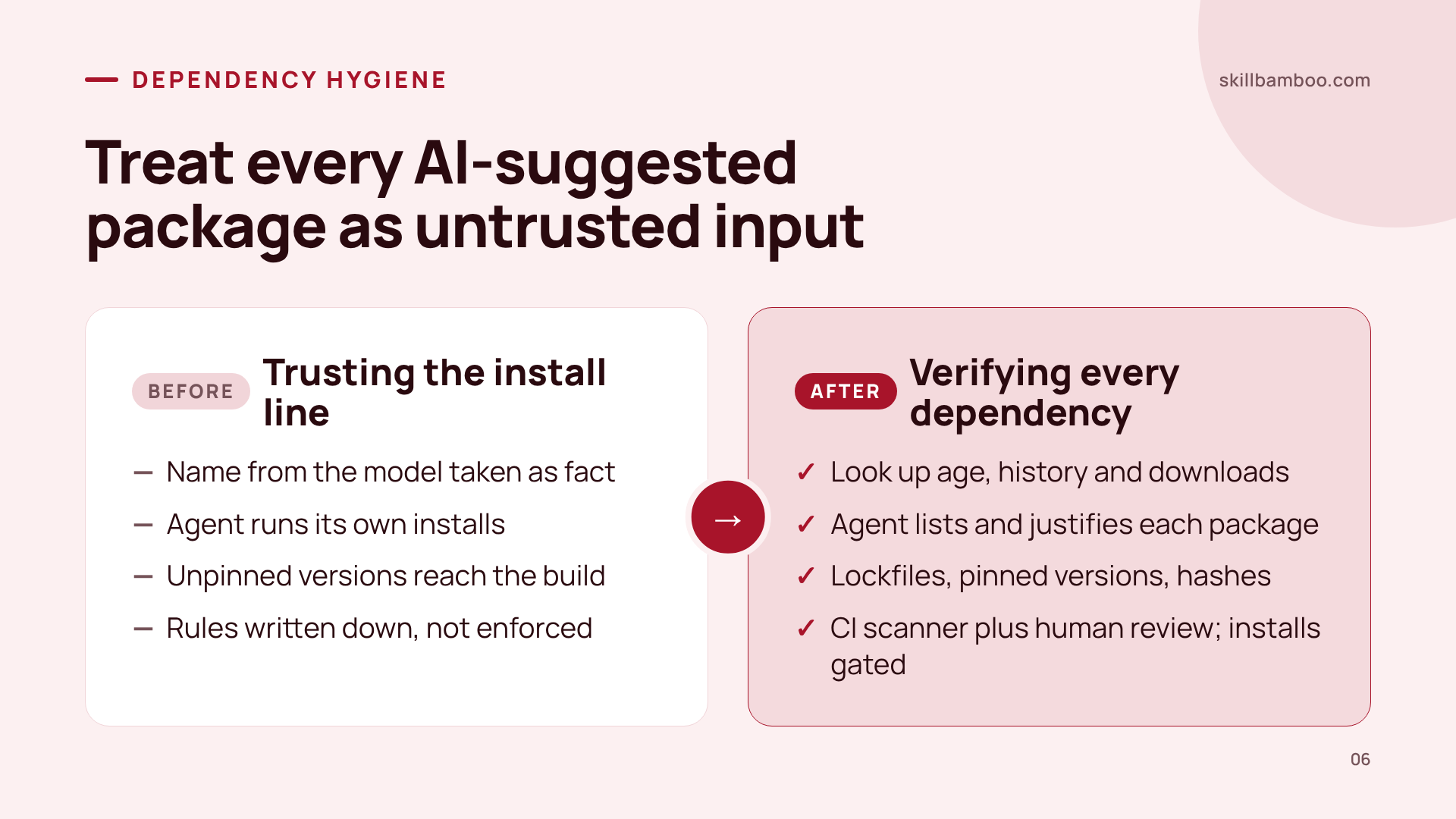
The mindset shift is short: a package name from an LLM is an untrusted claim, not a fact. Treat it the way you'd treat user input. Here's what that looks like in practice:
Look it up before you install. Confirm the package is real, then check when it was first published and how widely it's used. A plausible-sounding name with a very short history and few downloads is a red flag.
Ask the agent to account for its changes. When it touches dependencies, have it list every package it added and say why each one is needed. Anything it can't justify gets removed.
Pin what you ship. Commit lockfiles, pin versions and, where your tooling supports it, require hashes. Only code you consciously approved should reach your build.
Review new packages in CI. Run a dependency scanner and require a human review for every package that's new to the project before it merges.
Limit the agent technically, not just in writing. Project rules describe how you'd like the agent to behave. They don't change what it can do. If it has access to a shell, files or production, only environment-level limits and approval of risky actions actually stop it. So gate its installs behind verification or approval, because an agent that runs its own installs can pull malware with no human involved.
If you run your coding agent on the same VPS that hosts your projects, this matters twice. A bad install lands next to production data. It's worth setting up an agent on a VPS with separate users and controlled access before you hand it real work.
If You're Already Compromised
The instinct is to kill the suspicious process, restart services and hope. That rarely works. And if you reinstall immediately, you also lose any chance of understanding what happened.
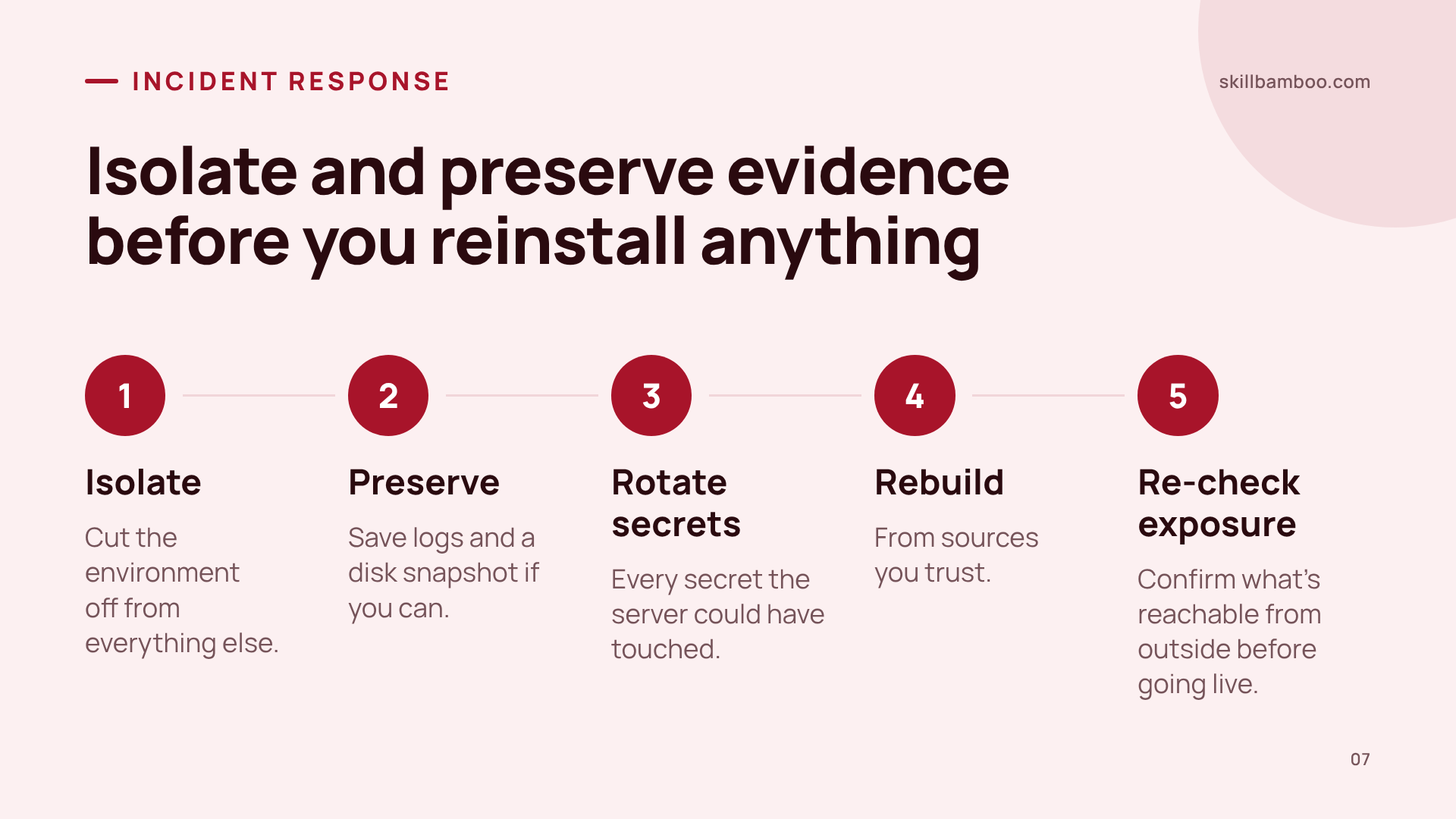
So use a different order. First isolate the affected environment so it can't do more damage or talk to anything else. Then, if you can, preserve logs and a disk snapshot. After that, rotate every secret the server could have touched, rebuild from sources you trust, and re-check what's reachable from outside before going live again. In the incident above, a reinstall restored control of the server but erased the traces that could have explained the attack.
Key terms
- Slopsquatting – A supply-chain attack where someone registers a package name that AI models hallucinate, so developers who trust the AI install malware.
- Typosquatting – Publishing a malicious package under a misspelled name of a popular one, betting on a human typo.
- Published port – A container port mapped to the host so it can accept connections from outside the internal Docker network.
- Package hallucination – A model confidently recommending a dependency that doesn't exist in the package registry.
- Lockfile – A file that records exact dependency versions so the build installs only what was deliberately chosen.
- Superuser role – A database account with full administrative rights, including running server-side commands.
The Vibe Coding Security Checklist Before Deploy
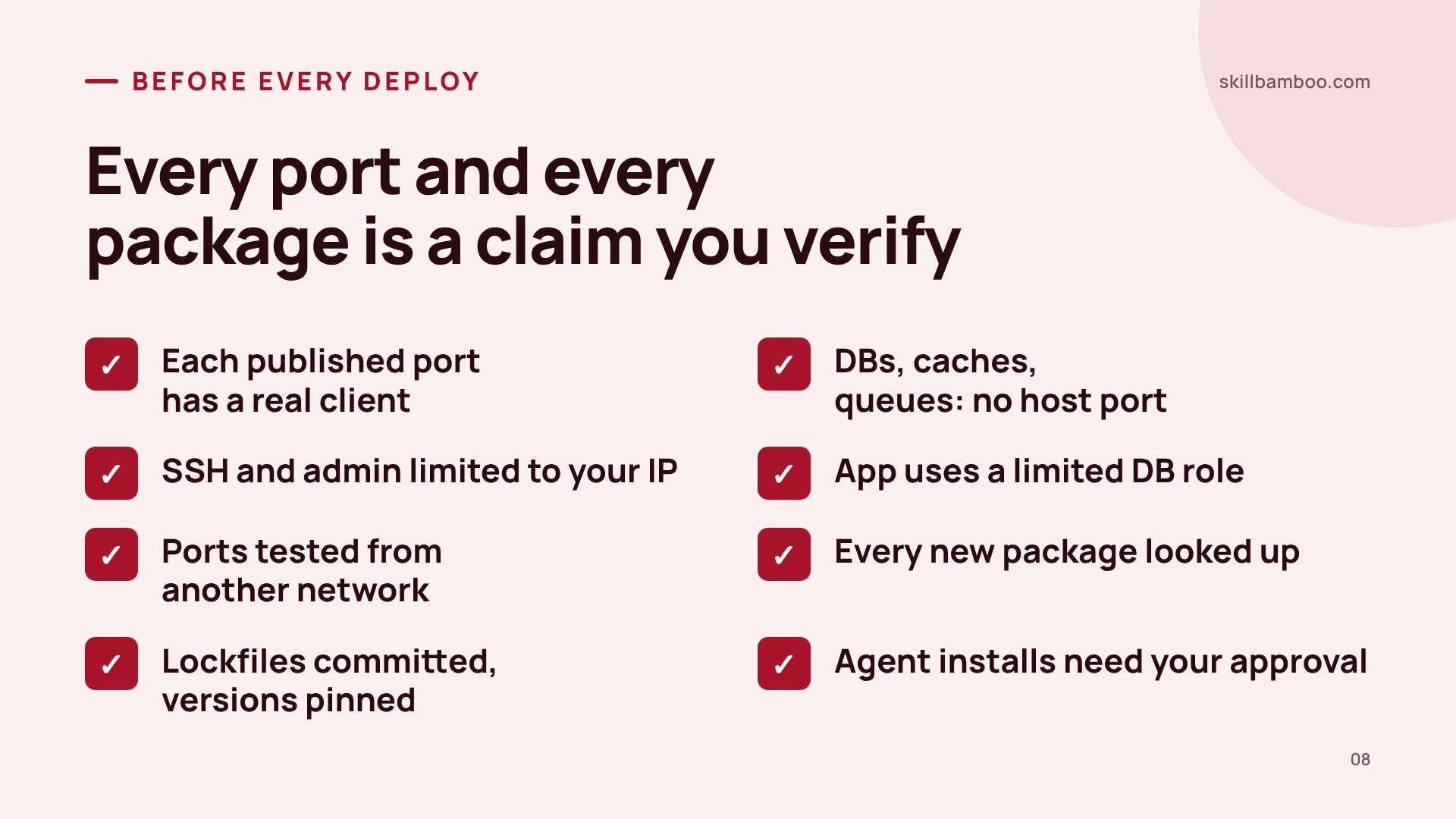
Run this before every deploy of an AI-written project:
- List the published ports in your final configuration. Each one has a real outside client, or it goes.
- Databases, caches and queues are on the internal network only, with no host port.
- SSH and admin access are restricted to your trusted IP.
- The app connects to the database with a limited role, not the default superuser.
- Ports were tested from a different network, and the database port does not answer.
- Every new package was looked up: it exists, has real history and real usage.
- Lockfiles are committed, versions pinned, and new dependencies were reviewed by a human.
- The agent can't install packages or touch production without your approval.
Summary
AI-written code usually breaks on the dull parts: a port nobody needed and a dependency nobody checked. Both pass “it runs,” so give them their own checks. Make this list part of every deploy, and treat each port and each package your agent proposes as a claim you verify, not a fact you accept.
Check yourself
1. Your bot starts, answers commands and all functional tests pass. What does this prove about security?
- A. That dependencies are safe, because the build succeeded
- B. That no ports are exposed, because exposure would break the app
- C. Nothing about exposure: a published database port or a malicious dependency would not break these checks
Show answer
Answer: C. Functional checks show behavior, not who can reach the service or what got installed.
2. Your PostgreSQL has a long, random password. Is it fine to publish port 5432 on the host?
- A. Yes, as long as the app user isn't named postgres
- B. Yes, a strong password is enough protection
- C. No: the database has no outside client, so the port shouldn't be reachable at all
Show answer
Answer: C. Network rules, authentication and permissions are separate layers; a password doesn't replace closing an internal service.
3. How should you verify that your database port is closed to the internet?
- A. Try connecting to the port from a different network, such as your home machine
- B. Run a connection test on the server itself
- C. Ask the agent to confirm the database is unreachable
Show answer
Answer: A. Only an outside test shows real reachability; a local check can't.
4. Your agent's code includes an install line for a package that sounds official. Your typosquatting scanner raises no warning. What's the right move?
- A. Look the package up: confirm it exists, check its age, downloads and history
- B. Install it: no scanner warning means it's safe
- C. Install it if the build succeeds
Show answer
Answer: A. Most hallucinated names aren't typos of real packages, so similarity-based checks miss them.
5. Your project rules file says 'never install unvetted packages.' The agent can still run shell commands freely. Is that enough?
- A. No: rules describe expected behavior, but only environment limits or approval gates actually stop an install
- B. Yes, agents always follow project rules
- C. Yes, if the rule is written in capital letters
Show answer
Answer: A. Text instructions don't change an agent's technical permissions.