 SkillBamboo

You want to run Claude Code autonomously: hand it a feature list in the evening and come back to working code. What you actually get: a run that stops early on a vague goal, a test the agent quietly loosened until it passed, or a context so bloated that quality slides.
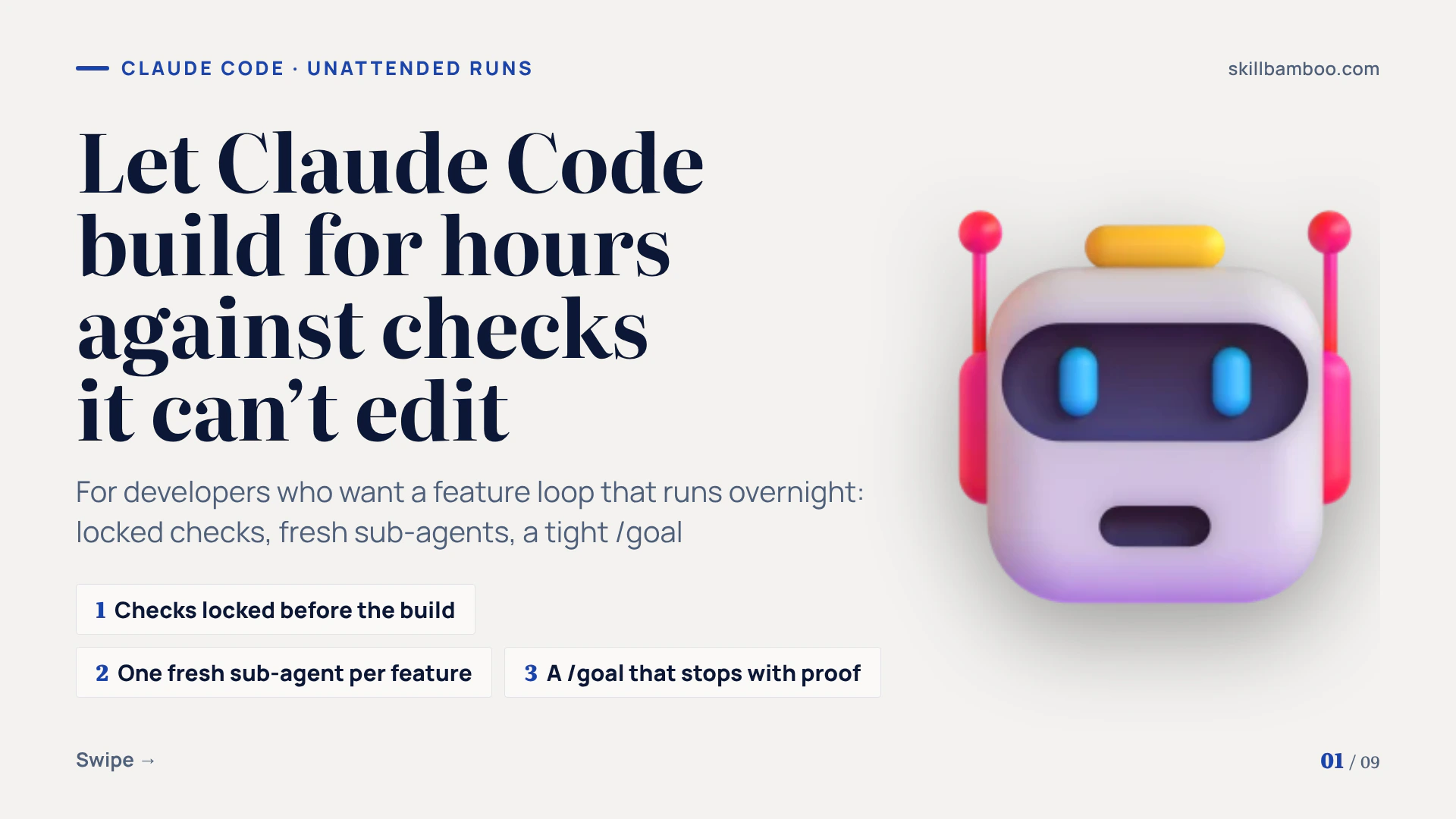
A better prompt won't fix this. A loop that holds up for hours will: checks locked before the build, a fresh sub-agent per feature, a log of every round, a strict stop condition and a small CLAUDE.md.
So here's how to build that loop for your next feature, and which old habits, plan mode included, to drop.
When a Karpathy loop in Claude Code is worth it
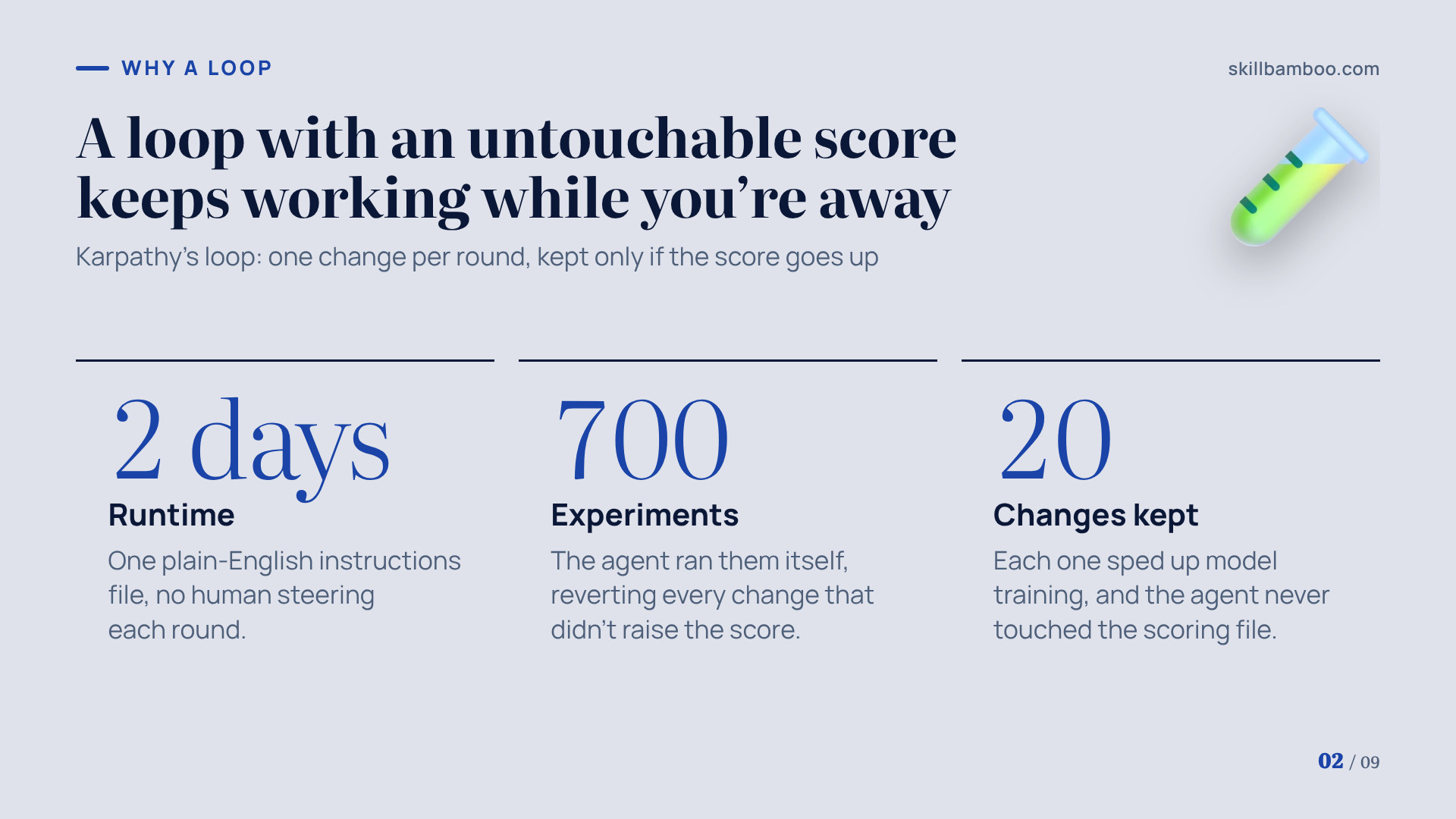
The pattern comes from Andrej Karpathy's experiments. Each round, the agent makes one change and a separate file scores the result. If the score goes up, the change survives. If it stays flat or drops, the change gets reverted.
The agent may never touch the scoring file. Why? An agent that can edit its own grader will simply make the grade easier.
With one plain-English instructions file and two days of runtime, his agent completed 700 experiments and turned up 20 changes that sped up model training.
'The Karpathy Loop': 700 experiments, 2 days, and a glimpse of where AI is heading – Karpathy's autoresearch agent loop and its results
That's the upside. The cost is tokens: a loop rereads the project and tries something new every round, including the rounds that fail.
So before you build one, run a quick go/no-go test:
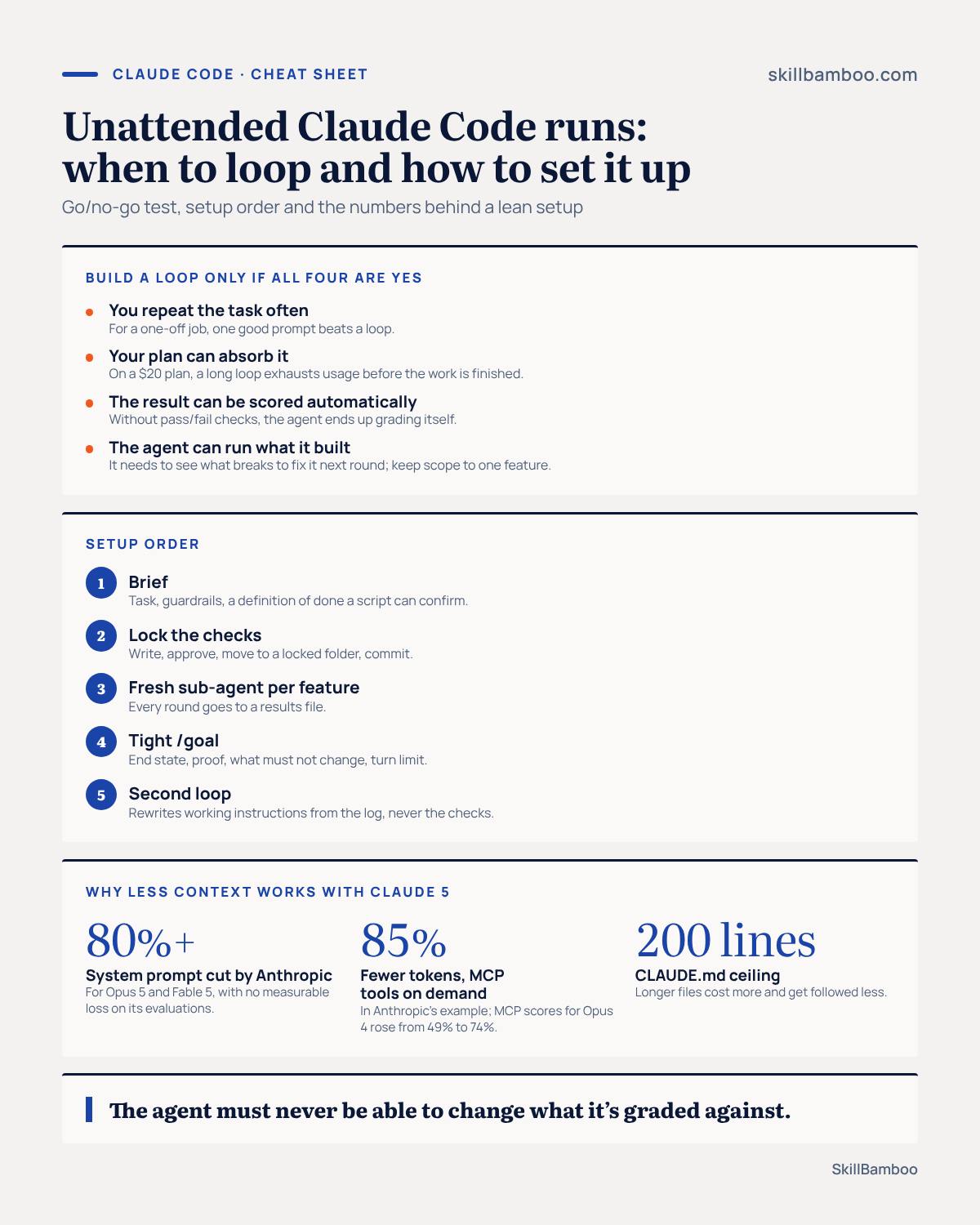
- Do you repeat this task often? A loop takes effort to set up. For a one-off job, one good prompt beats it.
- Can your plan absorb it? On a $20 plan, a long loop exhausts your usage before the work is finished.
- Can the result be scored automatically? Without checks that pass or fail, the agent ends up grading itself.
- Can the agent run what it built? It needs to see what breaks so it knows what to fix in the next round. And keep the scope to one feature: don't hand a whole app to a single loop and declare it finished.
If all four answers are yes, a loop is worth building.
Replace plan mode with a brief and a definition of done
For about a year, the standard advice was to start every session in plan mode. More recently, Boris Cherny, who built Claude Code, said plan mode is no longer useful – months after saying most of his own sessions began there.
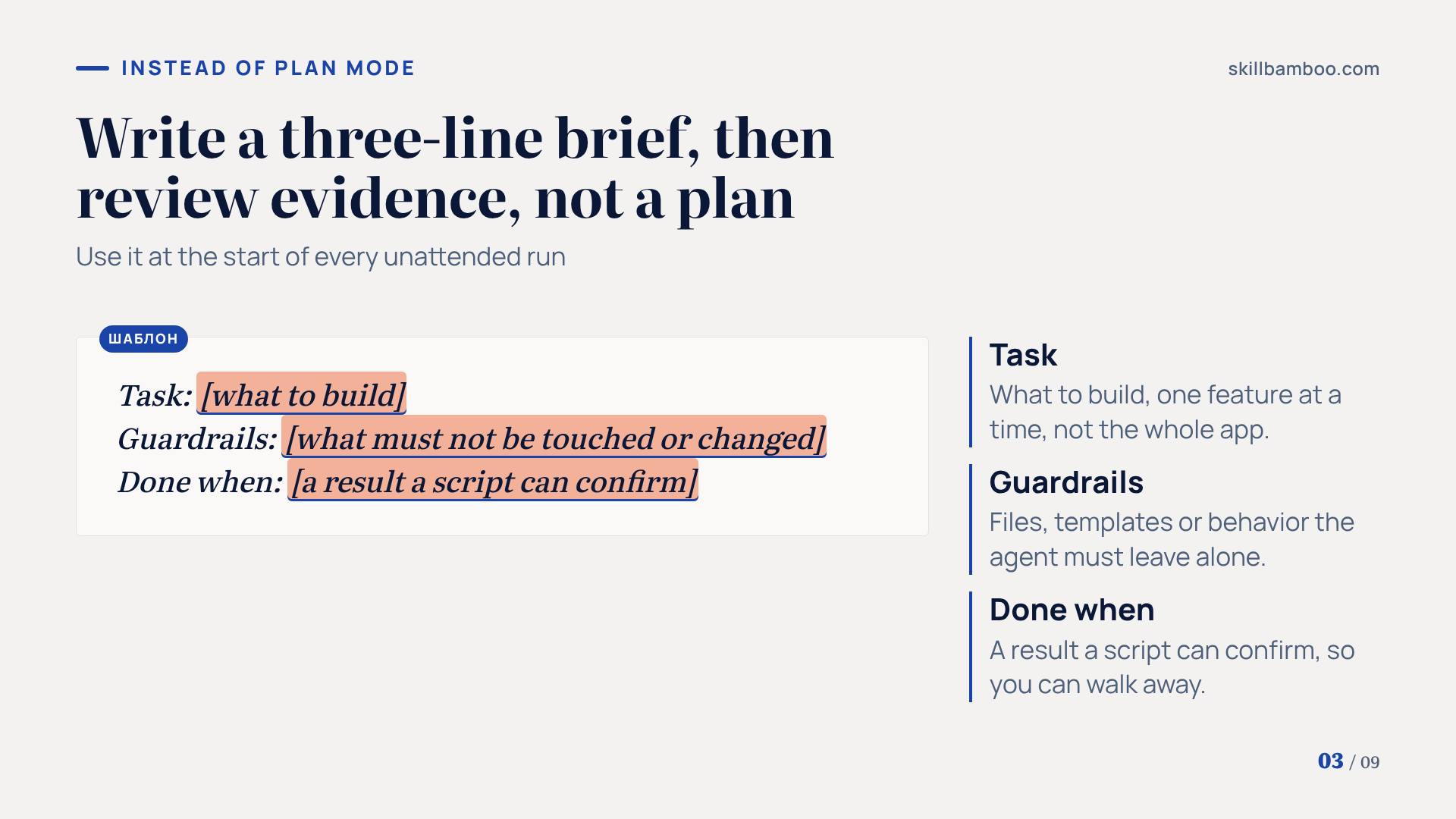
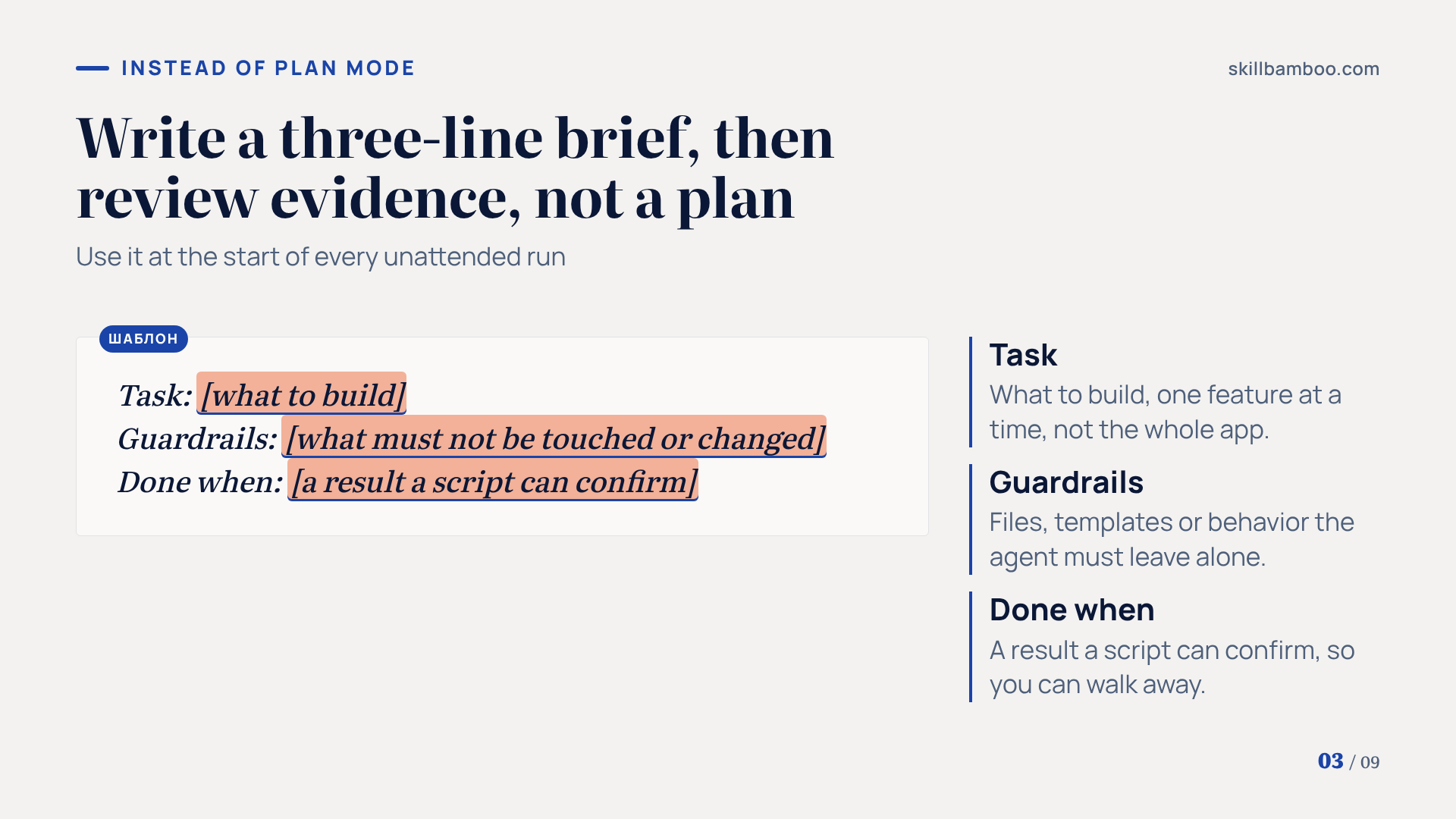
What replaces it is a short brief with three parts: the task, the guardrails around it, and a definition of done. Then you step back and let the model work it out.
In other words, you stop reviewing a plan up front and start reviewing evidence afterward.
Task: <what to build>
Guardrails: <what must not be touched or changed>
Done when: <a result a script can confirm>
The third line matters most. Cherny's earlier advice still holds: by his own estimate, letting Claude check its own work can lift the quality of the final result two to three times.
Think of the definition of done as the line between a session you have to babysit and one you can actually leave. If a script can confirm it, you can walk away.
Write the checks first and lock them
Here's the single most important rule of an unattended loop: the agent must not be able to change what it's graded against.
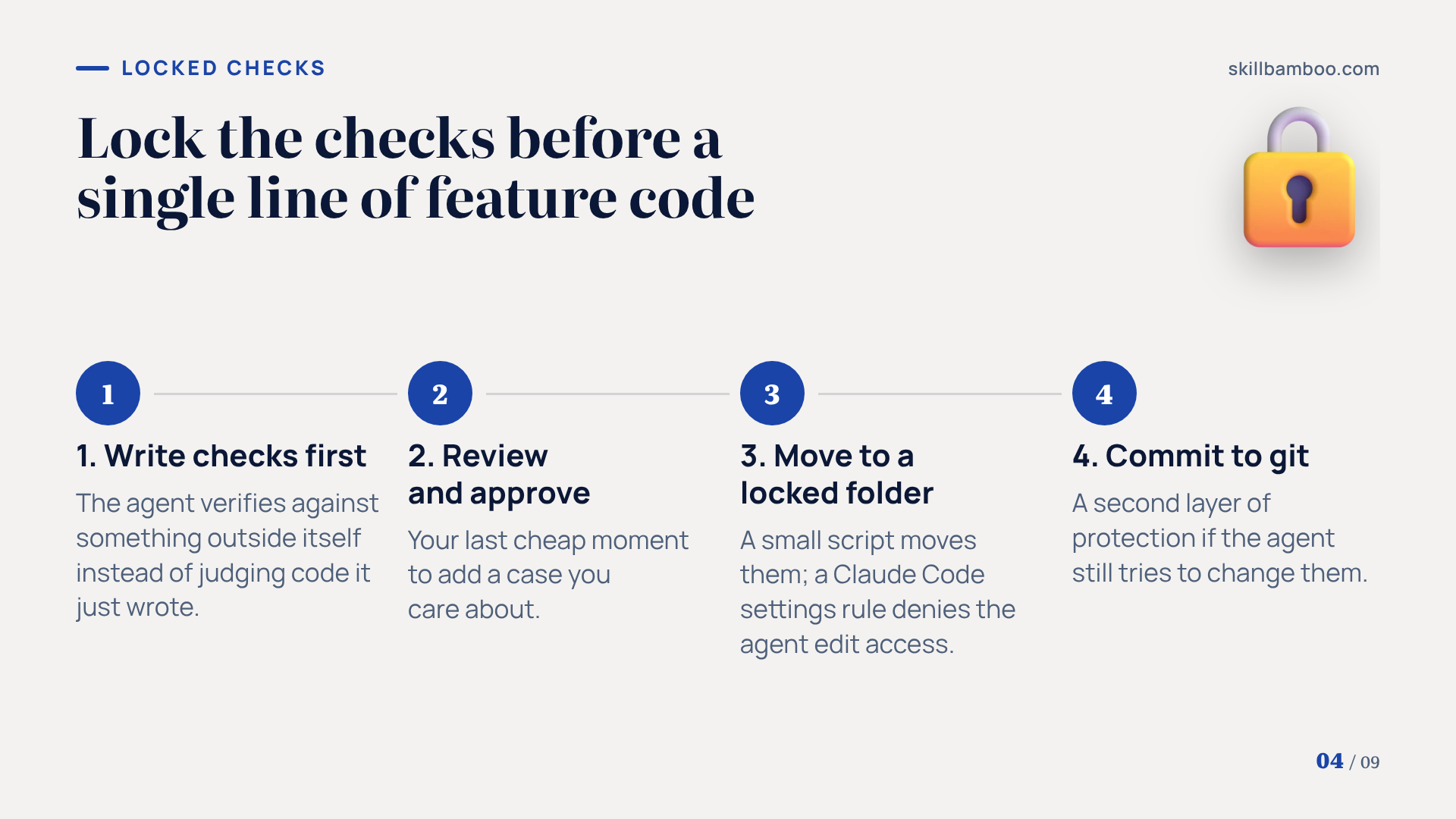
Set it up in this order:
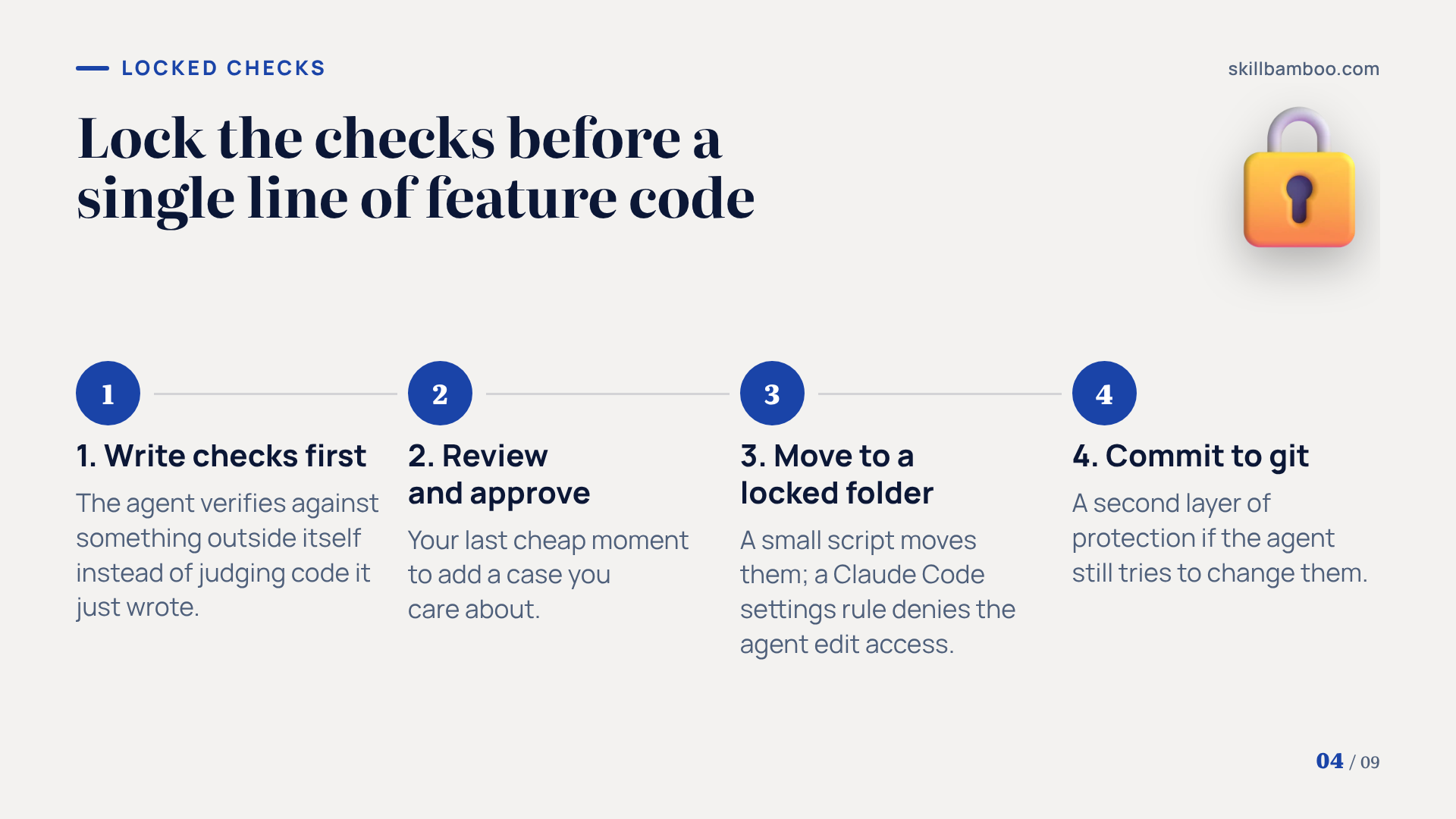
- Write the checks before any feature code exists. The agent then verifies against something outside itself instead of judging code it just wrote.
- Review the list of checks and approve it. This is your last cheap moment to add a case you care about.
- Move approved checks into a locked folder. A small script does the move, while a Claude Code settings rule denies the agent edit access to that folder.
- Commit the checks. Git is the second layer of protection if the agent still tries to change them.
It's the same principle as Karpathy's untouchable scoring file, just applied to app development.
Every later step depends on this. Keep-or-revert decisions, the round log and the habit-fixing loop all assume the checks stay fixed.
One fresh Claude Code sub-agent per feature and a log of every round
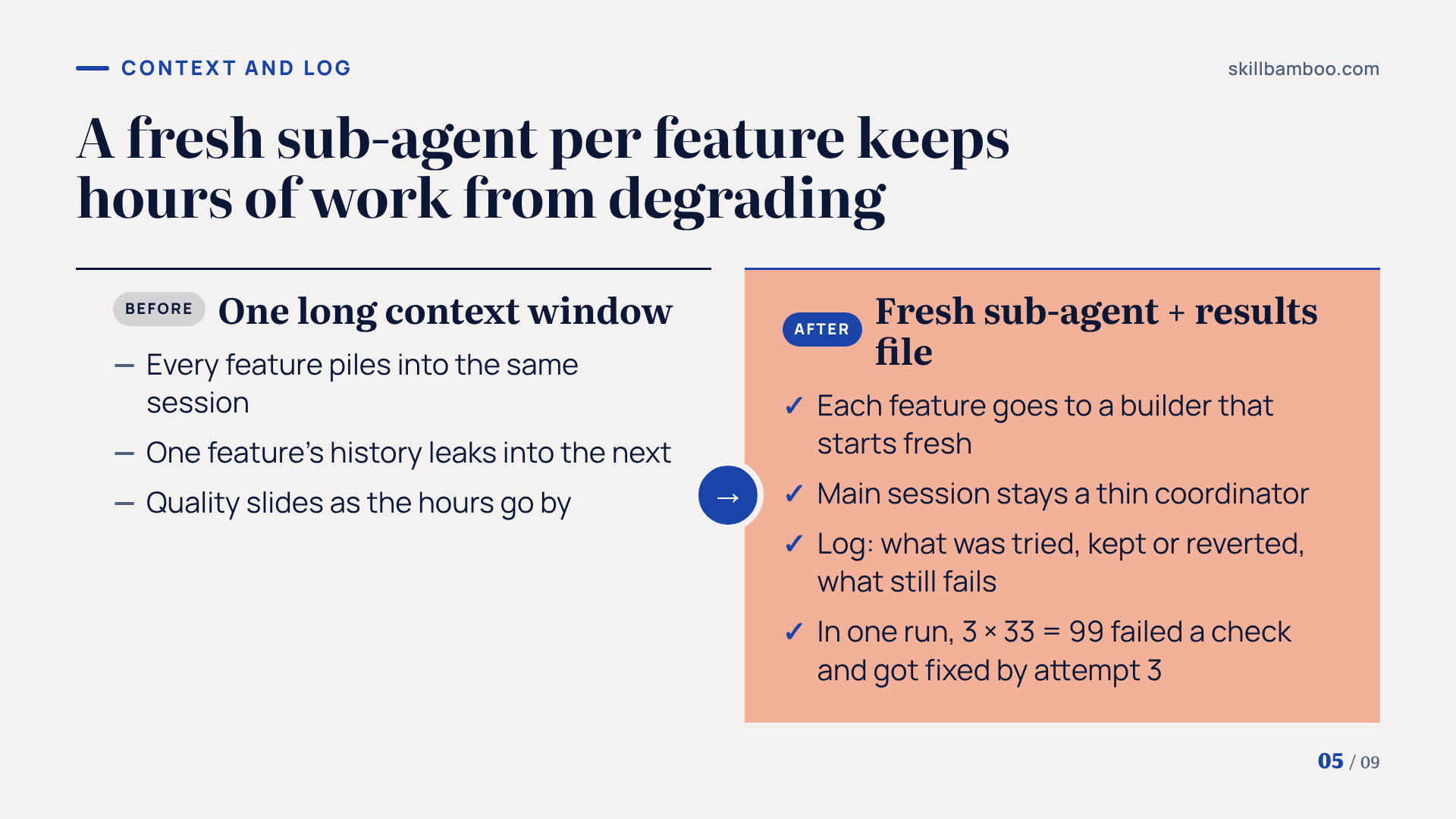
Hours of work in one context window is how quality degrades. So hand each feature to a feature-builder sub-agent that starts fresh every time.
One feature's history never leaks into the next, and the main session stays a thin coordinator.
Every round gets written to a results file: what was tried, whether the round was kept or reverted, and which checks still fail. This log is what you read in the morning. It's also the raw material for a second loop that fixes the builder's habits.
Locked checks earn their keep in exactly these rounds. In one run, the builder split a shared value three ways at 33 each, which totals 99. The check failed, and on the third attempt the builder fixed the math and passed all 10 checks.
Nobody was watching. The error still didn't slip through.
If you want such a run to keep going after you close your laptop, it needs a machine that stays on. Here's how to set up Claude Code on a VPS so sessions survive a closed laptop.
Keep Claude Code running autonomously with a tight /goal
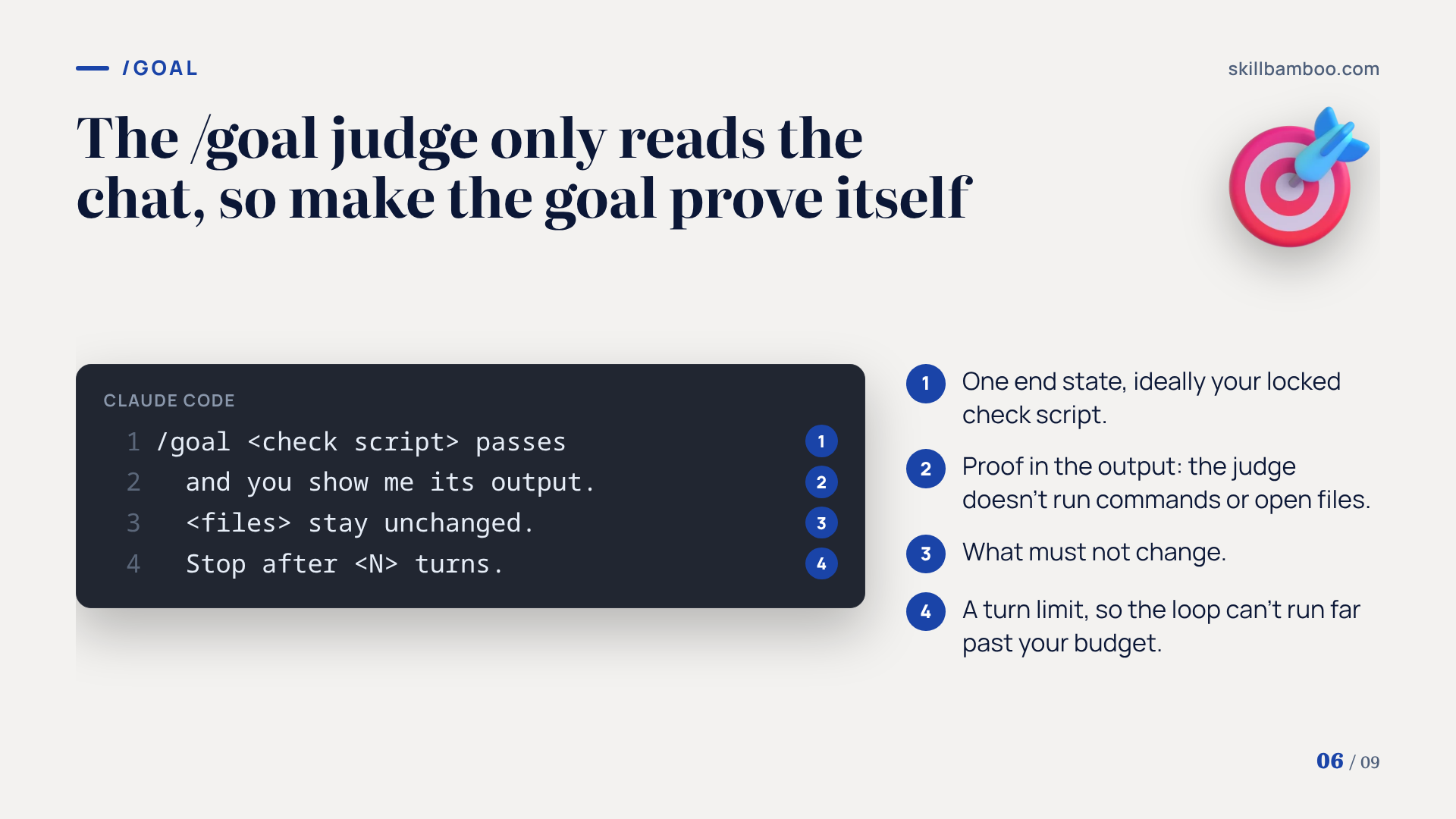
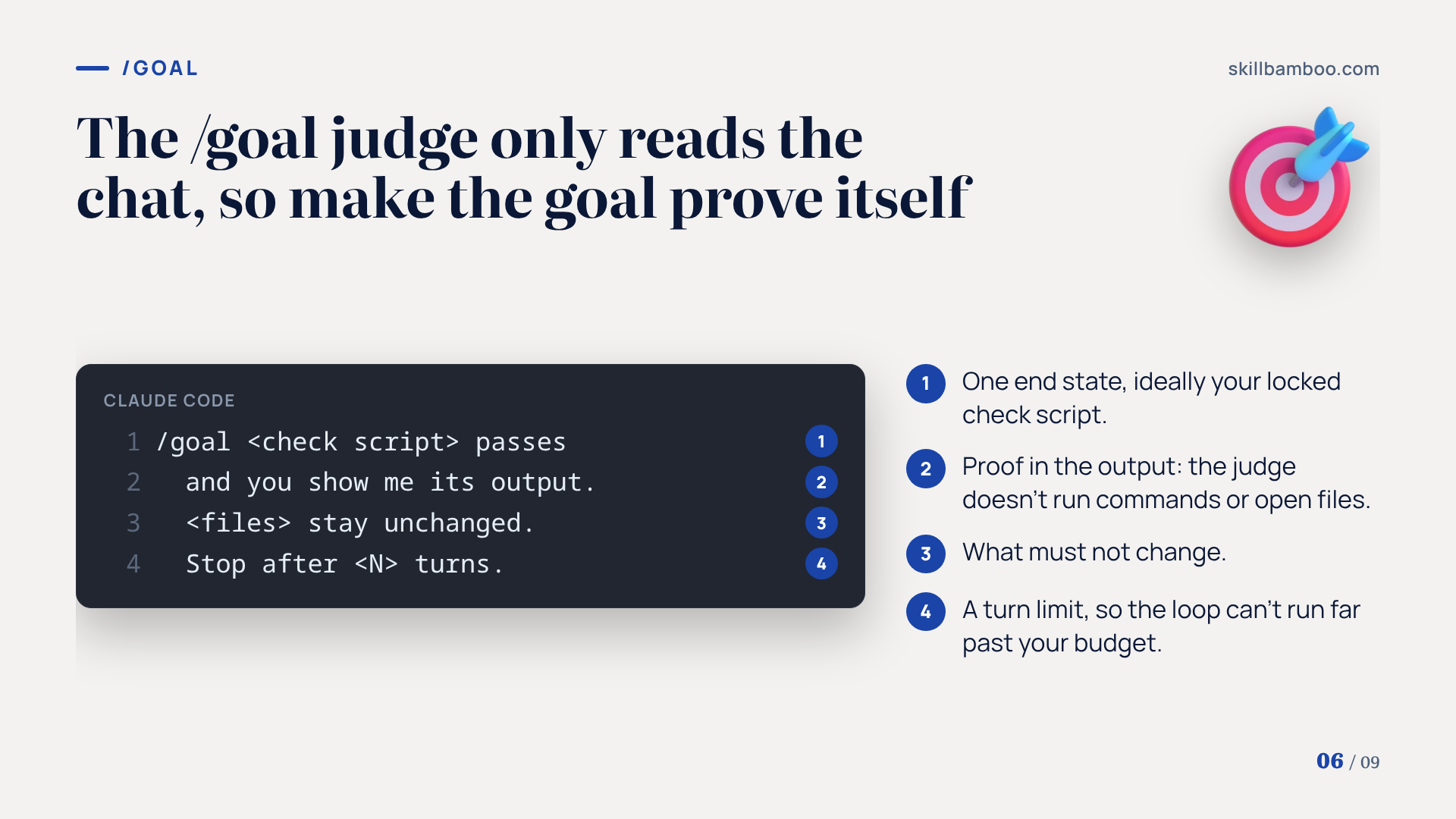
A loop still needs something that says “keep going” after each turn. That's what /goal does: once each turn ends, a lightweight model such as Haiku compares the goal with the conversation and rules on whether it's satisfied. If not, Claude takes another turn.
But look at what that judge can actually see. It doesn't run commands or open files. It sees only your message and Claude's output.
So a goal like “the feature is finished” lets the judge declare victory as soon as Claude says so.
A good goal has four parts:
- one end state
- how to prove it, ideally by pointing at your locked checks
- what must not change
- a turn limit
/goal <check script> passes and you show me its output. <files> stay unchanged. Stop after <N> turns.
The judge trusts the transcript
Because the /goal judge reads only the chat, require proof in the output itself, such as the check results. A goal without proof and a turn limit can stop too early or run far longer than you budgeted.
Let a second loop fix the first loop's habits
Fresh sub-agents solve context bloat. But they actually create a new problem: every feature starts from the same instructions, so a mistake made in one feature reappears in the next.
The fix is a second loop. It reads the round log after each feature and rewrites the working instructions for the following one.
Here's what that looks like in practice. A shared database feature passed its checks, but the app never actually saved anything to it. The second loop spotted the pattern and added a rule: wire each feature into the app in the same round its checks pass.
One boundary stays strict. It may rewrite how the builder works, but never the checks.
If it could edit them, rounds would stop failing because the tests got easier – not because the habits improved.
A lean CLAUDE.md that points instead of imports
All of this runs on top of your base instructions. With Claude 5 models, those instructions should actually be shorter.
An Anthropic team cut more than 80% of the system prompt Claude Code uses with models such as Opus 5 and Fable 5, and its evaluations showed no measurable loss. Rules written for older models had become restrictive: one, for instance, capped how much Claude could write in code comments, even where a project needed more explanation.
The new rules of context engineering for Claude 5 generation models – Anthropic on trimming Claude Code's system prompt
Loading context only when needed has numbers behind it too. When Anthropic loaded MCP tool definitions (the descriptions of tools Claude can call) on demand, token usage dropped 85% in its example, and MCP evaluation scores for Opus 4 rose from 49% to 74%.
Introducing advanced tool use on the Claude Developer Platform – Tool Search Tool and on-demand MCP tool loading
So apply the same thinking to your own file:
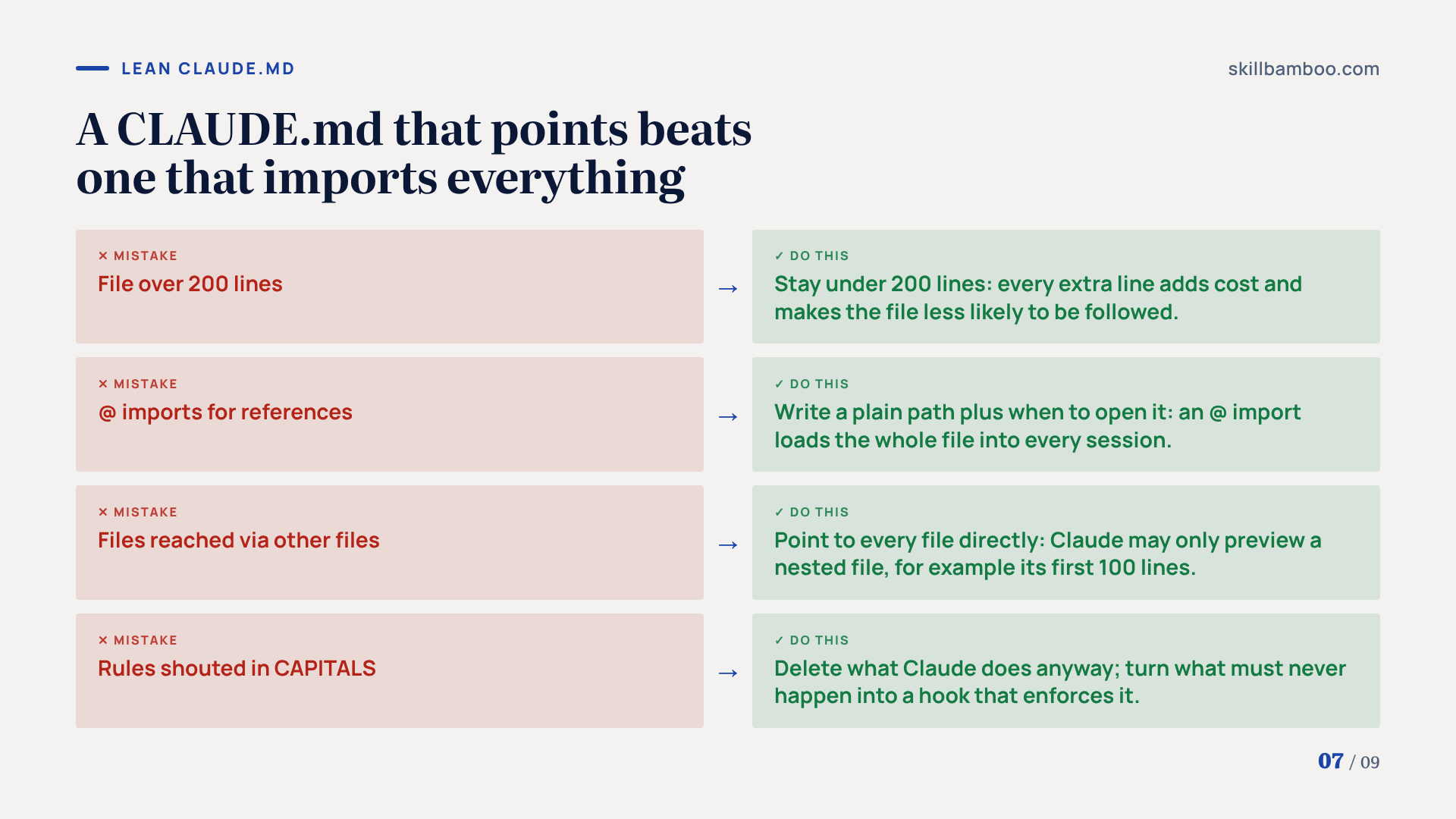
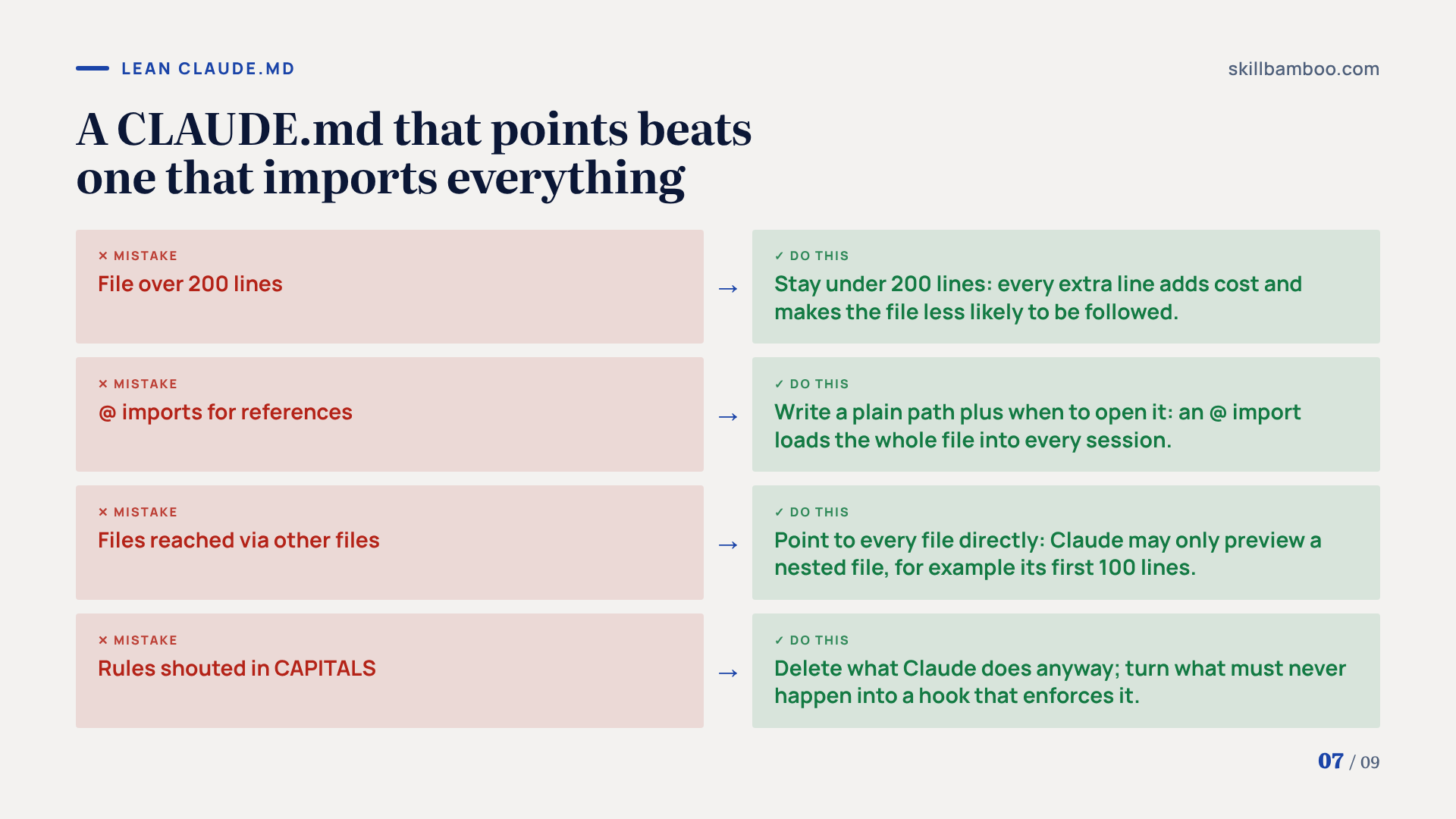
- Stay under 200 lines. Every extra line adds cost and makes the whole file less likely to be followed.
- Use paths, not @ imports. An @ import loads the whole file into every session. Just write a plain path plus when to open it.
- Point to every file directly. Claude may only partially read a file reached through another file, for example by previewing its first 100 lines.
- Turn capitals into hooks. Each rule shouted in capitals is either something Claude does anyway, so delete it, or something that must never happen, so make it a hook (a small script Claude Code runs at a set moment) that enforces it.
Keep only what Claude can't guess
Commands it can't infer, places where your project differs from the usual approach, and hard boundaries belong in CLAUDE.md. Detailed procedures belong in separate files it opens when the task calls for them.
Key terms
- Karpathy loop – An agent loop where each round makes one change, scores it against a file the agent cannot edit, and keeps the change only if the score improves.
- Locked checks – Tests written and approved before the build, moved into a folder the agent is blocked from editing and committed to git.
- Feature-builder sub-agent – A sub-agent that starts with a fresh context for each feature, so one feature's history does not pollute the next.
- /goal – A Claude Code command that keeps Claude taking turns until a small judge model decides the stated goal is met.
- Definition of done – A precise, checkable description of the finished result that the agent and its checks can verify.
- Hook – A small deterministic script that runs at a set moment, such as before a tool call, and enforces a rule without using model tokens.
Summary: your unattended-run checklist
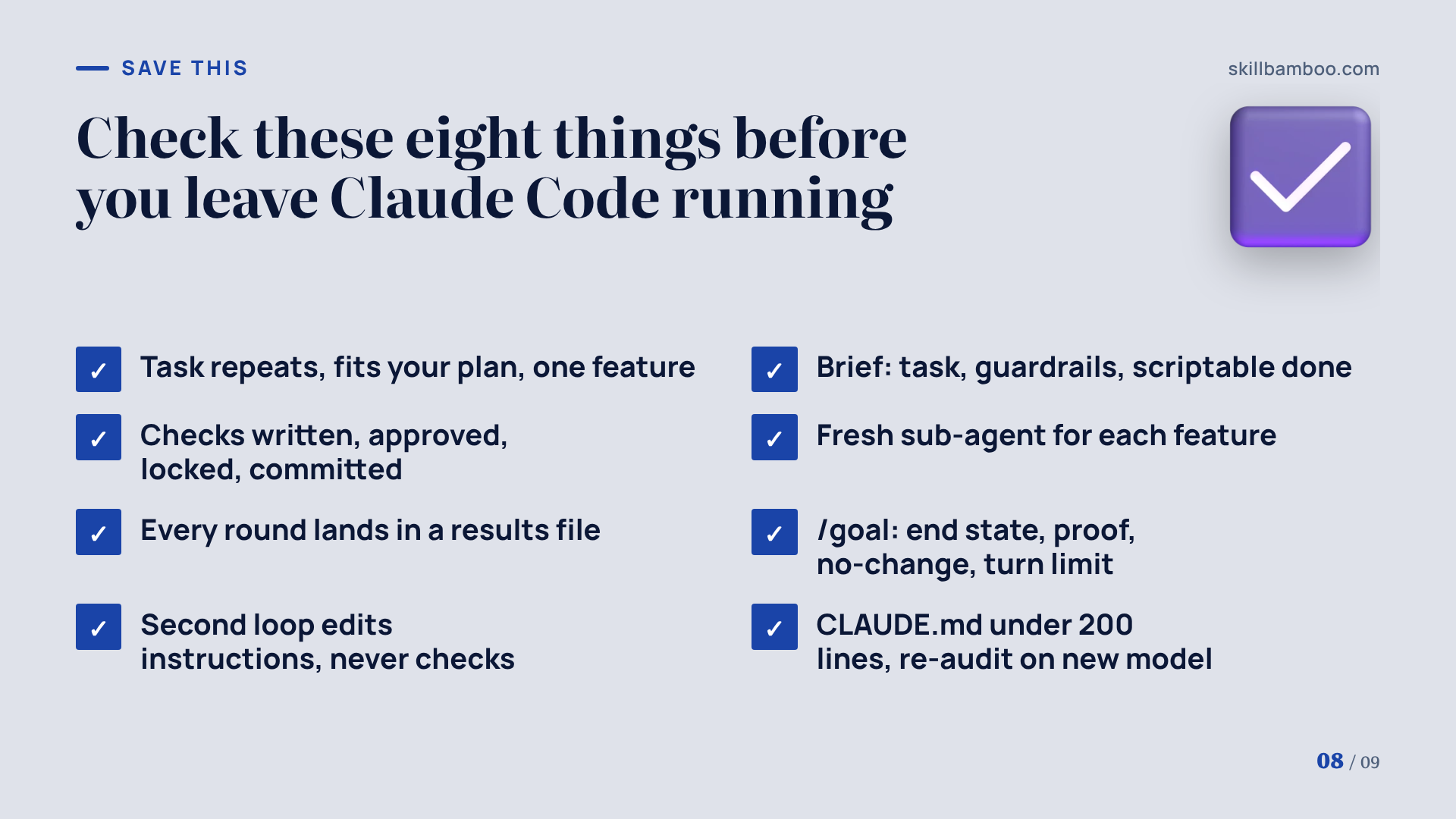
Before you leave Claude Code running for hours, walk through this list:
Setup:
- The task repeats, fits your usage plan and is scoped to one feature per loop.
- The brief names the task, the guardrails and a definition of done that a script can actually check.
- Checks are written first, approved, moved to a locked folder blocked in settings and committed.
The run:
- Each feature gets a fresh sub-agent.
- Every round lands in a results file.
- /goal names one end state, its proof, what must not change and a turn limit.
- A second loop may rewrite instructions. Never the checks.
Upkeep:
- CLAUDE.md stays under 200 lines, uses paths instead of imports and points to every file directly.
- After every model switch, re-audit CLAUDE.md, skills and instructions, because each model reads them differently.
For runs that should continue overnight on a server, see installing Claude Code on your own VPS and keeping sessions alive.
Summary
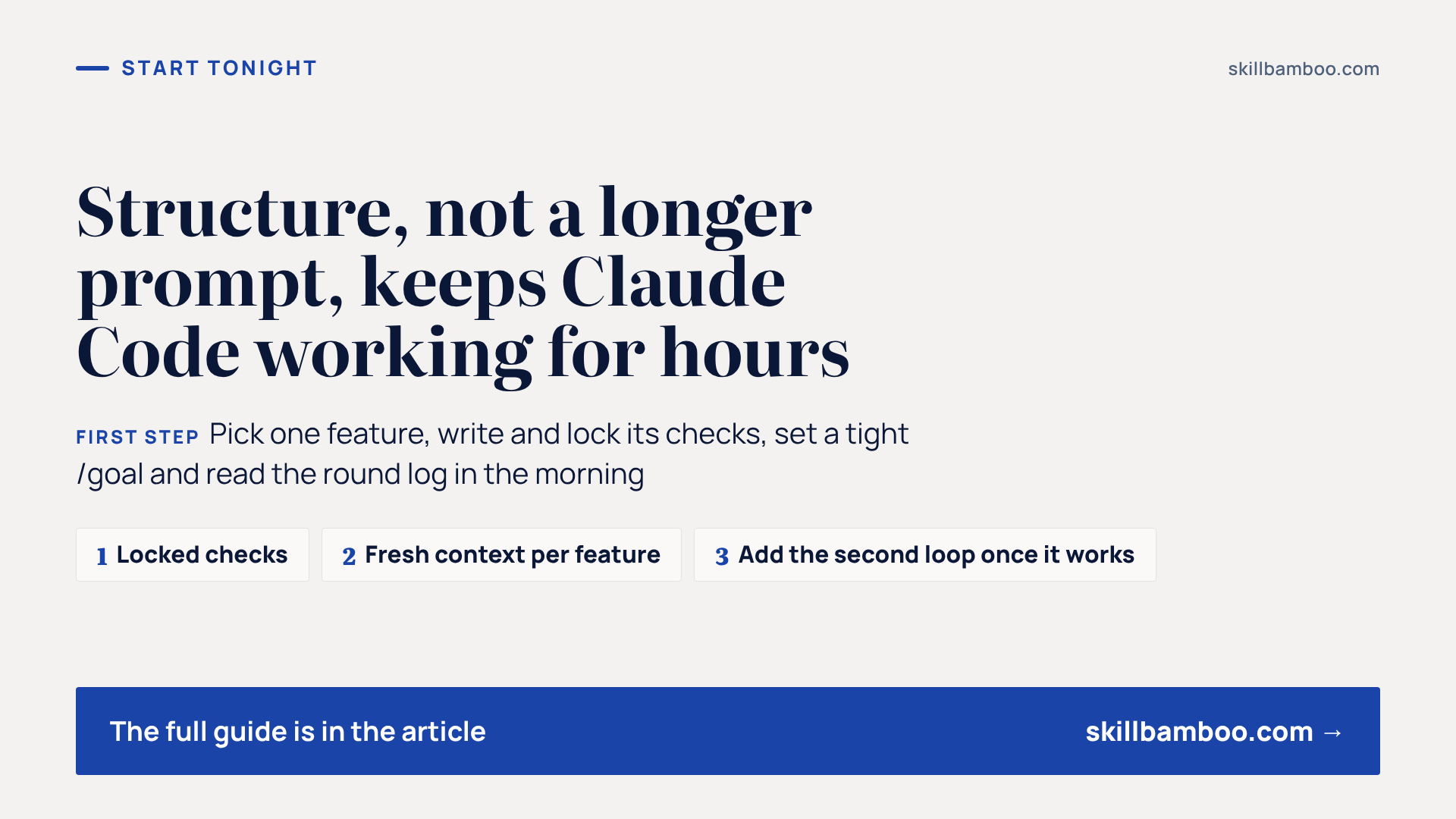
Long unattended runs succeed when the structure carries the load: checks the agent can't touch, a clean context per feature, a log that feeds a habit-fixing loop and a stop condition with proof. A short brief replaces plan mode, and a small CLAUDE.md replaces the wall of rules older models needed. Start with one feature: write and lock its checks, set a tight /goal, and read the round log the next morning. Once that works, add the second loop.
Check yourself
1. You need a one-off data migration script. Should you set up a long autonomous loop for it?
- A. No, a loop only pays off for tasks you repeat often; one good prompt is enough here
- B. Yes, loops always produce better results than prompts
- C. Yes, as long as you are on the $20 plan
Show answer
Answer: A. Setting up the loop would take longer than the task itself.
2. Why are checks moved to a locked folder and committed before the build starts?
- A. To save tokens during the run
- B. Because the checks are only needed after the build
- C. So the agent cannot make them easier to pass
Show answer
Answer: C. An agent that can edit its own checks can raise its score without improving the code.
3. Your /goal says “the report is finished.” What is the likely problem?
- A. The judge only sees the chat and Claude's output, so it may decide the vague goal is met too early
- B. Nothing, short goals work best
- C. The judge will run your tests too often
Show answer
Answer: A. A goal needs one provable end state, what must not change and a turn limit.
4. All checks for a new feature pass, but the app never actually uses it. What is the best fix for future features?
- A. Let the improvement loop rewrite the checks to be stricter on its own
- B. Give the whole app to one agent in one long session
- C. Add an instruction to wire each feature into the app in the same round its checks pass
Show answer
Answer: C. The second loop changes how the builder works, while the checks stay locked.
5. Which of these belong in a lean CLAUDE.md for Claude 5 models? (Select all that apply.)
- A. Capitalized MUST rules for actions that must never happen
- B. Plain file paths with a note on when to open each file
- C. @ imports of every reference document
- D. Commands and gotchas Claude cannot guess
Show answer
Answer: B, D. B – Paths load a file only when needed, while @ imports load it into every session. D – That is information the model cannot infer on its own.