 SkillBamboo

When Claude Motion showed up, my first question was probably the same as yours. Claude Motion vs Remotion, and do I need to switch? I'd been building explainer videos through Claude Code and Remotion, and a new animation mode right inside Claude sounded like it might make that whole setup pointless. So I went through the launch notes, the plan details and a pile of side-by-side tests to see what really changes.
The answer turned out to be less dramatic than the launch buzz, and a lot more about your plan than about video quality. Once you've read this through, you'll know which route your plan gives you, how to set it up, and when Higgsfield footage pays off.
Claude Motion vs Remotion: what they have in common
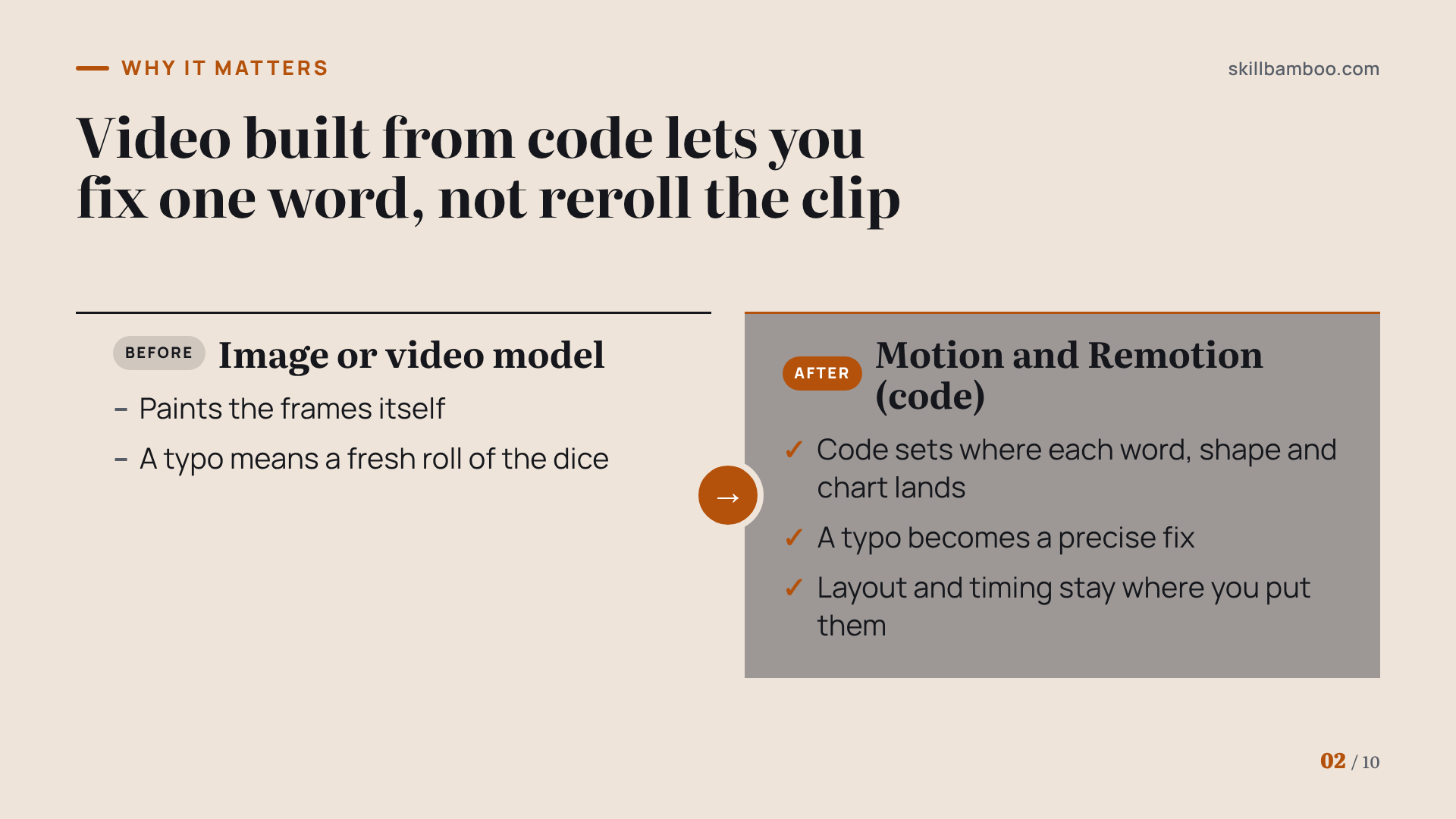
Both routes start from the same idea: Claude doesn't paint frames the way an image or video model does. It writes code, and that code spells out exactly where each word, shape and chart lands on screen.
Remotion works on the same principle: it's a tool that renders video from code, and it's free for individuals, non-profits and companies with up to 3 employees.
That shared foundation has two consequences. The good news is that a video built this way is a program, so a change is a change to that program. In other words, a typo in a headline becomes a precise fix rather than a fresh roll of the dice. Layout and timing stay where you put them.
The second consequence is a hard limit. Code just animates, so it can't invent a photorealistic street scene or a person holding your product.
Motion handles text, shapes, charts and images, and so does a Remotion motion graphics project. If your video needs shots that look filmed, neither route will produce them on its own. That's the job of a footage generator like Higgsfield, which pays off only for certain shots.
Build live dashboards and animate explainers with Claude – Anthropic's Claude Motion launch announcement
So the honest comparison isn't about which tool makes better videos. It comes down to who gets access, where rendering happens and how you edit.
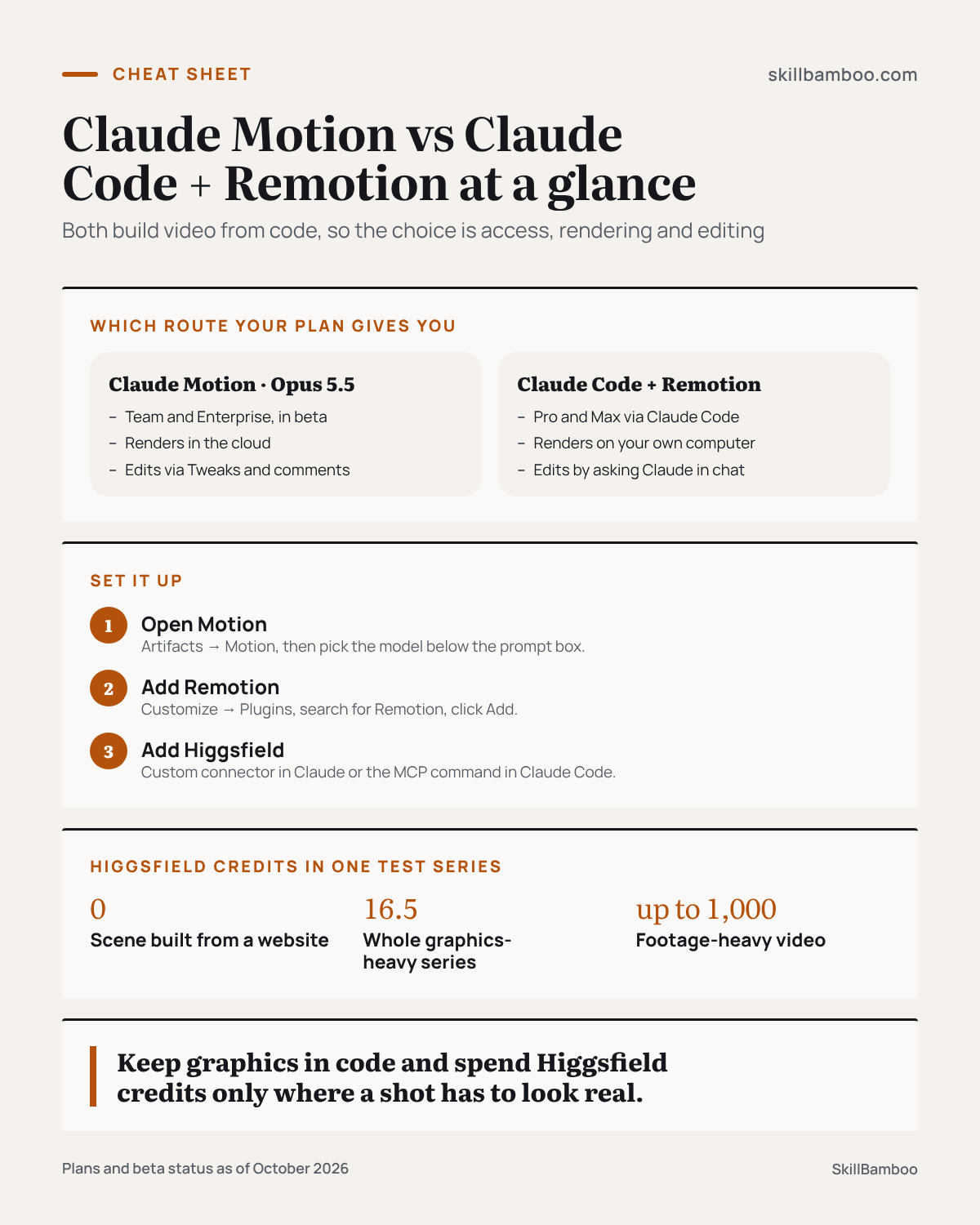
Claude Motion pricing and access: which route your plan gives you
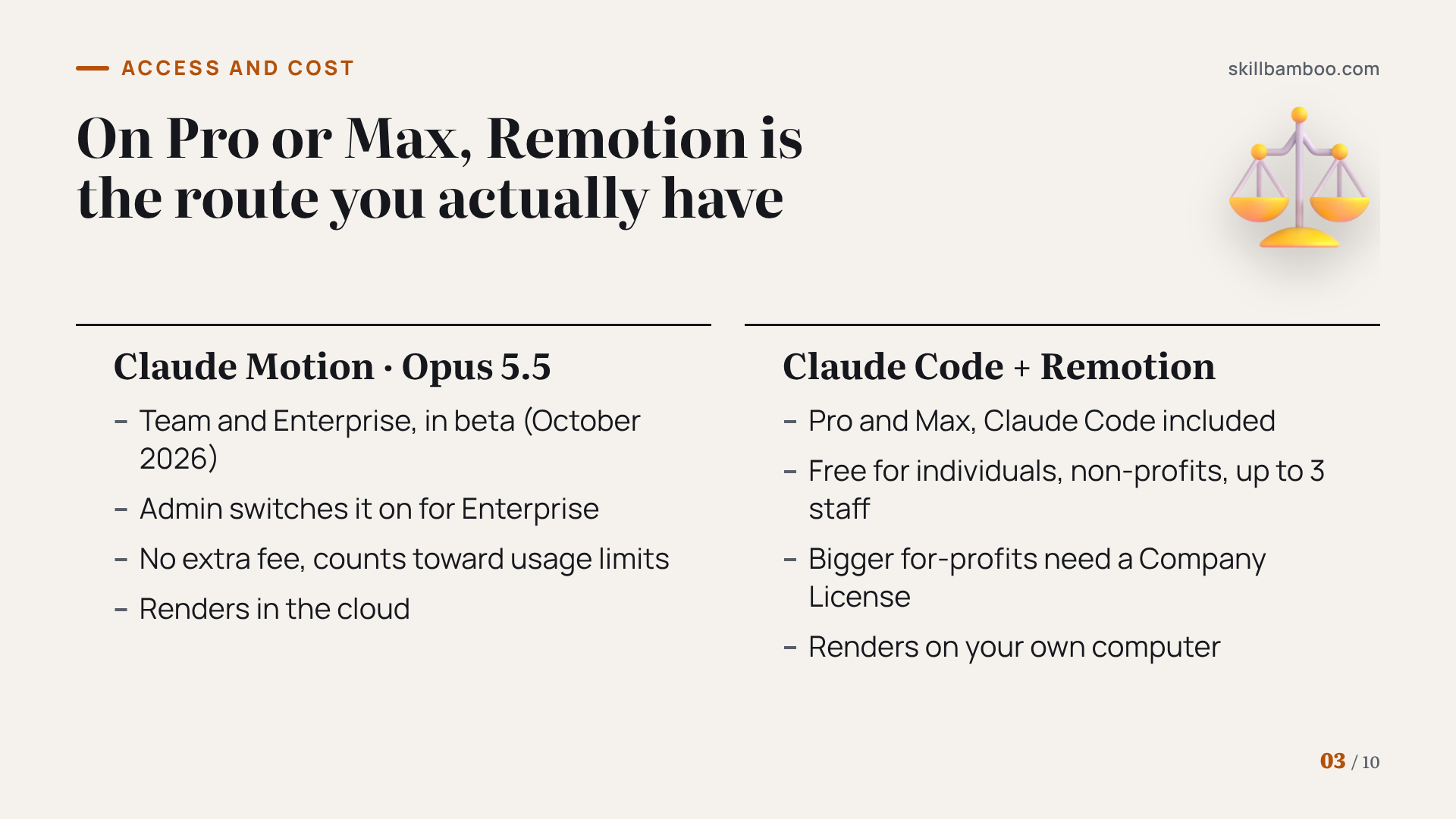
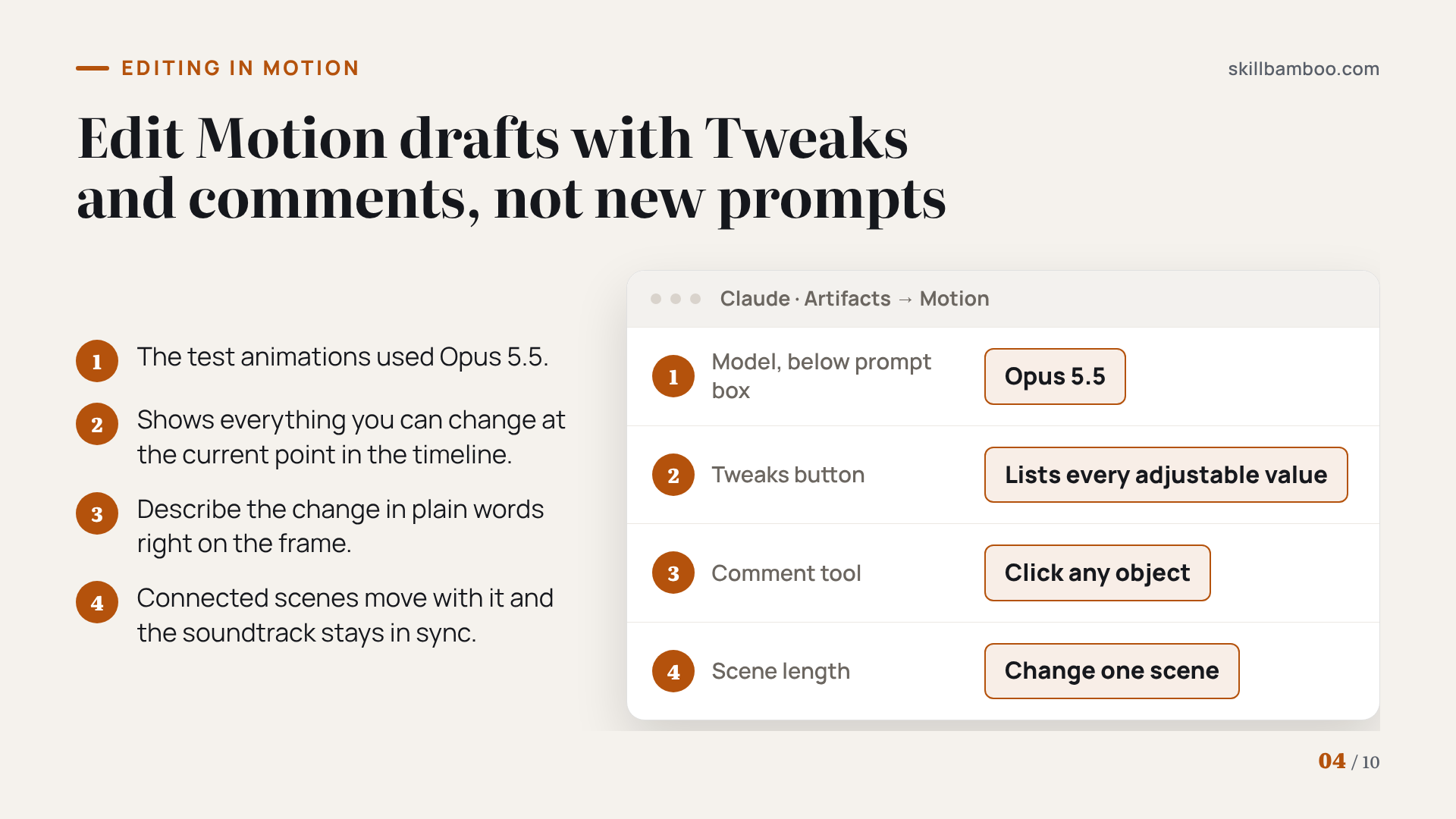
For many readers, the plan alone may settle the question. As of October 2026, Claude Motion is in beta and available only on Team and Enterprise plans. On Enterprise, an admin has to switch it on for you. On Pro or Max, you can't use Motion yet.
Get started with Claude Motion – Motion plan availability, admin setup and usage limits
So what if you're on Pro or Max? Remotion runs through Claude Code, and Claude Code is included in both plans. On those plans Remotion isn't the backup option. It's the route you actually have.
Use Claude Code with your Pro or Max plan – Claude Code access on Pro and Max plans
| Claude Motion · Opus 5.5 | Claude Code + Remotion · model not specified | |
|---|---|---|
| Plans | Team and Enterprise, in beta (admin enables it on Enterprise) | Pro and Max, with Claude Code included |
| Extra fee | None | Free for individuals, non-profits and companies with up to 3 employees |
| The catch | Every animation counts toward your plan's usage limits | For-profit companies with more than 3 employees need a Company License |
| Setup | None, it runs in the regular Claude chat with no Claude Code or After Effects | Claude Code plus a bit more setup on your machine |
| Rendering | In the cloud | On your own computer |
The Motion column reflects tests run with Opus 5.5. The Remotion tests didn't name a model, so the table compares access and workflow, not output quality or usage cost per video.
No fee doesn't mean unlimited
Motion has no separate price, but every animation you generate draws on your plan's usage limits. Keep an eye on your usage while you iterate, especially during your first few projects.
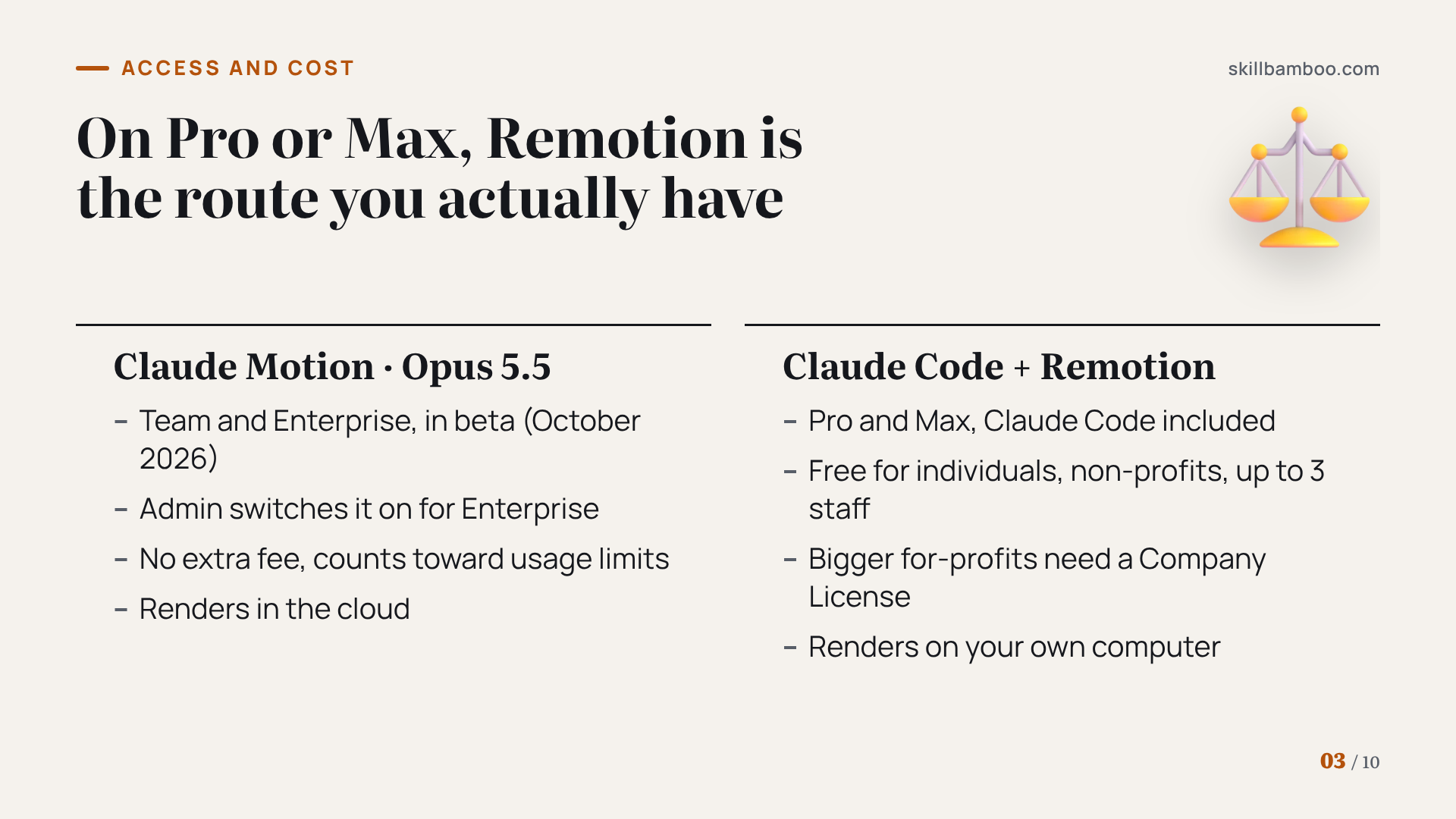
The editing loop: Tweaks and comments vs asking Claude
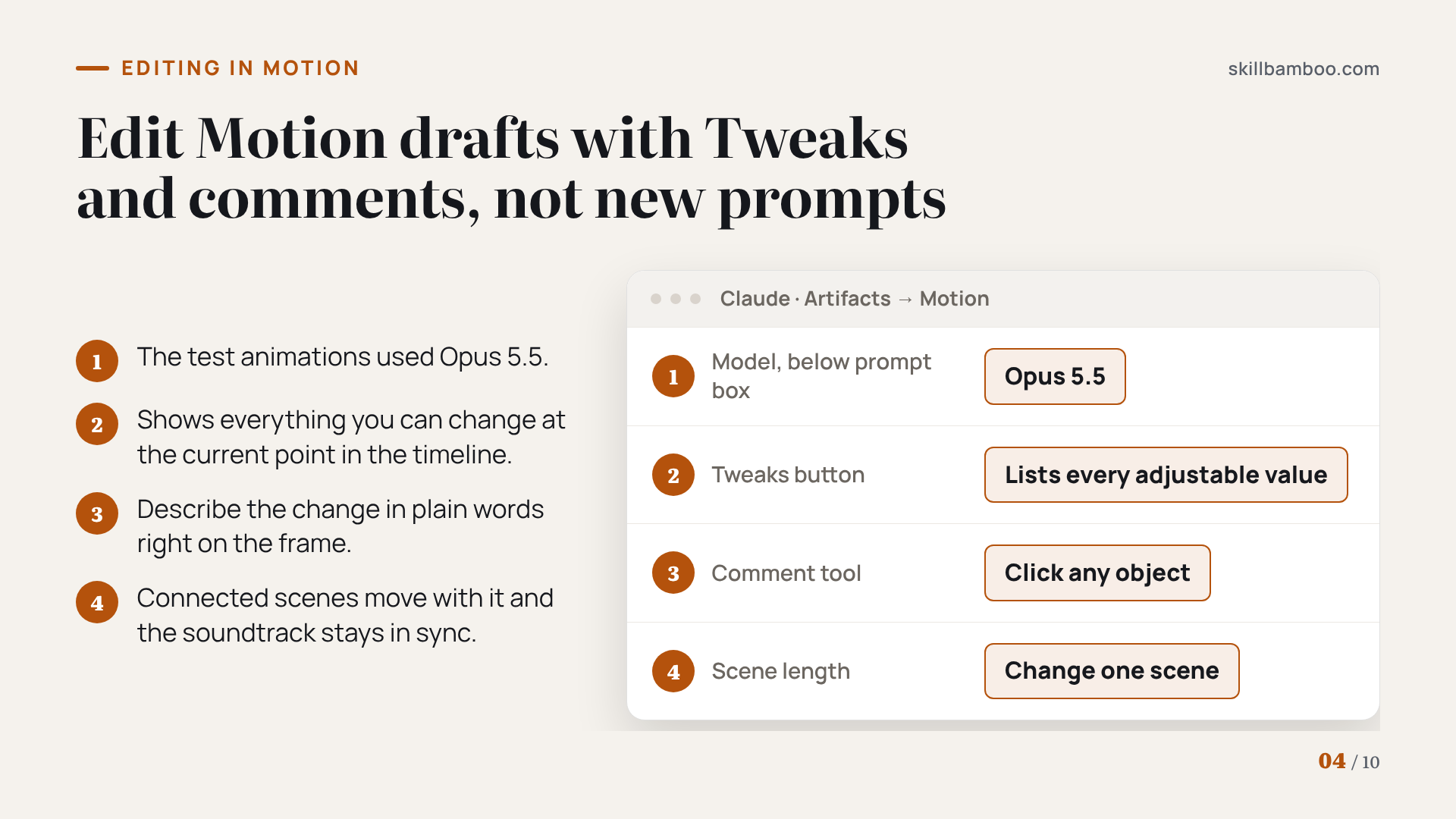
To open Motion, go to Artifacts in Claude and click Motion. There you pick the model right below the prompt box (the test animations used Opus 5.5). Once a draft exists, you have two direct ways to change it:
- Tweaks. Click the Tweaks button to see a list of everything adjustable in the video at the current point in the timeline.
- Comments. Click the comment tool, then click any object in the frame and describe the change in plain words.
Timing behaves sensibly too. If you change how long one scene runs, the connected scenes move along with it and the soundtrack stays in sync.
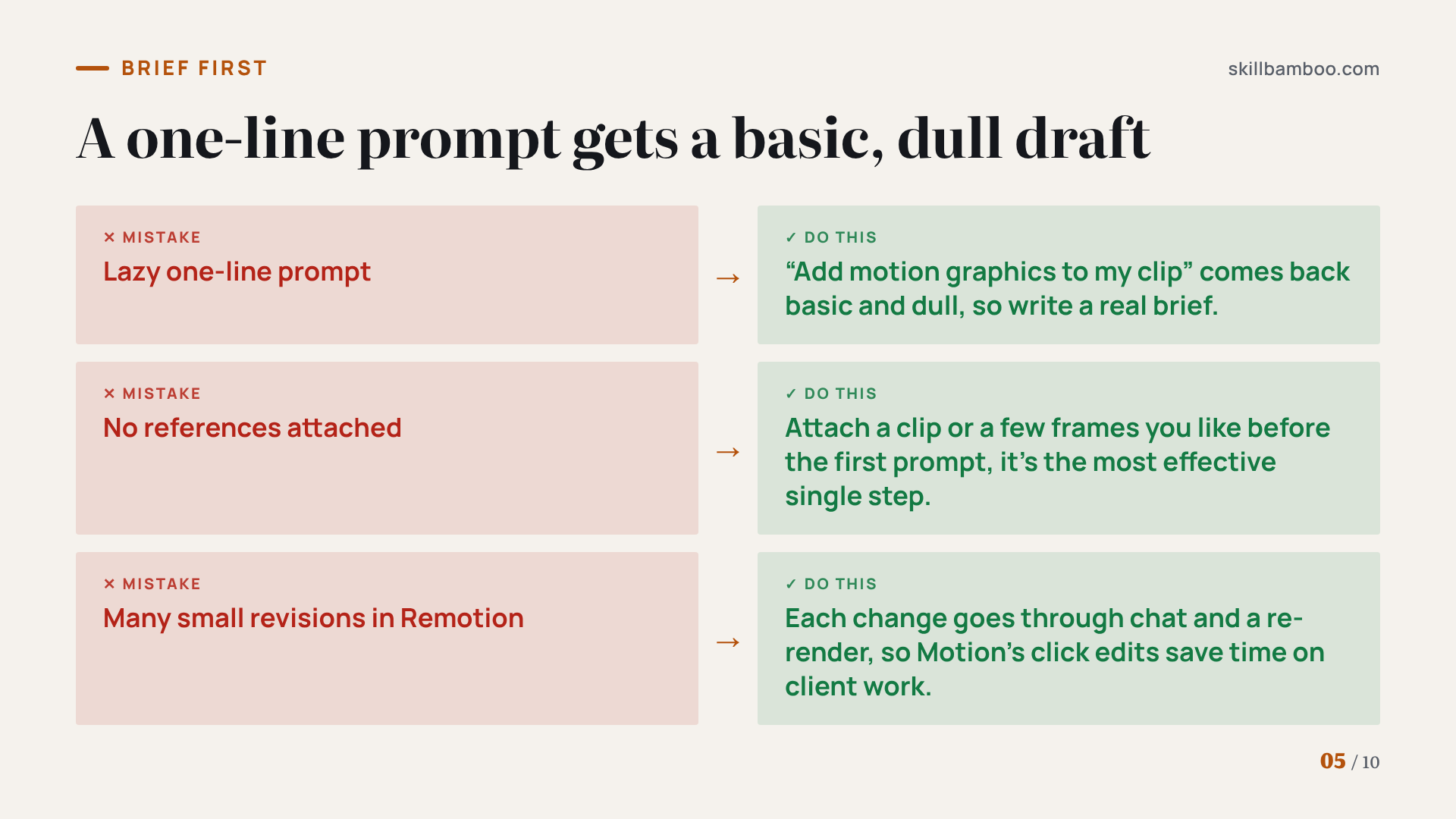
With Claude Code + Remotion, most edits go through conversation. You tell Claude in Claude Code what to change, it updates the code, and the video renders again.
It works, but it takes a bit longer than clicking an element in Motion. If your projects involve lots of small client revisions, that gap adds up.
Either way, the brief matters more than the tool. Giving Claude references is the most effective single thing you can do to get the result you have in mind. Creators who've tested it report that a lazy one-line prompt like “add motion graphics to my clip” comes back basic and dull.
Brief once, fix less
Attach a reference, such as a clip or a few frames you like, before the first prompt. The more Claude knows up front, the fewer rounds of Tweaks or follow-up requests you'll need.
Rendering and export: Claude Motion vs Claude Code + Remotion
Motion is built into Claude and renders in the cloud, so your laptop's power doesn't matter. Remotion renders on your own computer and needs a little more setup. To add it, go to Customize→Plugins in Claude, search for Remotion and click Add. That's the trade: Motion keeps everything inside Claude, while Remotion puts the render on your hardware.
What happens after the render matters just as much for client work. In one test, Claude moved a Motion project into After Effects with editable layers. It took some time, but it worked.
A 3D sequence was also converted for further editing in Blender, keeping its shots, timing and camera moves. In another case, Claude was given a reference, rebuilt the shot in 3D, held onto its rhythm and left it editable.
So Motion isn't a dead end. If a client wants final polish in After Effects, or a 3D artist wants to keep going in Blender, there's a handoff path. Just plan time for it, since the conversion isn't instant.
When Higgsfield footage is worth the credits
Let's go back to the limit from the start. Code handles text, shapes, charts and images, but not footage that has to look real. Higgsfield fills that gap, and it isn't tied to Motion, because Remotion inside Claude Code works with Higgsfield too.
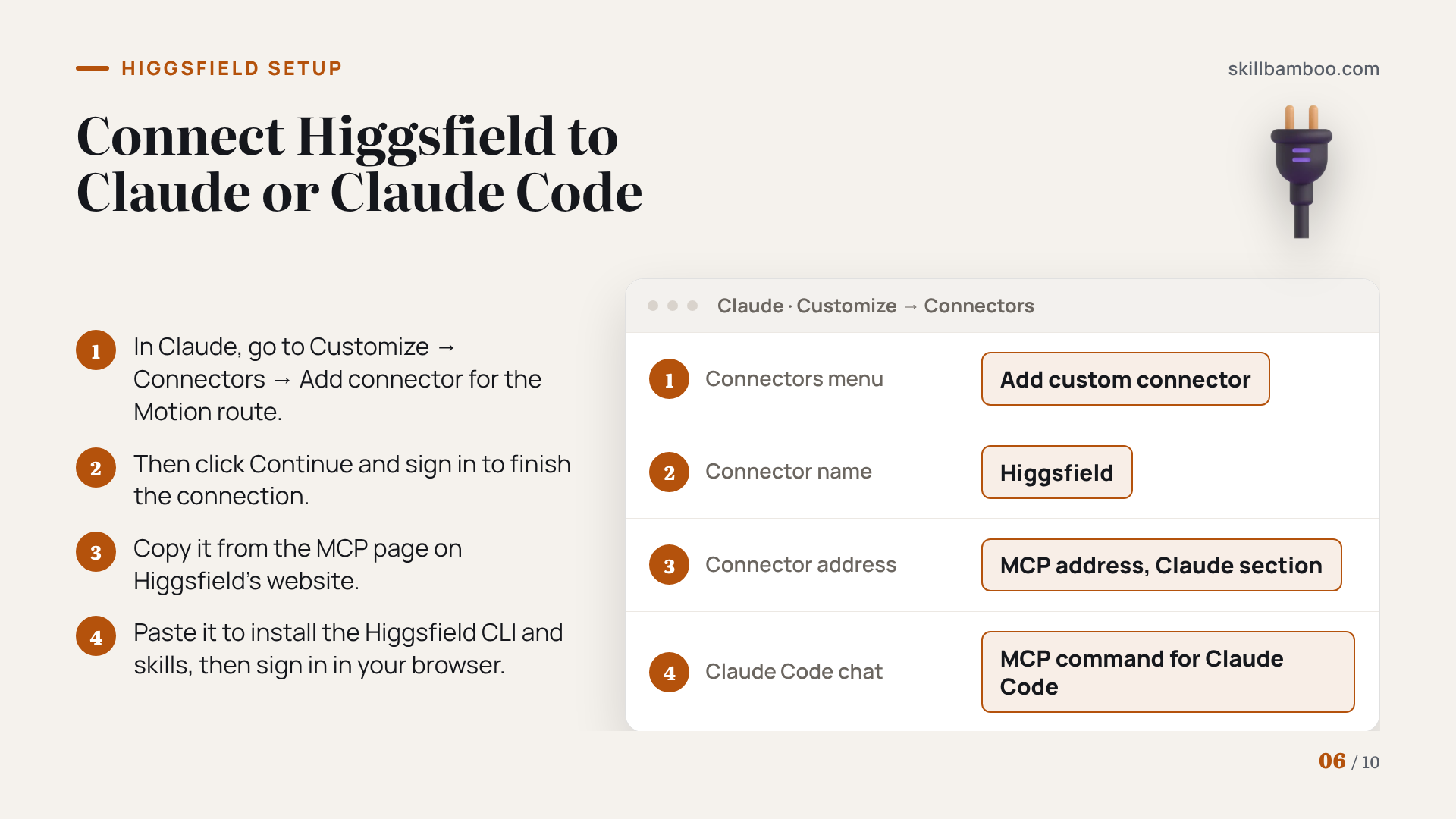
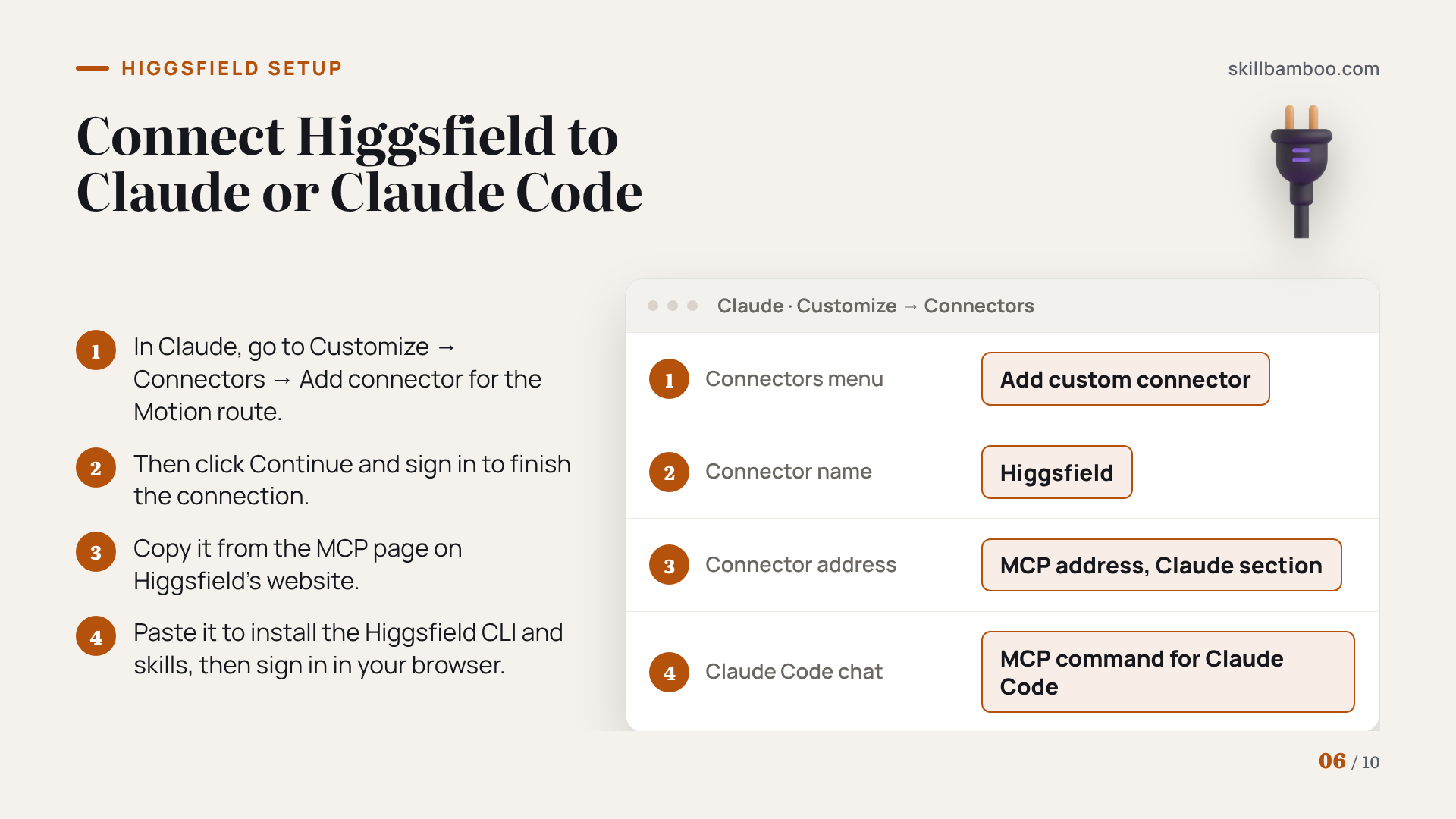
Here's how to connect it in Claude (the Motion route):
- Go to Customize→Connectors→Add connector→Add custom connector.
- Name the connector Higgsfield, paste the MCP address (the link that lets Claude talk to Higgsfield) from the Claude section of the MCP page on Higgsfield's website, click Continue and sign in.
To connect it in Claude Code (the Remotion route):
- On Higgsfield's website, open MCP, select Claude Code, copy the command and paste it into the Claude Code chat, which installs the Higgsfield CLI (its command-line tool) and its skills.
- Complete the Higgsfield sign-in in your browser when prompted.
So keep graphics in code and pay only for shots that genuinely need to look filmed.
Mixing generated clips with code-based graphics has a second benefit. If one shot is off, you regenerate only that shot instead of the whole video, which saves credits.
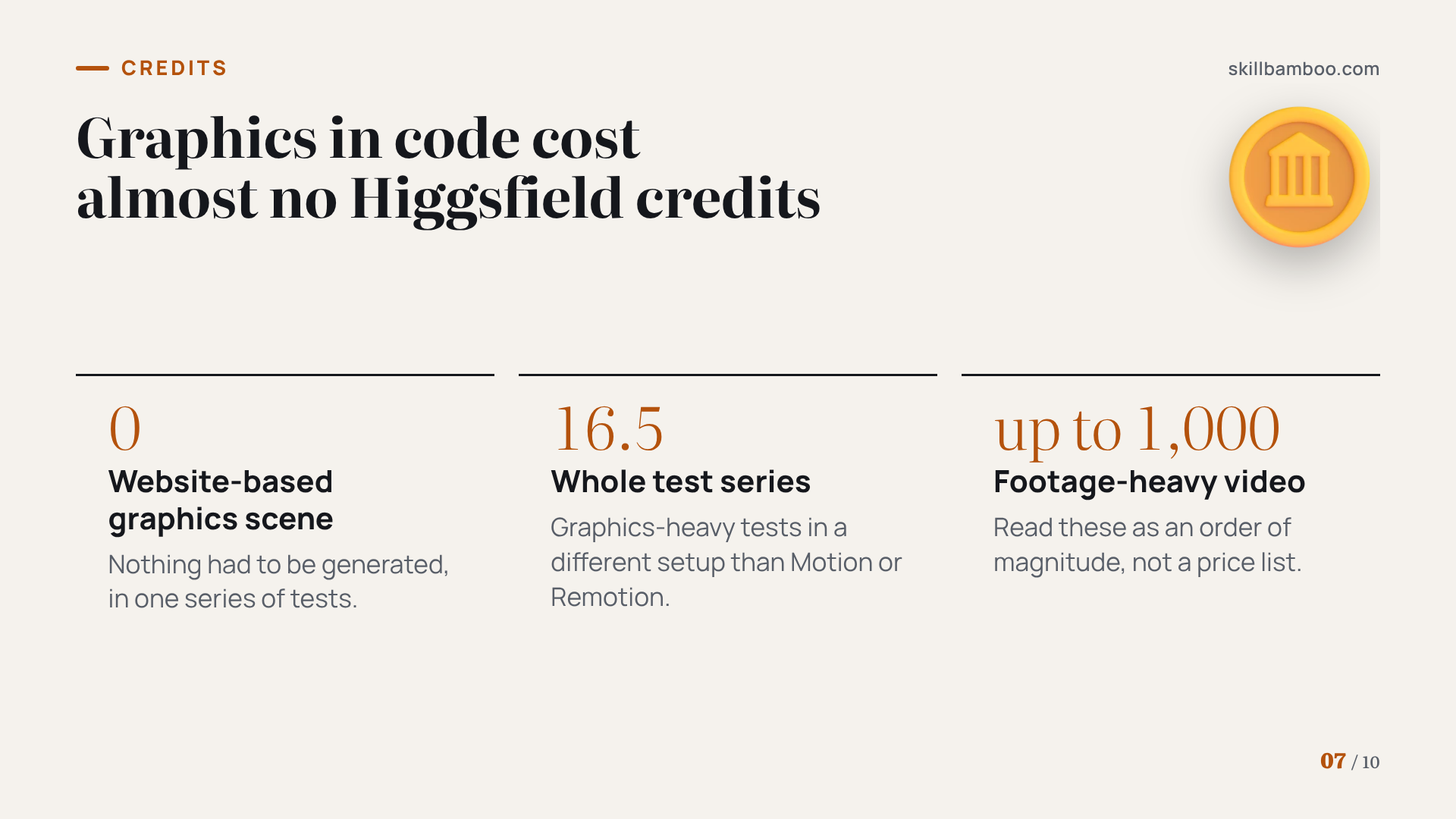
The numbers show why. In one series of graphics-heavy tests, a motion graphics scene built from a website cost zero Higgsfield credits, because nothing had to be generated. The whole series came to 16.5 credits. A footage-heavy video, by contrast, can burn through up to 1,000. Those figures come from a different setup than Motion or Remotion, so read them as an order of magnitude rather than a price list.
Don't generate what code can draw
Text, shapes, charts and images animated in code don't need generation credits at all. Save Higgsfield for the shots that must look real, and fix bad shots one at a time.
What the time tests actually show
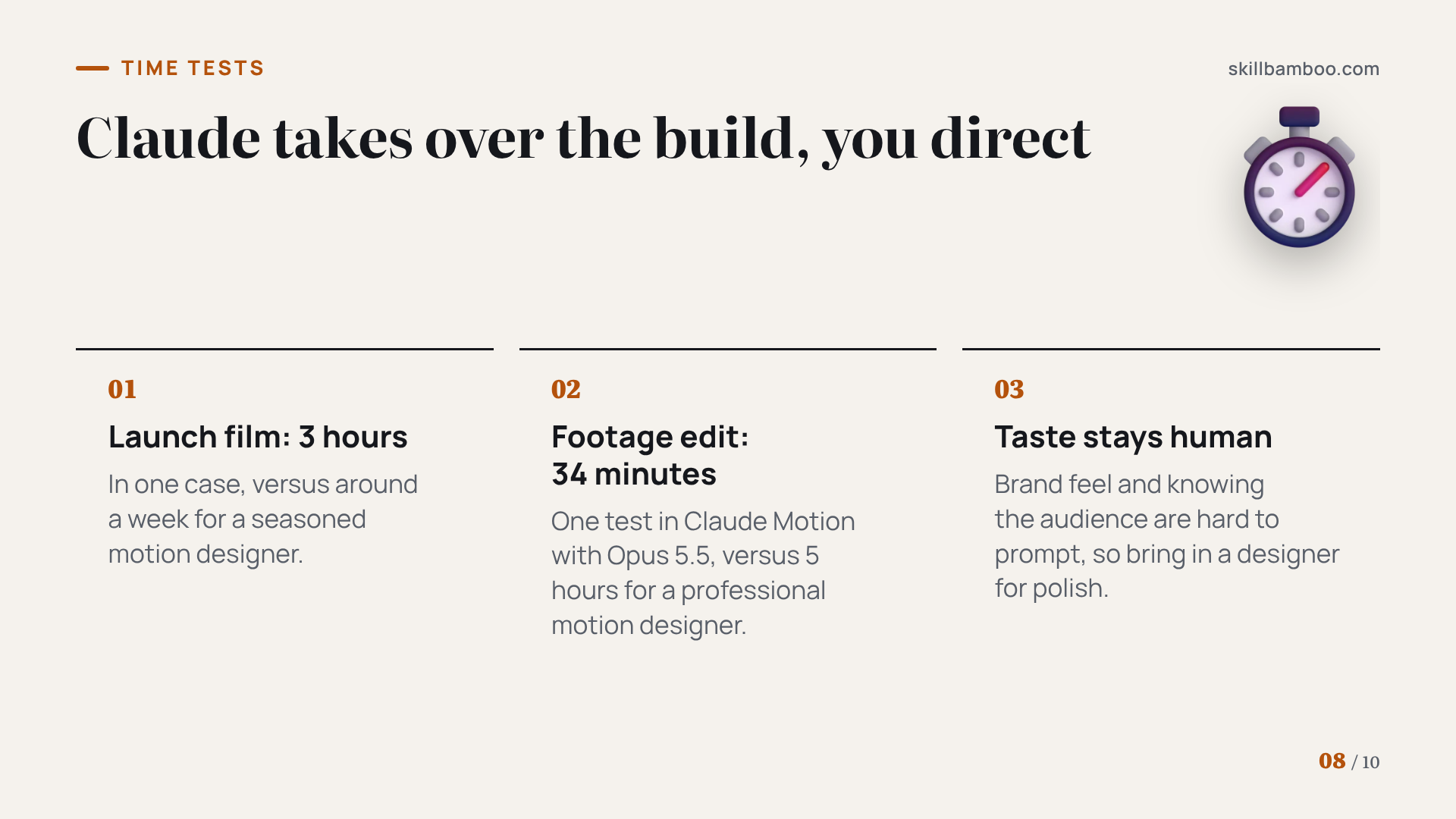
The speed claims hold up, but they need context. In one case, a launch film that a seasoned motion designer would usually spend around a week on was finished in Claude in 3 hours. Claude wrote every effect as code, handled six scenes at the same time and then assembled them into the final film.
In a separate head-to-head run in Claude Motion with Opus 5.5, the same footage edit took Claude 34 minutes and a professional motion designer 5 hours. That's a single test, so treat it as a signal rather than a benchmark.
What doesn't compress is judgment. Some creators who ran the comparison point out that a human designer still wins on taste and on knowing the brand and its audience, which are hard to put into a prompt. Speed is on Claude's side, but feel for a brand still sits with people.
So in practice Claude takes over the build, and your job shifts to directing. You bring references, review drafts with a designer's eye and pull in a human where brand feel matters most.
Key terms
- Claude Motion – A beta mode in Claude's Artifacts that turns a prompt into a code-based, fully editable animation.
- Remotion – A tool that builds videos from code and renders them on your own computer, driven here through Claude Code.
- MCP – A way to plug an outside tool into Claude so it can use that tool from the chat.
- Custom connector – An outside service added to Claude by pasting its MCP address under Customize → Connectors.
- Higgsfield – A platform that bundles major AI image and video models and connects to Claude via MCP to supply real-looking footage.
- Tweaks – Motion's panel that exposes every editable value – text, section length, speed – at the current point in the video.
Verdict: which route to pick
Run through this before your next project:
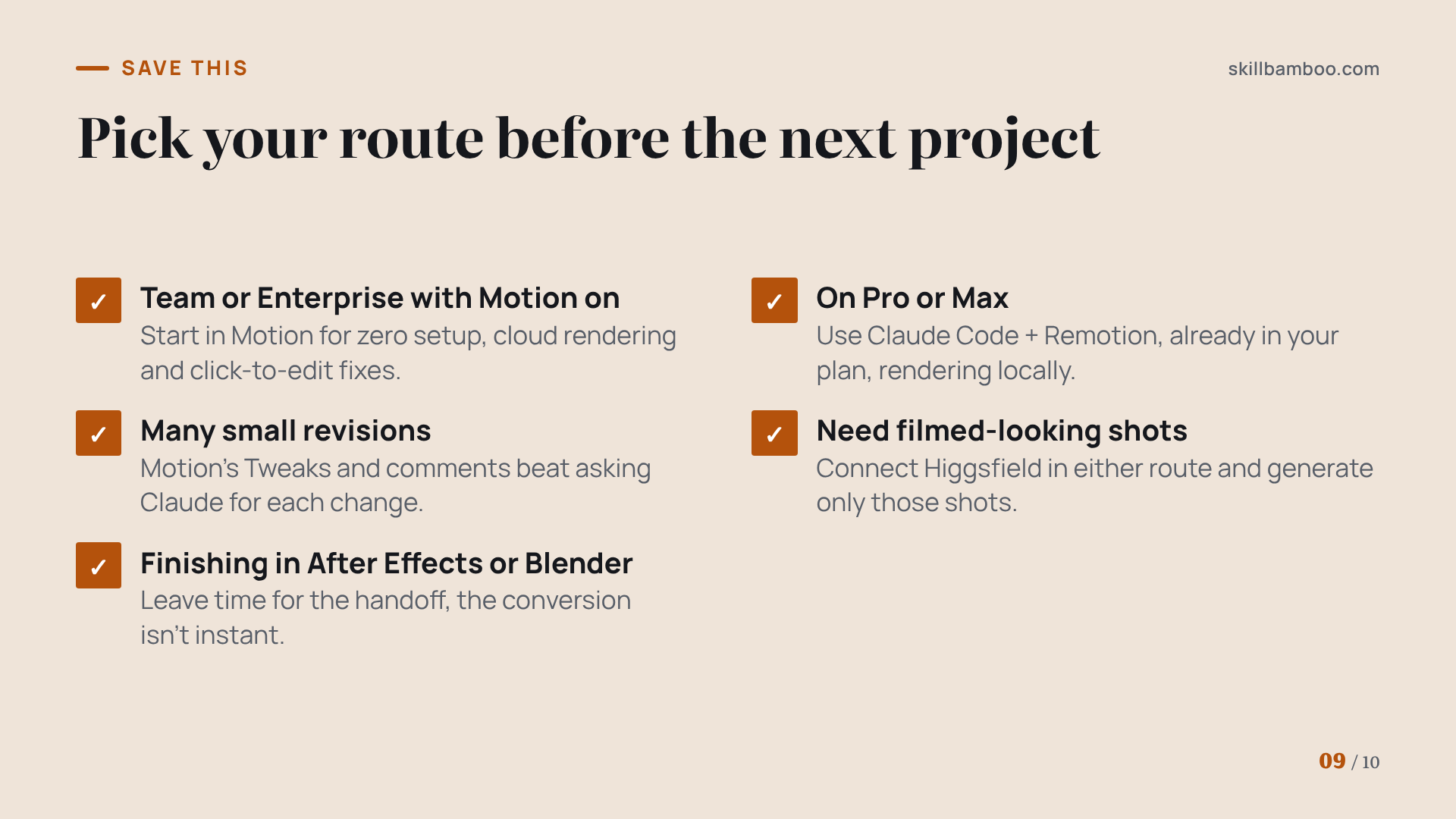
- On Team or Enterprise with Motion switched on? Start in Motion for zero setup, cloud rendering and click-to-edit fixes.
- On Pro or Max? Use Claude Code + Remotion, which your plan already includes and which renders locally.
- Expecting many small revisions? Motion's Tweaks and comments are faster than asking Claude for each change in Remotion.
- Need shots that look filmed? Connect Higgsfield in either route and generate only those shots.
- Need to finish in After Effects or Blender? Leave time for the handoff.
Think of Motion and Remotion as two doors into the same idea, video built from code. Today your plan picks the door for you, and your editing style decides whether Motion is worth moving to a Team plan for. Higgsfield is an add-on for real-looking shots in either route, not a reason to switch.
Summary
Check your plan, connect the route it gives you, and brief Claude with a reference before the first prompt. Keep graphics in code and spend Higgsfield credits only where a shot has to look real.
Check yourself
1. You're on a Max plan and need an animated product explainer this week. What's your route?
- A. Use Claude Code with the Remotion plugin
- B. Open Artifacts and use Motion
- C. Ask your admin to turn on Motion
Show answer
Answer: A. Motion is Team and Enterprise only for now, while Claude Code is included in Max.
2. A client wants one headline word changed in a finished animation. Which setups avoid regenerating the whole clip? (Select all that apply.)
- A. Claude Motion
- B. Claude Code + Remotion
- C. A pixel-based AI video generator
Show answer
Answer: A, B. A – Motion's output is code, so the word changes and everything else stays put. B – Remotion also builds video from code; you ask Claude to change the text.
3. Your ad needs a realistic city skyline behind animated text. What's the most credit-efficient approach?
- A. Generate only the skyline shot in Higgsfield and keep text and animation in code
- B. Ask Motion to render the skyline photorealistically
- C. Generate the whole ad as AI video
Show answer
Answer: A. Credits go only to the shot that must look real; graphics stay editable and cost nothing extra.
4. Which statement about rendering is accurate?
- A. Remotion requires a paid license for every user
- B. Both render on your machine
- C. Motion renders in the cloud; Remotion renders on your machine
Show answer
Answer: C. That's the core infrastructure difference between the two routes.
5. Your first Motion draft looks generic. What's the most likely fix?
- A. Switch to a shorter prompt
- B. Add references and describe how things move and how scenes connect
- C. Start over with a different tool
Show answer
Answer: B. References and a specific brief are the strongest levers on output quality.