 SkillBamboo

You bought a $20 AI coding plan, started a refactor after lunch, and by mid-afternoon the tool told you to come back in a few hours. Another plan might have lasted longer. Or it might not. Here's how Claude Code vs Codex limits held up, with Cursor alongside, when all three got the same 10 coding prompts. The usage counters say a lot about your habits too. In about ten minutes you'll know which $20 plan fits how you work, and which session, context and model choices keep the 5-hour window from running dry.
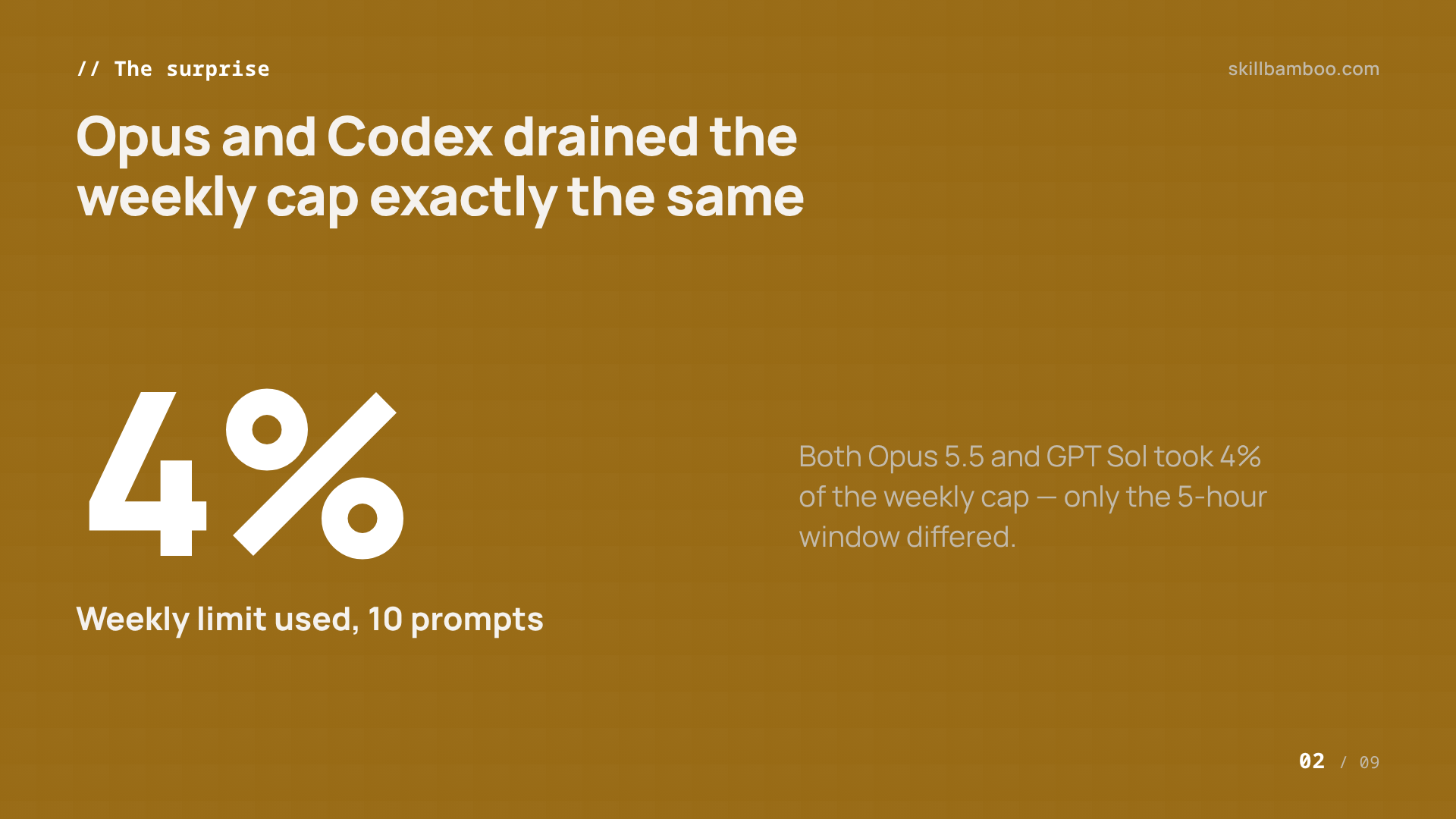
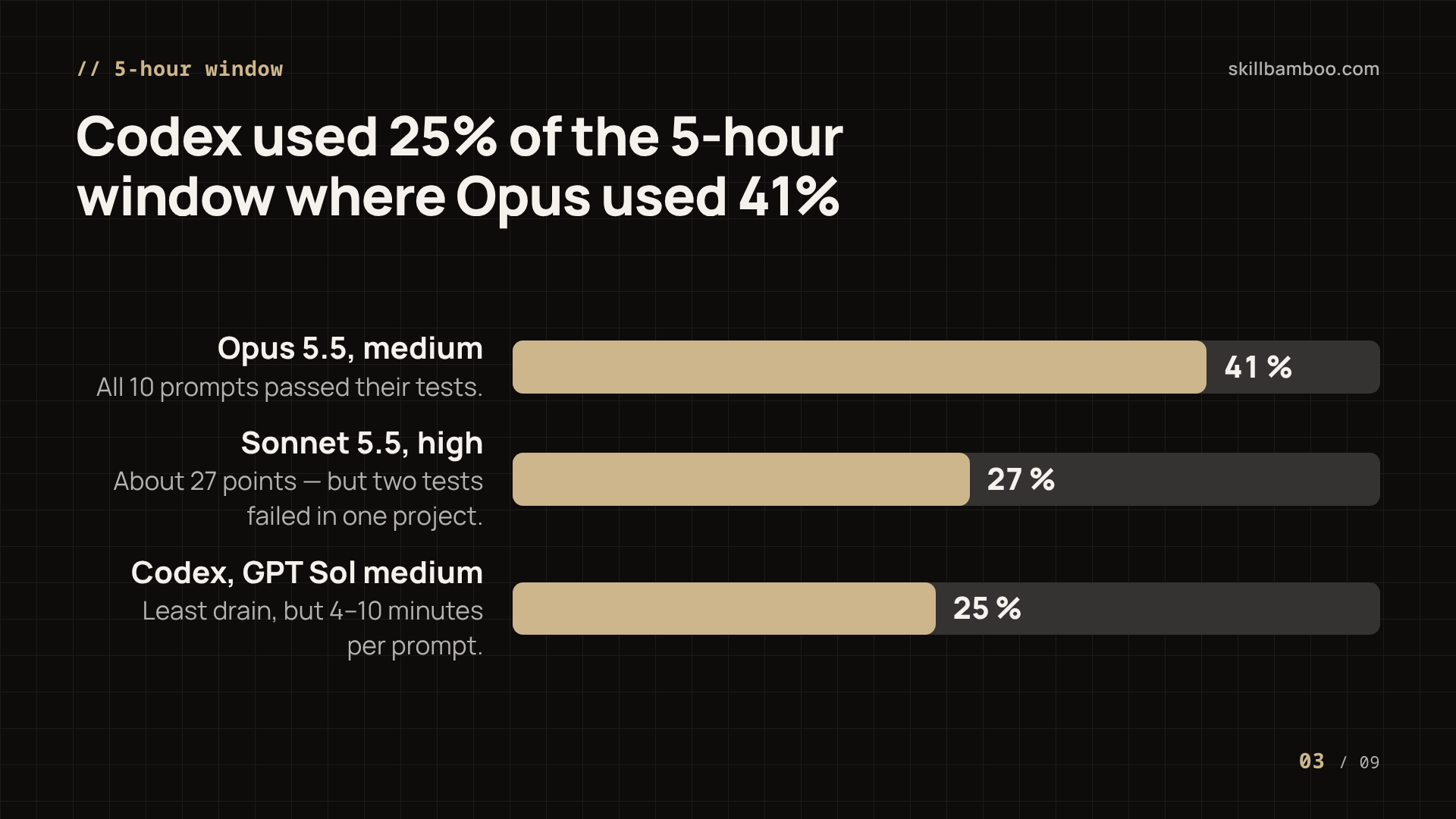
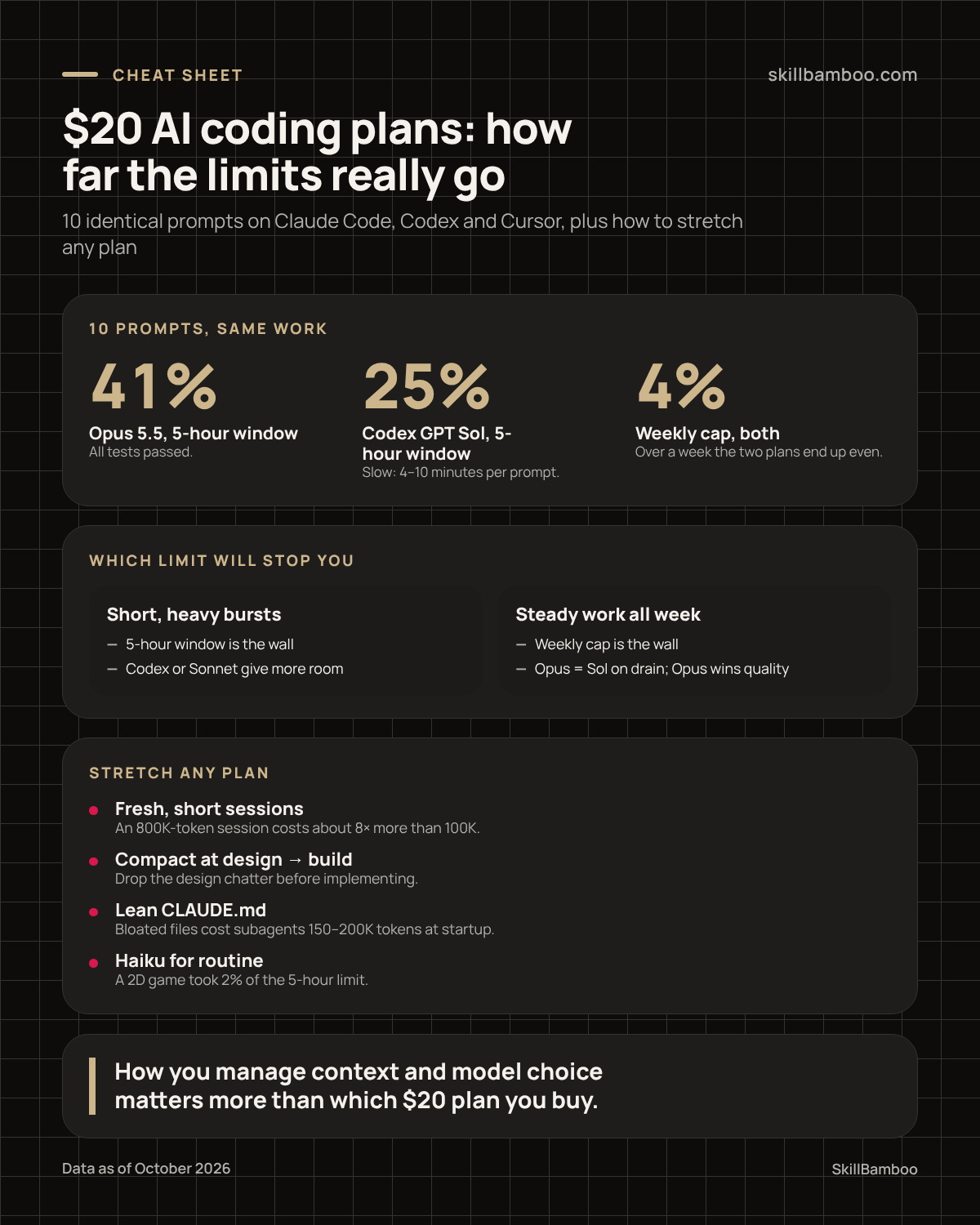
The short version: ten identical prompts took 41% of Claude's 5-hour window on Opus but only about 25% on Codex. Yet both used the same 4% of the weekly limit.
How the 10-prompt limit test worked
A limit comparison is only useful if every tool gets the same job. In this October 2026 test, every model received identical prompts, and each run started fresh, with nothing already cached. That matters: a warm cache makes later requests cheaper, so mixing cached and uncached runs would skew the numbers.
The work was real coding, not toy questions. The Claude batch ran five prompts on each of two Laravel projects (ten runs in total), and the same set went to Codex and Cursor. Each project came with a test suite, so quality could be checked, not just guessed.
On the $20 Claude plan, the counters weren't at zero when the test began: 7% of the 5-hour window and 28% of the weekly limit were already used. Every figure below is the difference between the counter before and after a batch.
One caveat. Ten isolated prompts are not a full workday. Long sessions with growing context behave differently, and that's where most people actually lose their limits.
Claude Code usage limits: Opus 5.5 vs Sonnet 5.5 on the $20 plan
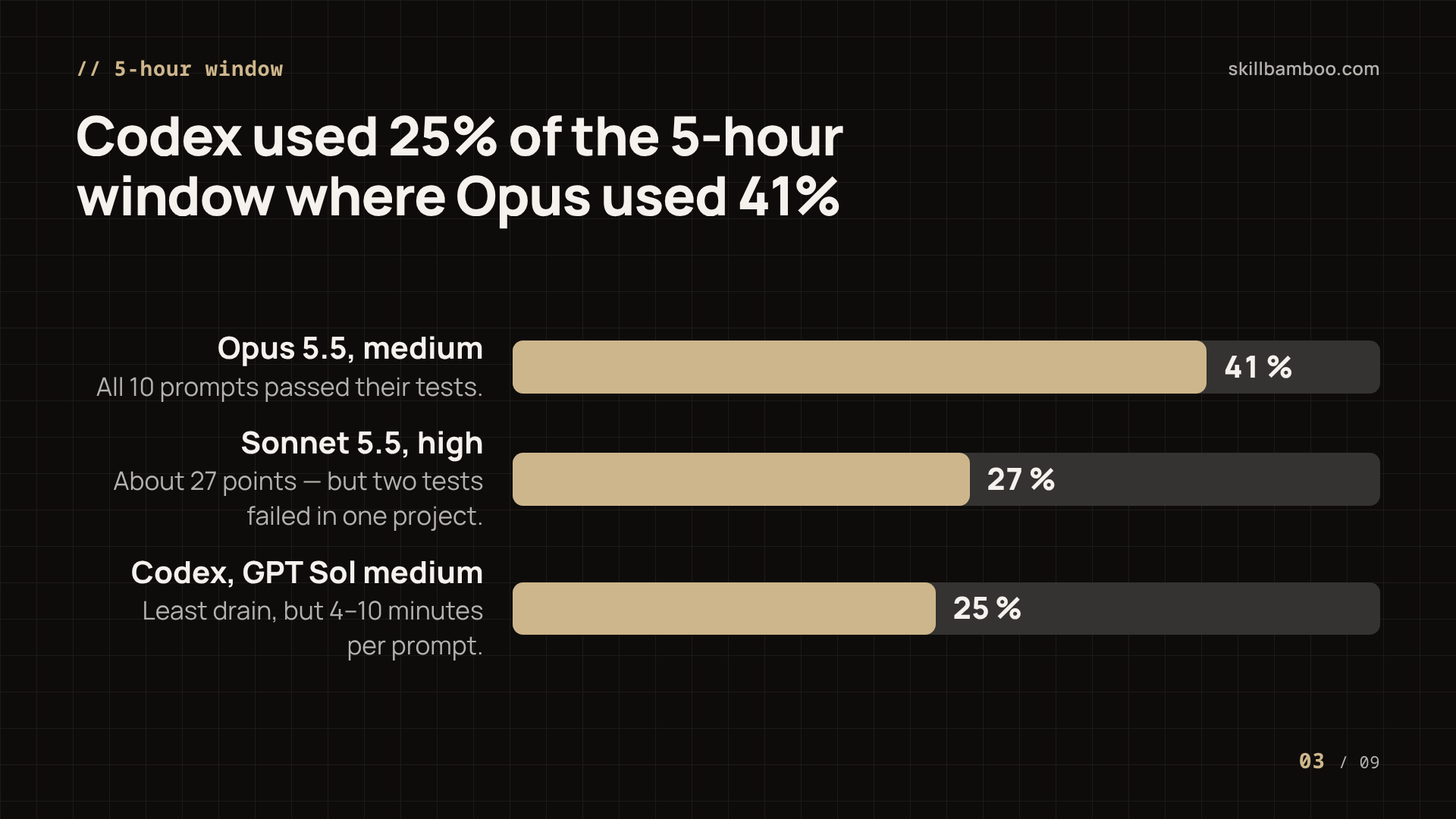
Opus 5.5 ran first, at medium effort. After ten prompts the 5-hour counter read 48% and the weekly one 32%. Starting from 7% and 28%, that's 41 points of the 5-hour window and 4 points of the weekly cap for ten real tasks.
And the spend paid off: every one of the ten prompts passed its tests. In one project the suite went 41 of 41 green on every run.
Sonnet 5.5 went next, at high effort. High costs only slightly more than medium, so it's the setting worth using for Sonnet. The counters moved from 48% to 75% on the 5-hour window and from 32% to 34% weekly – roughly 27 points and 2 points, a clearly smaller drain than Opus.
But the savings had a price: in one of the two projects, two tests failed after Sonnet's changes. Cheaper, but a little worse. You get what you pay for.
What the numbers mean in practice
On the $20 Claude plan, ten Opus tasks used about two-fifths of a fresh 5-hour window. Run two such batches back to back and you'd nearly exhaust it.
If Claude isn't sold directly where you live, there's a step-by-step guide to setting up a Claude.ai subscription that covers the account and payment side.
Codex usage limits with GPT Sol, and Cursor with Grok 4.6
In Codex, the same prompts on GPT-6.1 Sol at medium effort took 25% of the 5-hour window and 4% of the weekly limit. On the short window, Codex beat Opus clearly: 25 points against 41. On the weekly cap, it was a tie.
Speed was the catch. Sol needed about 4 minutes per prompt on its best runs, and some runs on some projects stretched to 9 or even 10 minutes.
Cursor with Grok 4.6 needed more than an hour for the batch, and its results were weaker in quality than both Opus and Sol. Its usage counter rose only 2%. But Cursor tracks a monthly budget, not a weekly one, so that 2% can't be lined up against the 4% of the others.
| Claude Code (Opus 5.5, medium) | Claude Code (Sonnet 5.5, high) | Codex (GPT Sol, medium) | Cursor (Grok 4.6) | |
|---|---|---|---|---|
| 5-hour window used | 41% | ~27% | 25% | – |
| Weekly / monthly used | 4% weekly | ~2% weekly | 4% weekly | 2% monthly |
| Quality | All tests passed | 2 tests failed in one project | Strong | Weaker than Opus and Sol |
| Speed | – | – | ~4 min per prompt at best, up to 10 | Over 1 hour for the batch |
Nobody has precise figures for how much work a month of Cursor buys. So read its low percentage as "not directly comparable," not as a win.
Claude Code 5-hour limit vs weekly limit: which one actually stops you
The Claude-vs-Codex numbers tell two different stories. Opus empties the 5-hour window faster than Codex, but it doesn't eat the weekly limit any faster. Over a full week, the two plans end up roughly even.
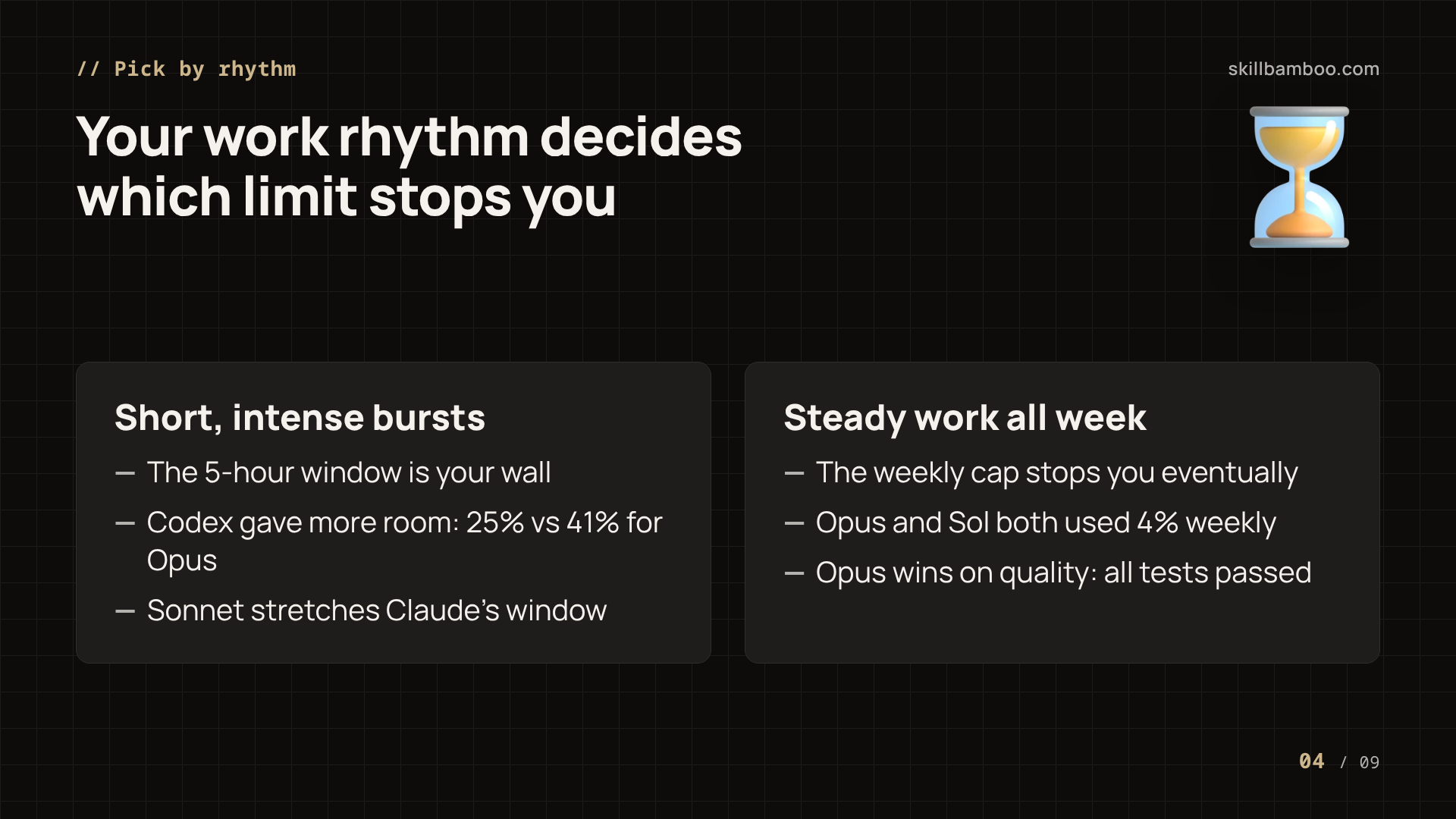
Think of the 5-hour window as a speed limit and the weekly cap as the fuel in your tank. Which one stops you first? It depends on how you work:
- Short, intense bursts: a few hours of heavy prompting, then a break. Here the 5-hour window is your wall – Codex gives you more room per window, and Sonnet stretches Claude's.
- Steady work all week: effort spread across days, so the weekly cap is what eventually stops you. On that cap, the test showed no gap between Opus and Sol.
Small tests can mislead
A broader independent estimate of how much API usage each subscription buys found the Claude plan noticeably more generous than ChatGPT's. That contradicts the 10-prompt test, where Opus and Sol came out equal on the weekly cap. Neither provider publishes exact limit sizes, so every comparison is a reading of percentage counters.
In practice, workflow often matters more than the plan. One developer running big batches inside long sessions burned an entire weekly limit in about three days. No benchmark predicts that. The reason is context.
Why long Claude Code sessions burn limits: context size and prompt caching
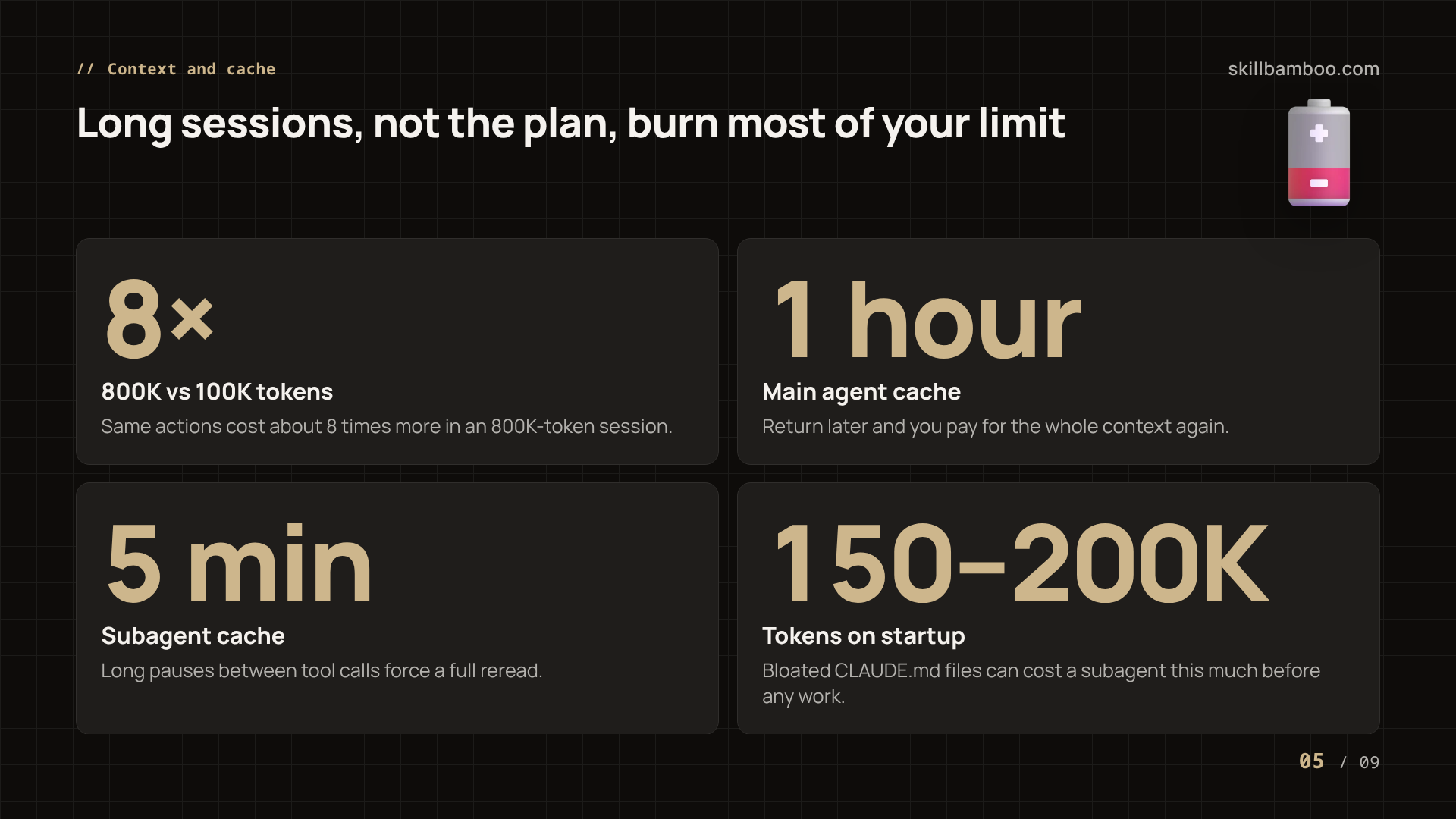
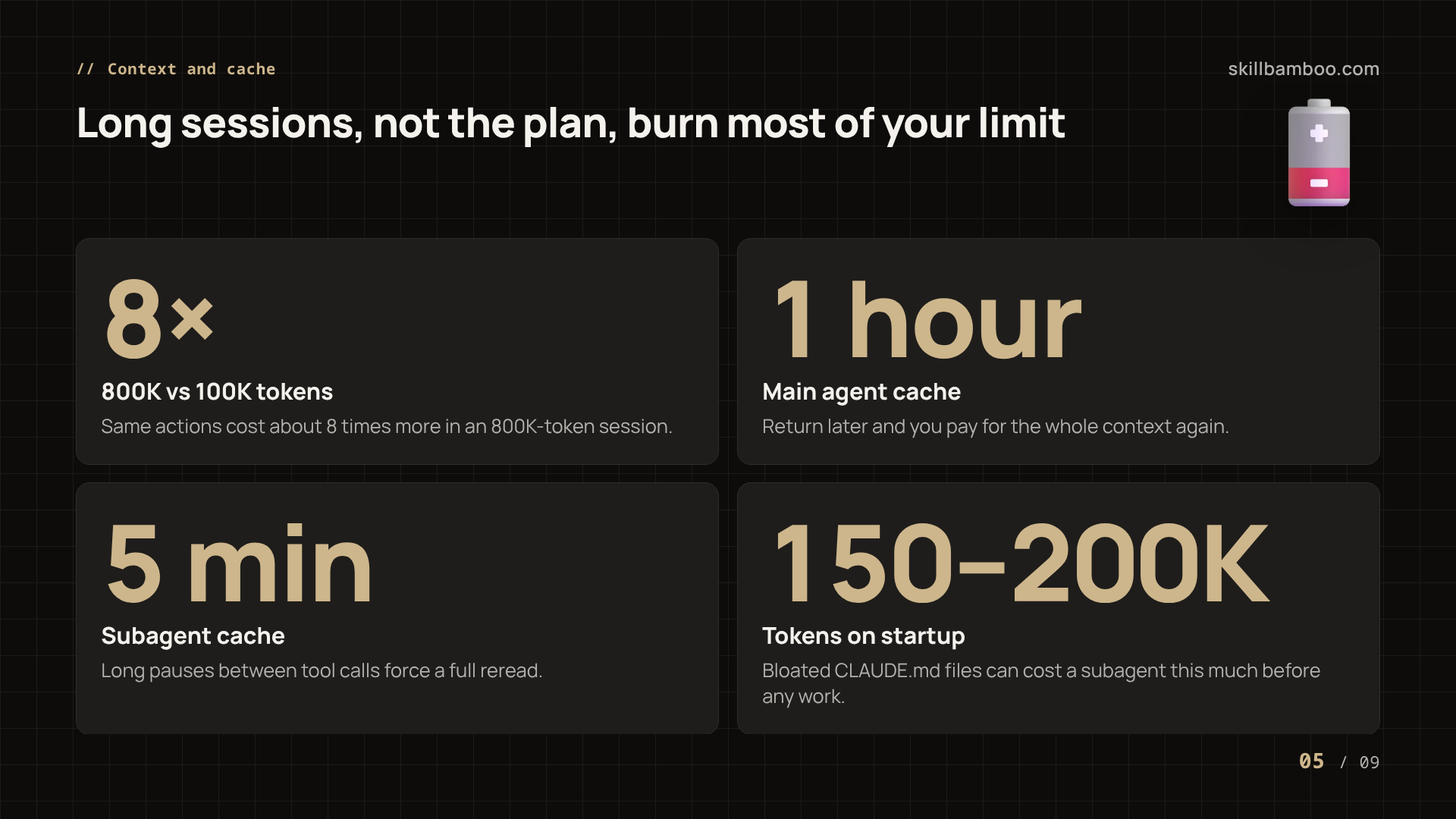
Every request resends the conversation so far. In other words, the bigger the session, the more each new action costs. The same actions in an 800K-token session cost roughly 8 times more than in a 100K-token one.
Caching softens this, but only while the cache is alive. On a Claude subscription, Claude Code's main agent holds its prompt cache for 1 hour between requests (with an API key, it's 5 minutes). Come back to an old 800K-token session after that and you pay again for every token – from your subscription limit or, on the API, in money.
How Claude Code uses prompt caching – How long Claude Code keeps the prompt cache
Subagents are stricter. Their cache lives only 5 minutes between tool calls. If a subagent waits longer, its whole context gets read again at full price.
Then there's what an agent loads before it starts. With bloated CLAUDE.md files, a subagent could burn a 150–200K-token startup just orienting itself, before doing any actual work. Multiply that by every subagent in a task. The drain adds up fast.
These figures come from one developer's experience and may shift as tools update, but the mechanics still hold: big context plus an expired cache equals a fast-emptying limit.
Batching, compacting and splitting tasks to stretch the plan
The fix is unglamorous. Stop treating one session as a workspace that lives for days, because long-lived sessions are where the 8x multiplier and expired caches quietly eat your quota. So split large tasks into smaller pieces, each in its own session, and keep context lean.
A natural checkpoint for a manual compact is the moment you move from designing a task to implementing it. The design discussion has done its job. The implementation doesn't need every abandoned idea in context.
Here's the checklist:
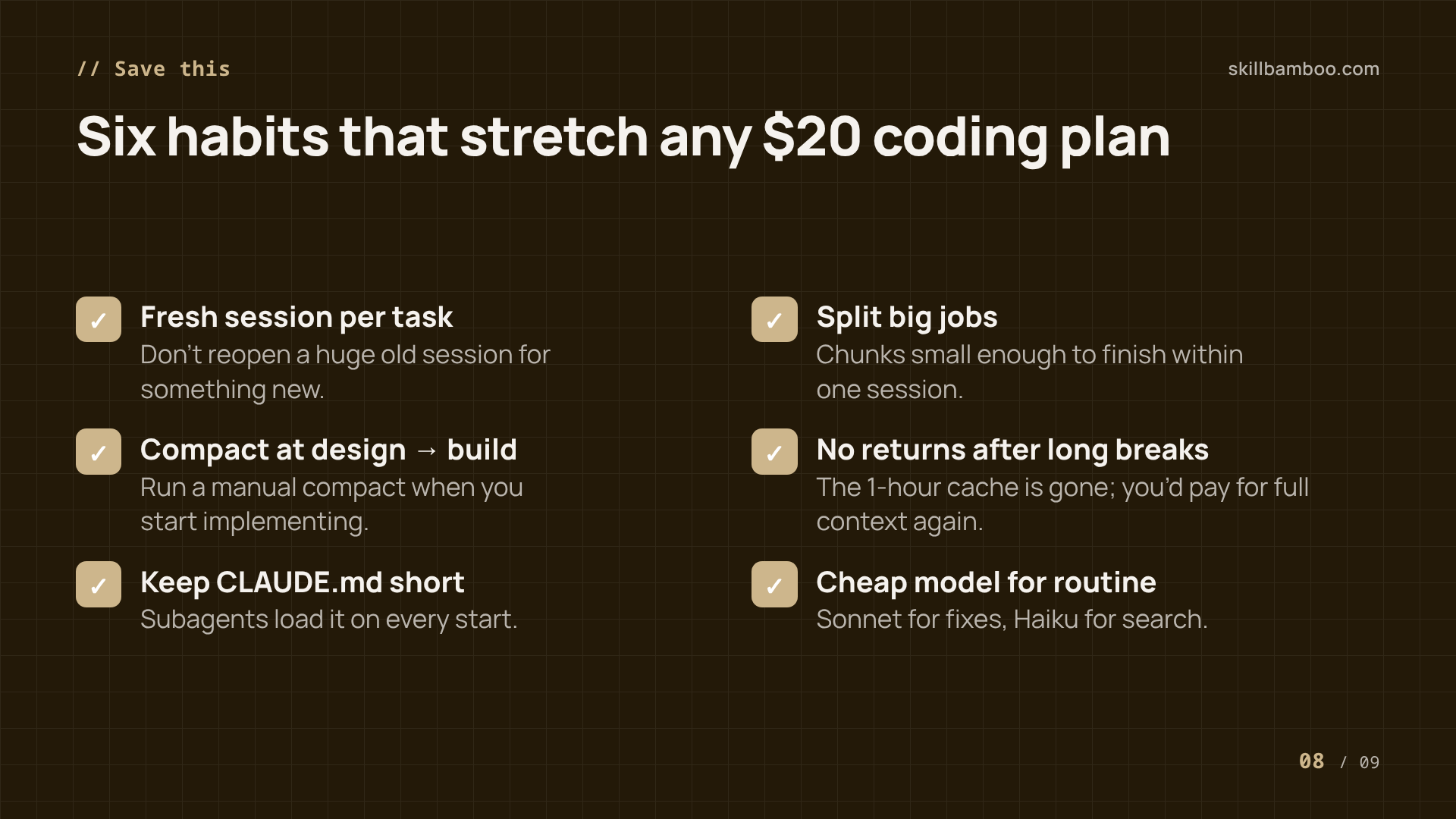
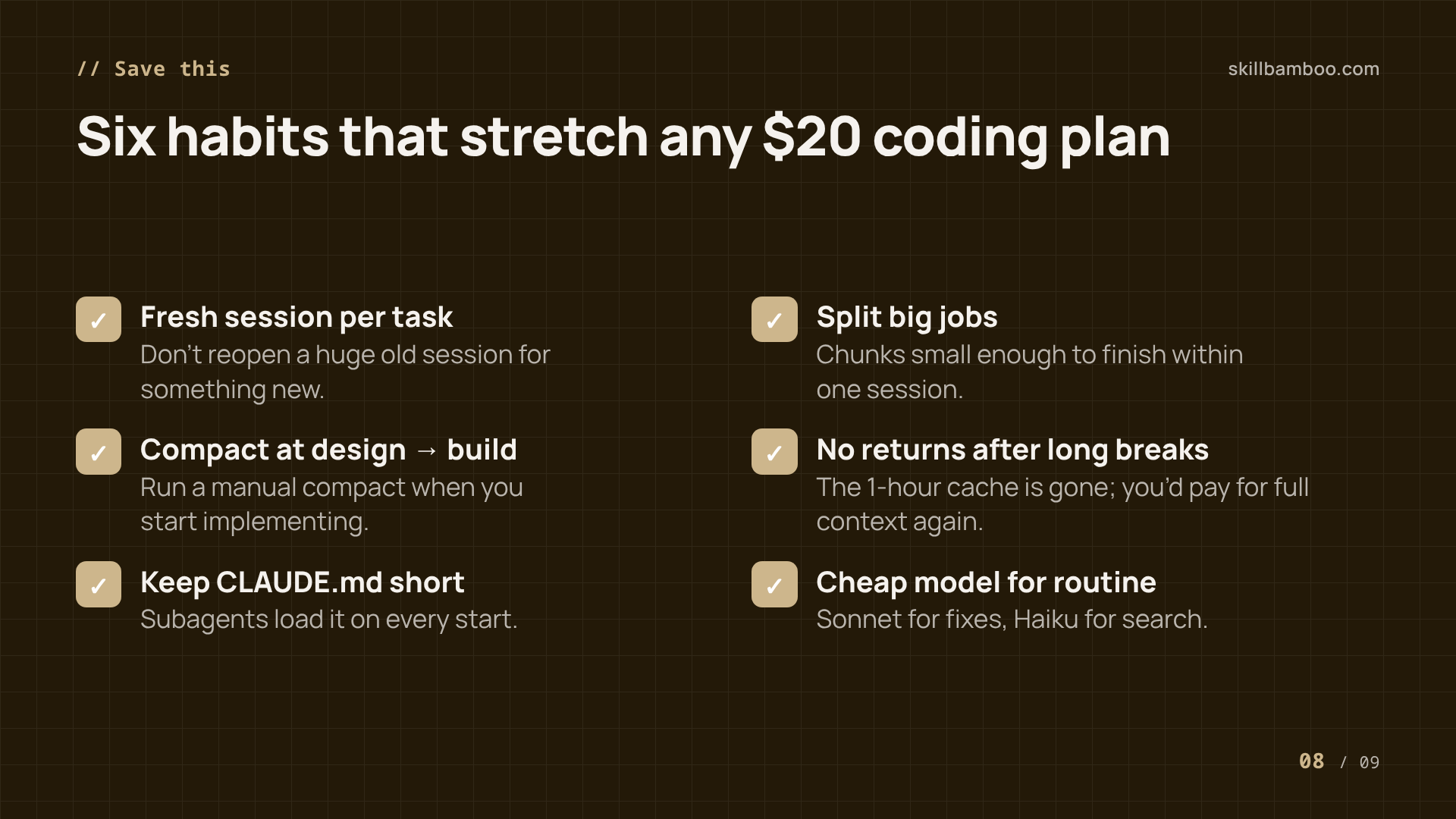
- Start a fresh session for each distinct task instead of reopening a huge old one – every request resends the whole conversation.
- Break big jobs into chunks small enough to finish within one session, so the context never balloons.
- Run a manual compact when you switch from design to implementation – the design back-and-forth has already done its job.
- Don't return to a large session after a long break – the cache is likely gone and you'll pay for the full context again.
- Keep CLAUDE.md short so subagents don't burn tokens just loading it.
- Avoid long pauses inside subagent work, because their cache expires after 5 minutes.
The developer who emptied a weekly limit in three days was running large batches in long sessions. Shorter sessions alone change that math.
When a cheap model beats burning premium quota
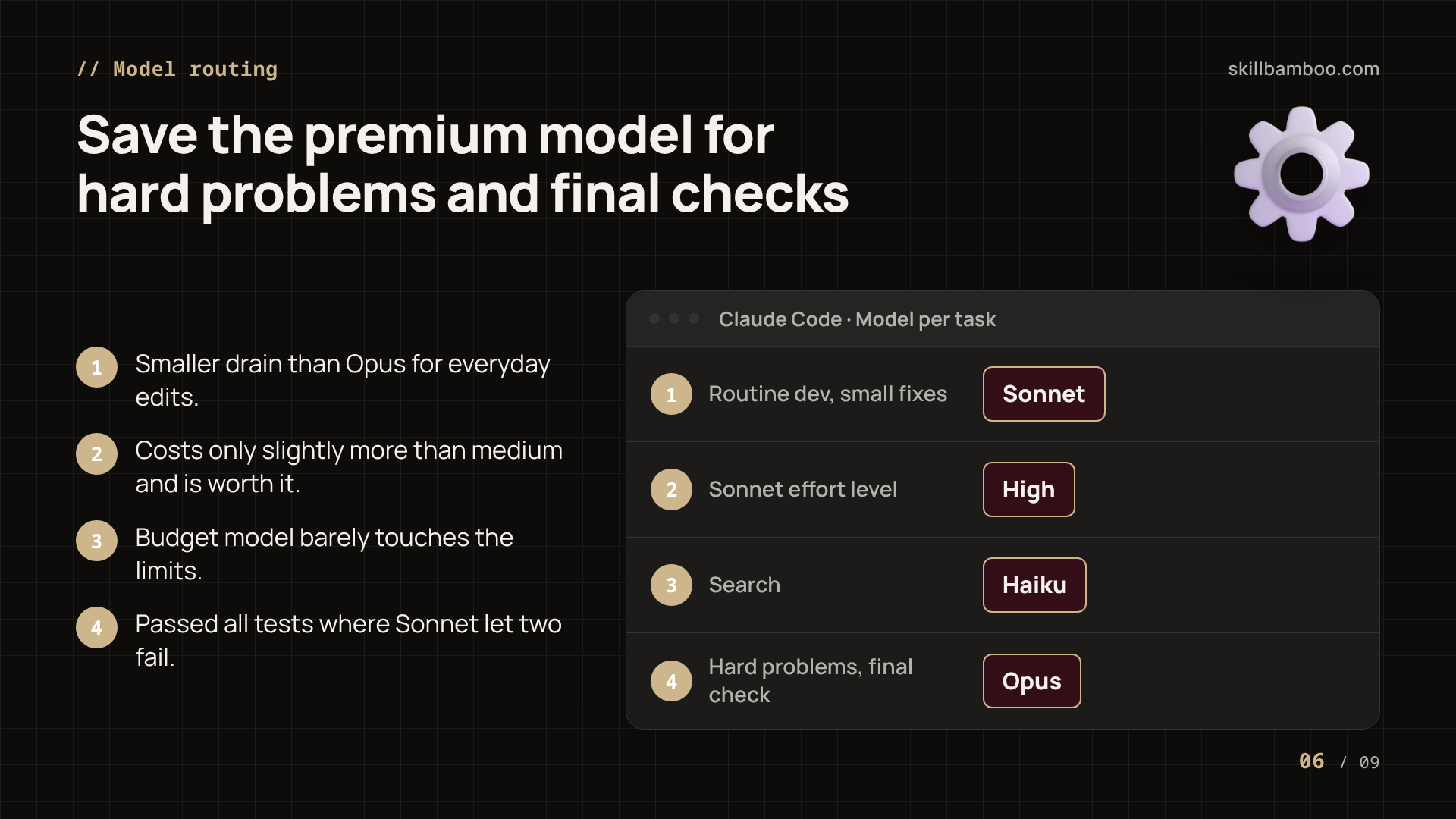
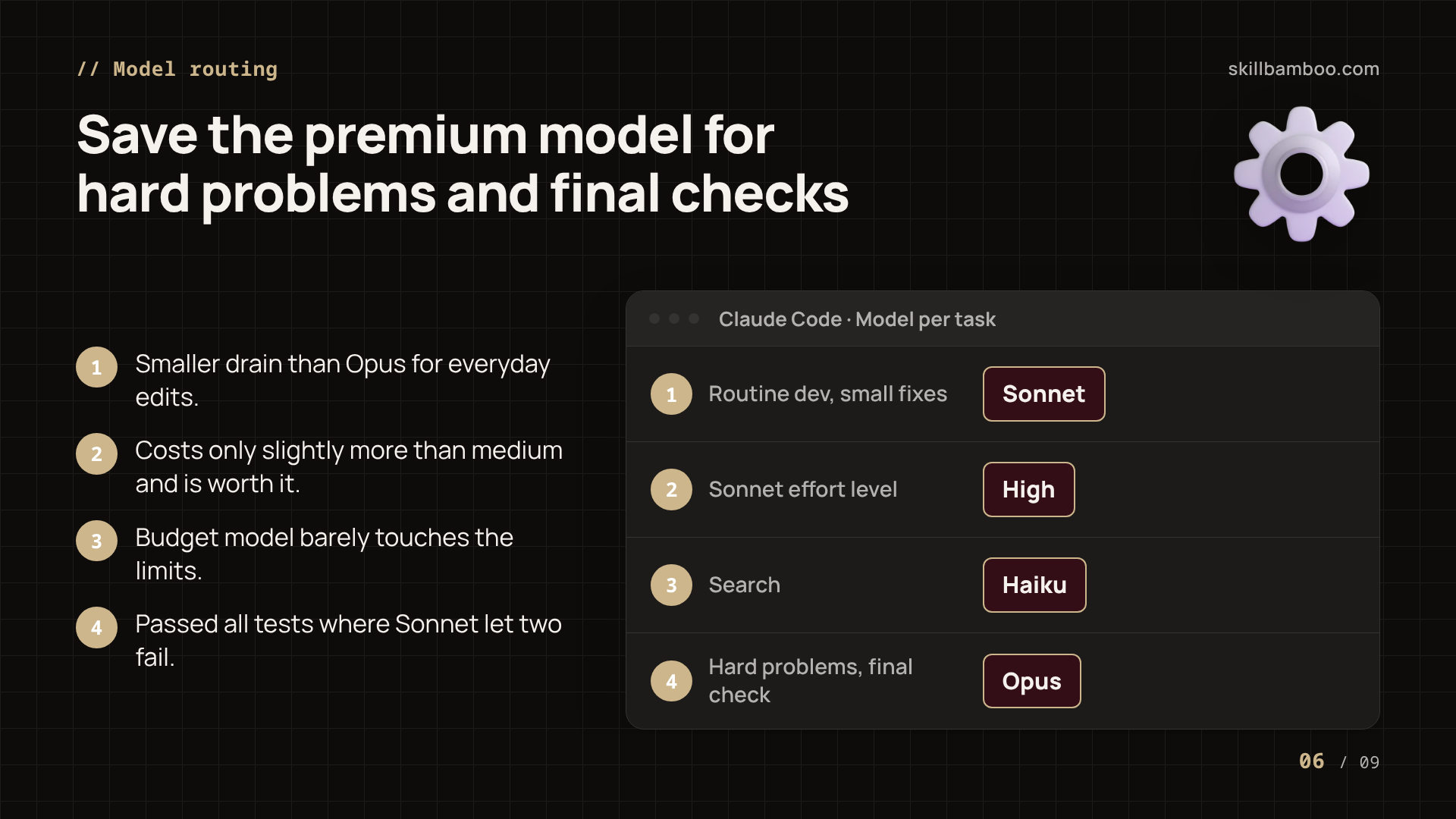
Not every task needs your top model. A practical split: Sonnet for routine development and small fixes, Haiku for search, and the premium model for hard problems and for checking work.
The good news is that budget models can go further than you'd expect. On a subscription, Claude Haiku built a low-poly 3D character using 149,000 tokens. The cost: just 1% of the 5-hour limit. A 2D fighting game took it 37 minutes, 2% of the 5-hour window and nothing measurable from the weekly one. Then a 3D village simulation: 31 minutes, around 2% of the 5-hour limit and roughly 1% of the weekly.
OpenAI's budget model Luna handled the 3D character in 2 minutes 3 seconds with 110,000 tokens and no visible dent in the limits. For contrast, the fighting game through pay-as-you-go API with DeepSeek Flash cost 77 cents and 352,000 tokens. That's money a subscription user just doesn't spend on that task.
Among the budget models, Haiku was the most consistent across all three tasks, even if it didn't top every single one.
Where the line is
Cheap models are great for drafts, search and routine edits. When correctness matters, look at the Sonnet result above: lower drain, but two failing tests. Let the premium model do the hard part and the final check.
Key terms
- 5-hour limit – A rolling usage window on Claude and ChatGPT subscriptions that caps how much you can use within five hours before it resets.
- Weekly limit – A cap on total subscription usage over a week, separate from the 5-hour window, that can block work even when the 5-hour window has room.
- Prompt cache – Stored processed context that lets the next request reuse earlier tokens cheaply; when it expires, the whole context is processed again.
- Compact – A Claude Code operation that condenses the current conversation into a summary to shrink the active context.
- CLAUDE.md – A project file Claude Code reads at the start of each session to learn about the codebase, which costs tokens every time it loads.
- Reasoning effort – A setting (such as medium or high) that controls how much a model thinks per task, trading speed and usage for quality.
Bottom line: which $20 plan to pick
If you work in short, heavy sessions, the 5-hour window is your constraint, and Codex gave noticeably more room per window – 25% versus 41% for Opus on the same prompts – at the cost of slow responses. If you work steadily across the week, Opus and Sol drained the weekly cap identically, and Opus passed every test. Cursor with Grok 4.6 was slower and weaker, and its monthly budget isn't directly comparable.
If you go with Claude, the guide to getting a stable Claude.ai account and paid plan walks through the setup.
Summary
You now know how each $20 plan drains on real coding work and which limit will stop you first. Pick by your rhythm: bursts favor Codex, while steady weekly work is a tie with Opus winning on quality. Then stretch whatever you choose with short sessions, a compact between design and build, a lean CLAUDE.md, and cheap models for routine tasks.
Check yourself
1. In the 10-prompt test, Opus used 41% of the 5-hour window and Codex about 25%, while both used 4% of the weekly limit. What does this mean for someone who codes steadily all week?
- A. Codex gives almost twice as much work per week
- B. Opus will run out of the weekly limit first
- C. Over a full week, both plans give roughly the same amount of work
Show answer
Answer: C. The weekly cap ends up the binding limit, and weekly drain was the same for both.
2. Your Claude Code session has grown to 800K tokens and you step away for two hours. What happens when you send the next message?
- A. Nothing extra – cached context is free forever
- B. Only the new message counts against the limit
- C. The cache has expired, so the whole context is paid for again
Show answer
Answer: C. The main agent's cache lives about 1 hour; after that the full context is reprocessed against your limit.
3. Which changes would most likely make your weekly limit last longer? (Select all that apply.)
- A. Always using the top model at maximum effort
- B. Splitting large tasks into shorter sessions
- C. Trimming CLAUDE.md to what the project can't work without
- D. Running one giant overnight batch in a single session
Show answer
Answer: B, C. B – Smaller context means each tool call rereads less, and cache misses cost less. C – Every new session and subagent reads it on startup.
4. Sonnet drained less of the limit than Opus but failed two tests in one project. When is Sonnet the better choice?
- A. For routine fixes and development you'll review anyway
- B. For the final review of critical code
- C. Never – it is always worse value
Show answer
Answer: A. Lower quality is acceptable when a later check catches mistakes, and you save premium quota.
5. Cursor's Grok usage rose only 2% after the same 10 prompts. Why can't you conclude Cursor lasts longest?
- A. It is a share of a monthly budget, not a weekly or 5-hour one
- B. Because Grok passed all tests
- C. Because Cursor has a 5-hour limit too
Show answer
Answer: A. Monthly and weekly percentages measure different time spans and aren't directly comparable.