 SkillBamboo

If you start every morning in Claude Code by retyping the same requests, and keep catching the agent making mistakes you already corrected, it's fair to ask whether Claude Code skills can fix that, or whether they're just another place to paste a long prompt that nobody reads.
A real QA pipeline, read side by side with Anthropic's updated skills guide for the newer models, shows a fairly simple pattern. Follow it and you will build a set of Claude Code skills for your daily routine, where every agent mistake you catch becomes a written rule, structured the way Anthropic's updated guide recommends.
Why a skill beats a saved prompt or CLAUDE.md
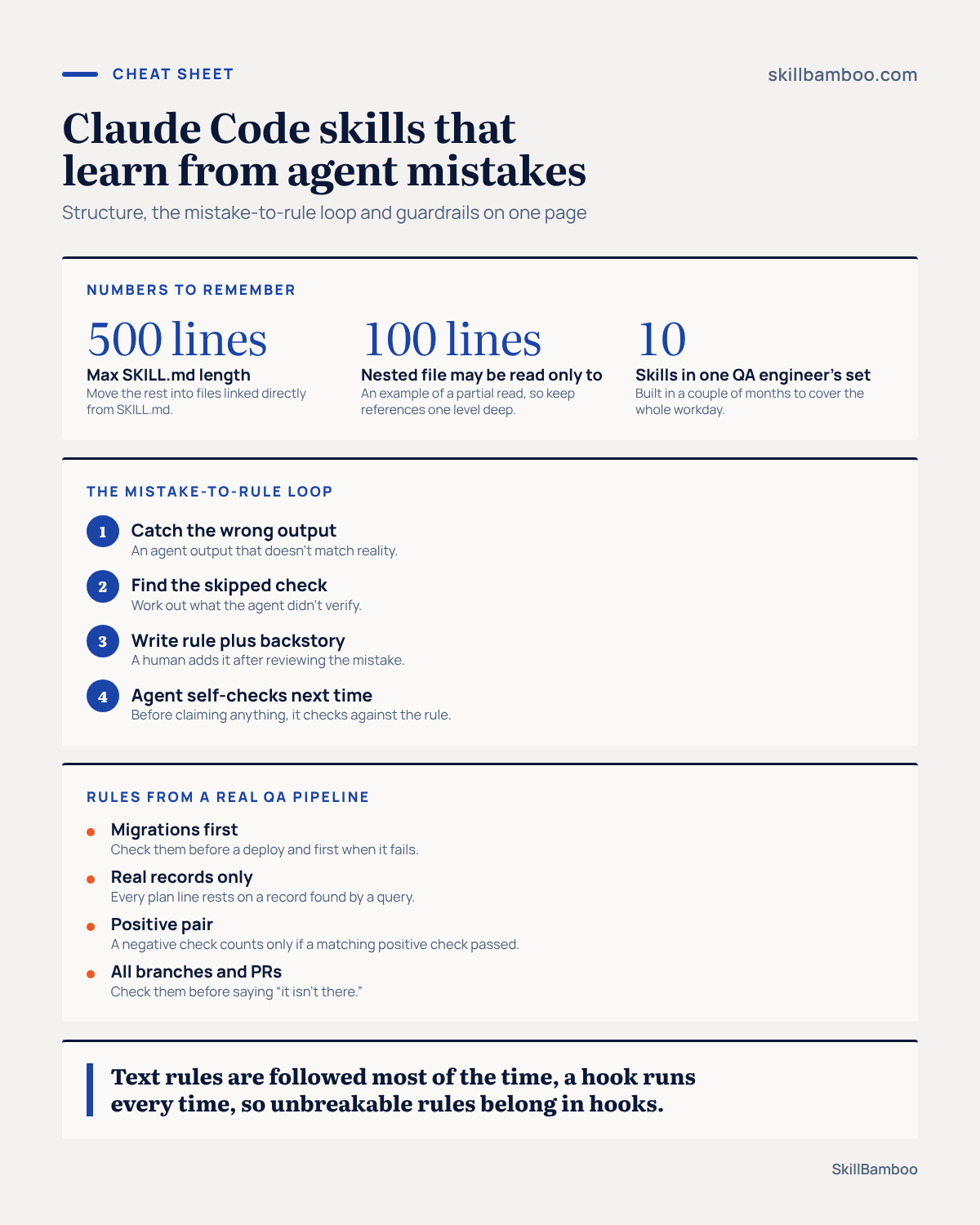
One QA engineer went from retyping the same requests to a set of 10 skills in a couple of months.
Together they cover the whole workday: acceptance criteria, deployment, logs, bug reports and the end-of-day test report. Each skill replaced an instruction that used to be pasted from notes or explained again in chat.
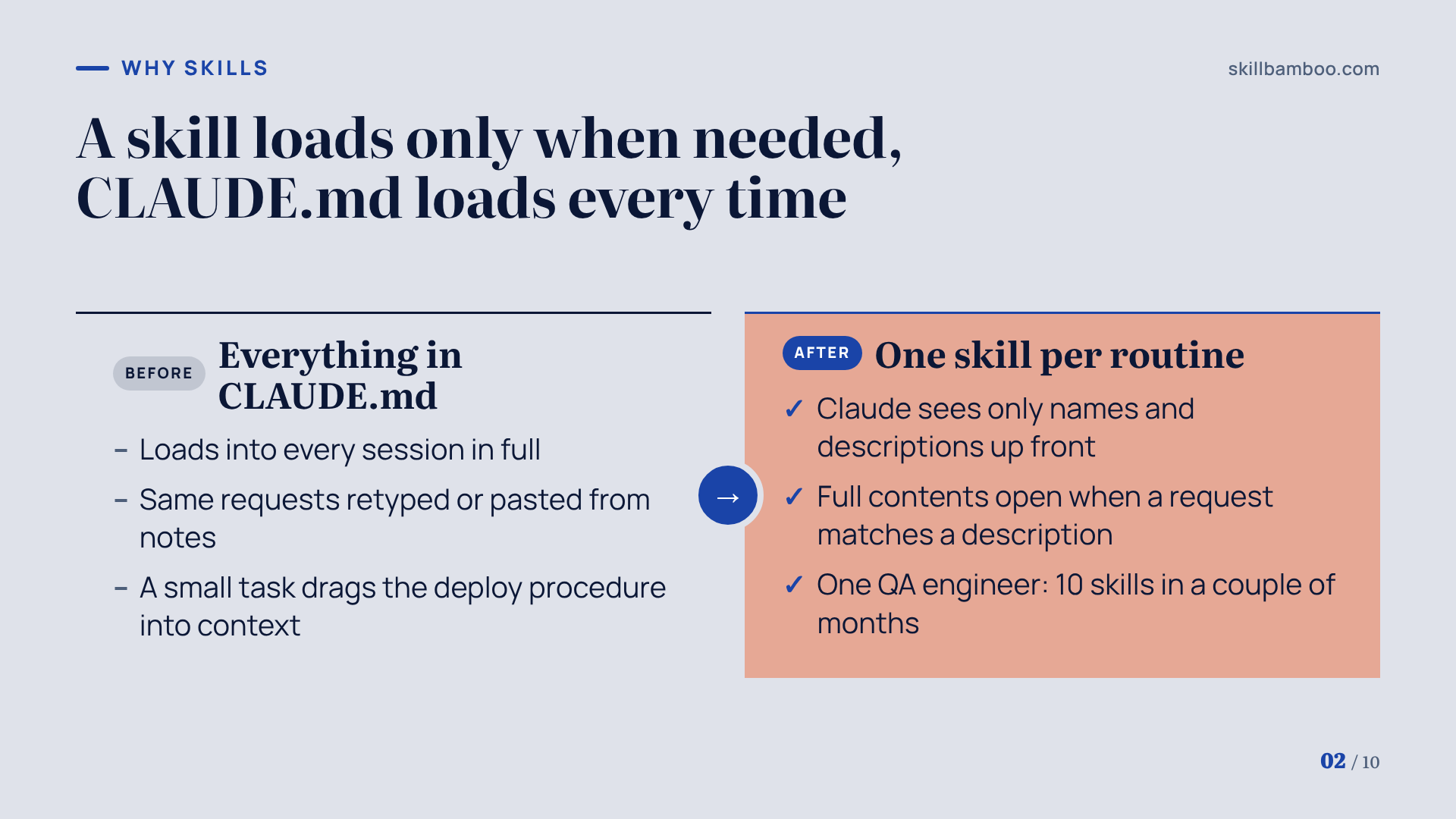
You could put all of that knowledge into CLAUDE.md. But that file loads into every session in full, whether the task needs it or not.
A skill loads on demand. Claude Code sees only the names and descriptions of your skills up front, and it opens the full contents when a request matches the trigger phrases in a description. Ask for a bug report and the bug-report skill comes in. Ask for a deploy and the deploy skill does.
In other words, a small task never drags your deployment procedure into context.
Extend Claude with skills – Claude Code Docs – How Claude Code loads skills on demand
That matters because Anthropic treats the context window as a public good. A skill should hold only what Claude can't figure out by itself, such as your environments, formats and internal rules. Explaining general concepts to the model just burns tokens.
Skills also don't replace MCP servers. The skill sets the order of work and the shape of the output, while MCP servers provide access to systems such as your issue tracker. So most setups end up using both.
The timing is good for a cleanup. With the Claude 5.5 models, Anthropic updated its official skills guide, and some habits that used to work now slow skills down or cost more.
Build your first Claude Code skill and structure it so Claude reads it
Start with Anthropic's own skill-creator, available in Claude Code as /skill-creator. It asks what your skill should do, writes a draft, runs test requests against it and revises the draft based on what happened.
Pick one request you make every day, let it interview you, then check the result against the structural best practices in the updated guide:
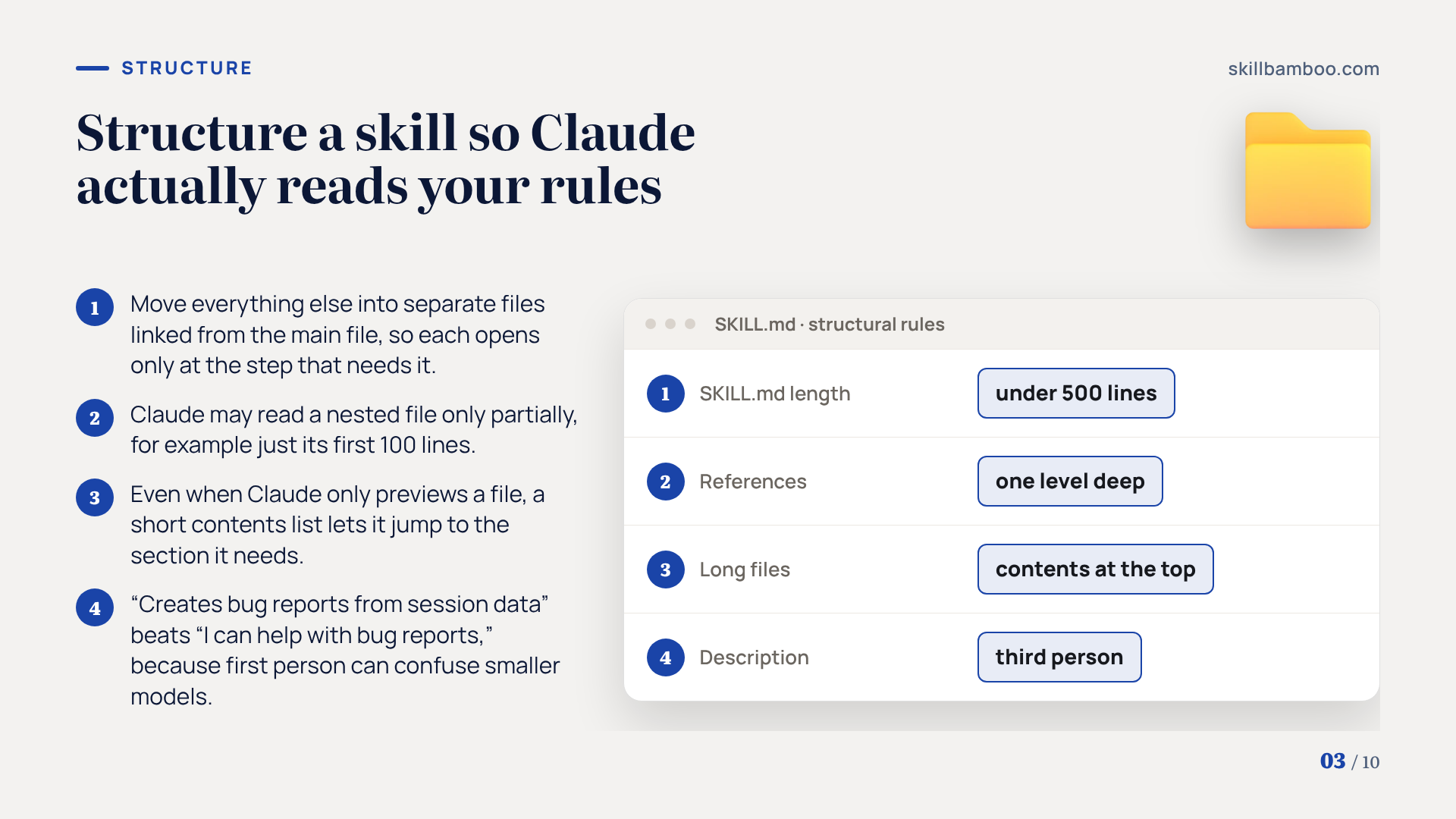
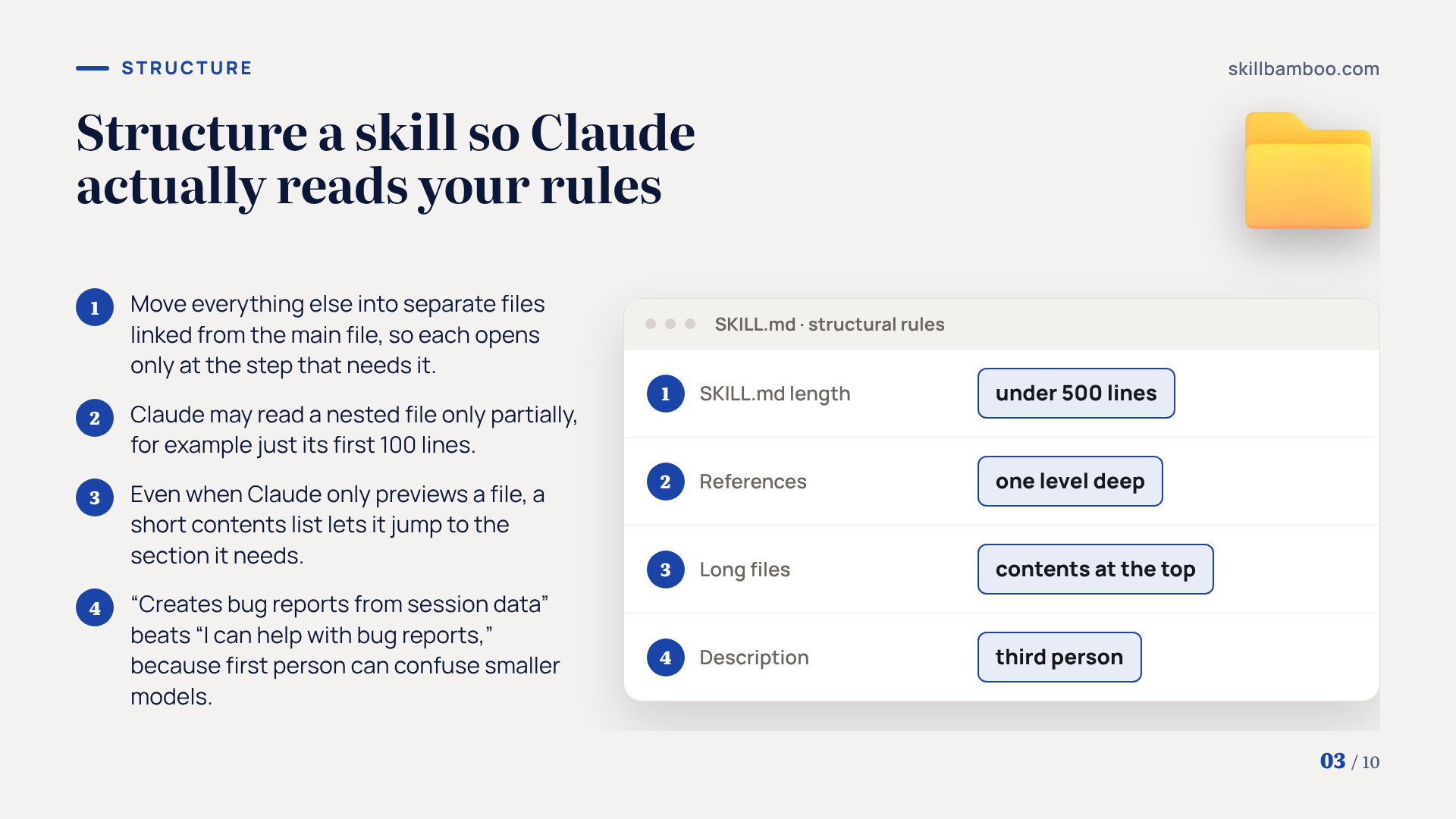
Keep SKILL.md under 500 lines. For a good SKILL.md structure, move everything else into separate files linked directly from the main file (the guide calls this progressive disclosure). Think of SKILL.md as a table of contents.
Each supporting file gets opened only at the step that needs it.
Keep references one level deep. If SKILL.md points to a file that points to another file, Claude may read the deepest one only partially, for example just its first 100 lines.
So a rule sitting far down in that file may never make it into context.
Put a table of contents at the top of long files. Even when Claude only previews a file, a short contents list lets it jump to the section it needs.
Write the description in the third person. “Creates bug reports from session data” works better than “I can help with bug reports.” Claude reads the description to choose a skill, and first person can confuse smaller models.
Skill authoring best practices – Anthropic's official rules for structuring and writing skills
Keep the partial-read risk in mind, because the rules you add next need to sit where Claude will actually read them.
The core loop: every agent mistake becomes a rule
A skill doesn't learn on its own. The rules get there because a person writes them.
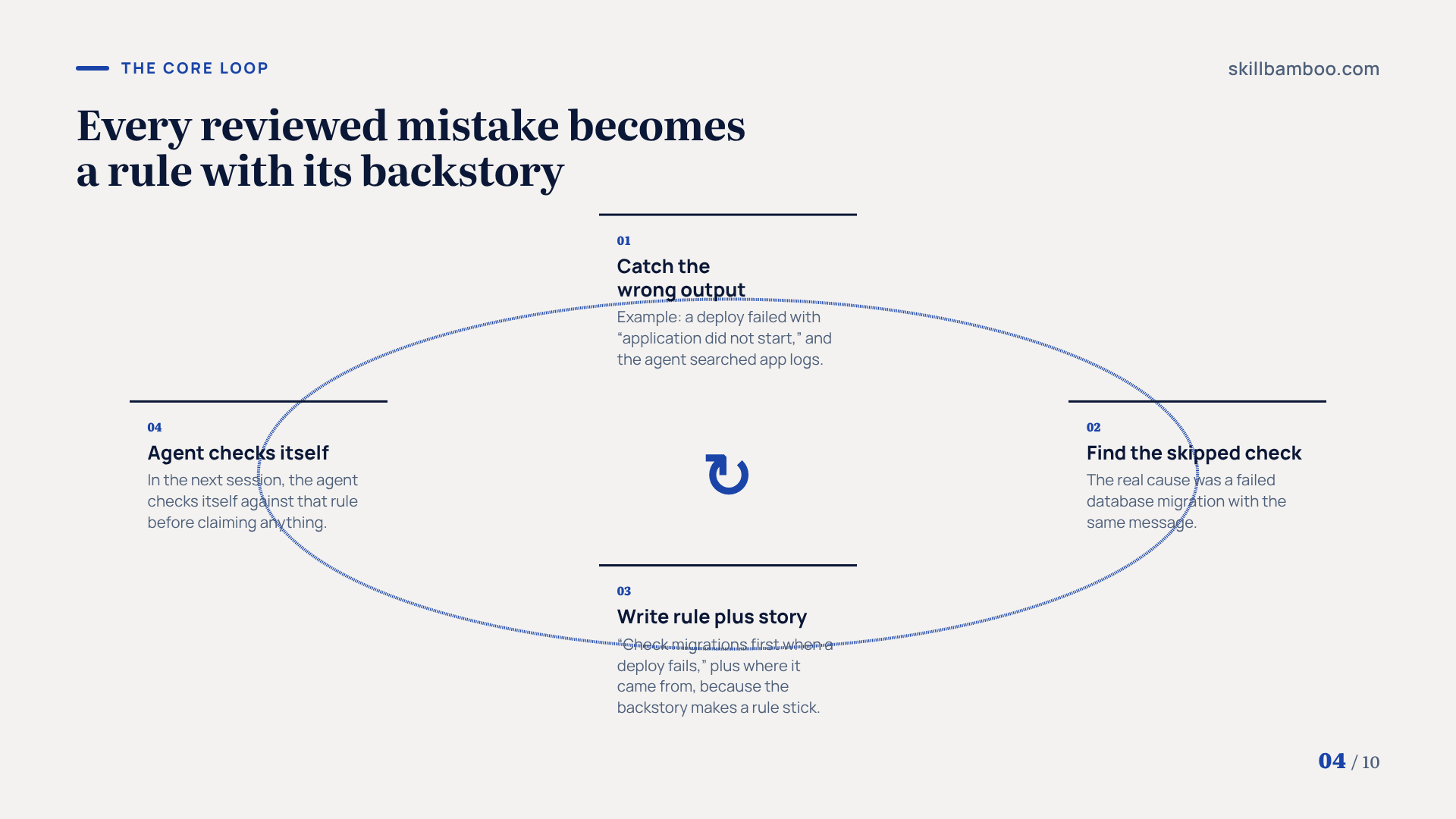
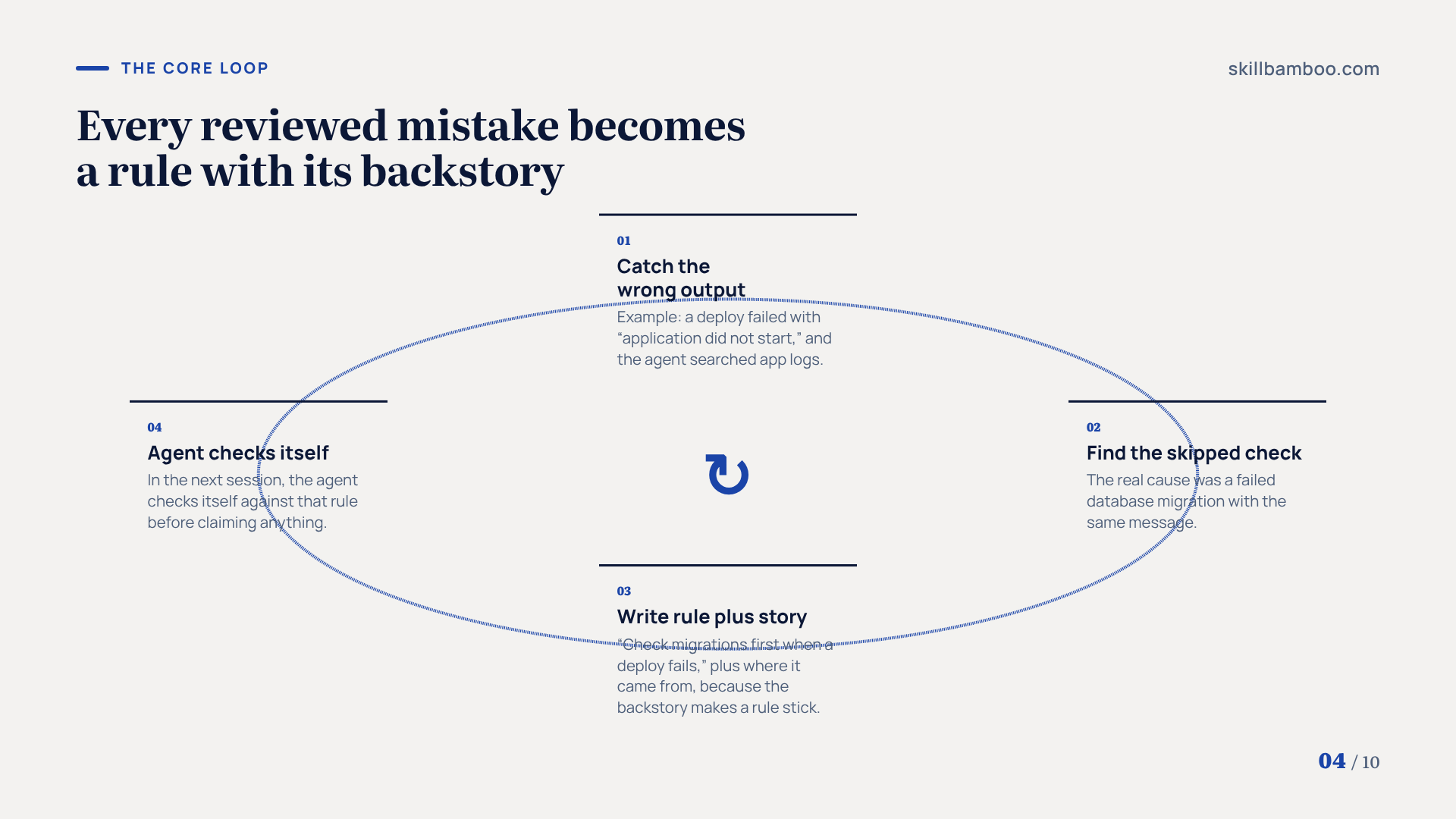
The loop has four steps:
- Catch an agent output that doesn't match reality.
- Work out which check the agent skipped.
- Write a short rule into the skill, along with the story of where it came from.
- In the next session, the agent checks itself against that rule before claiming anything.
The backstory is the part people leave out, and it's what actually makes a rule stick. The agent learns both what to do and where it already went wrong.
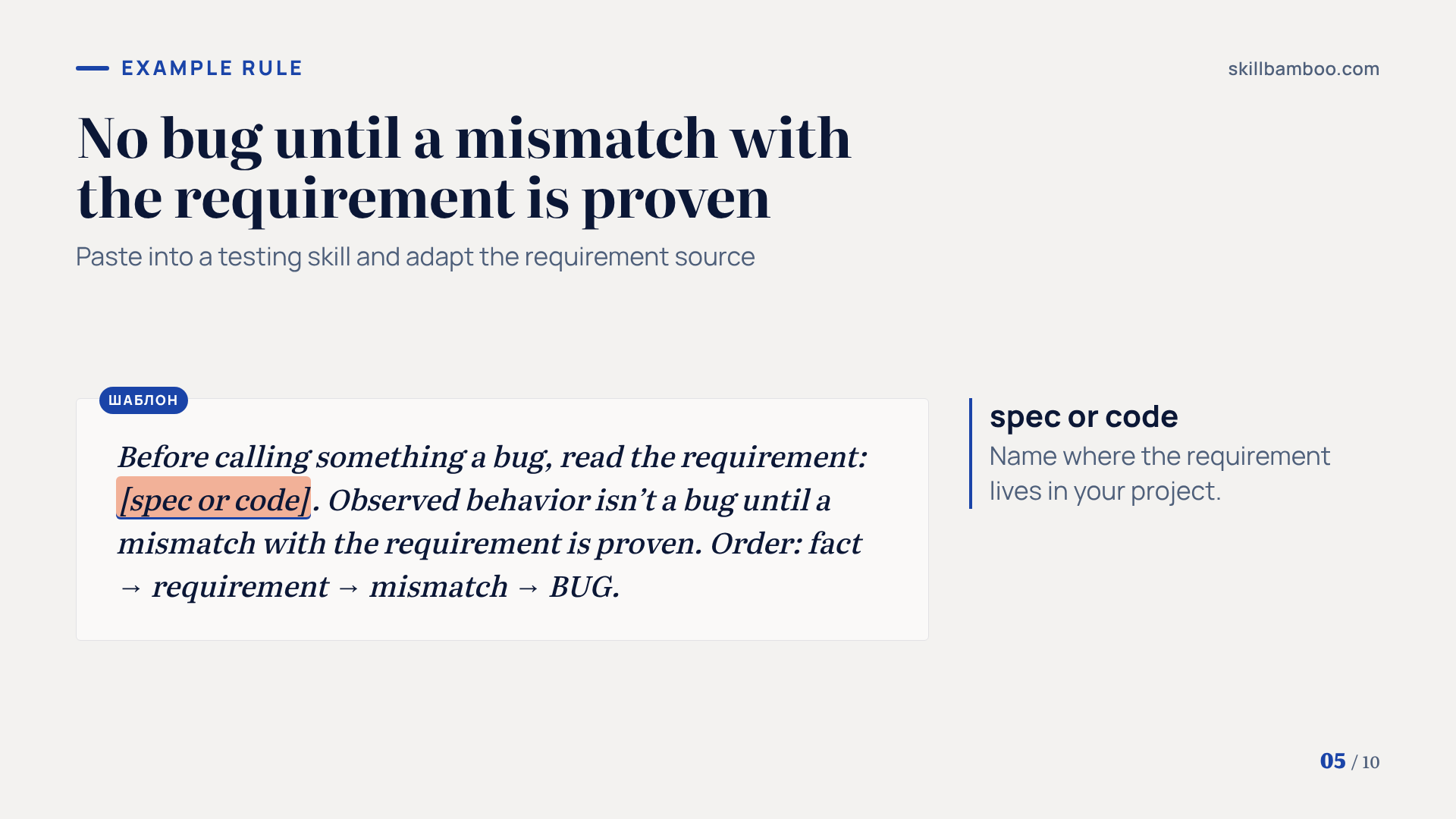
Here's one rule from the pipeline's testing skill, paraphrased. Before calling something a bug, read the requirement, whether that's the spec or the code. Observed behavior isn't a bug until a mismatch with the requirement is proven. The order is fact → requirement → mismatch → BUG.
Don't let the agent write its own rules
Self-improving setups, where the agent promotes its own lessons to rules, move faster, but the agent can lock in a wrong conclusion. Research on how skills of self-improving LLM agents drift in unsafe directions points to exactly this risk. In this pipeline, a rule goes in only after a human has reviewed the mistake.
The loop also runs in reverse. Skills built for earlier models tend to over-instruct the newest ones, and that can make results worse.
So add rules where the agent failed, and cut instructions the 5.5 models no longer need.
Claude Code skills for QA: rules from a real pipeline
Each rule below exists because of a specific failure the agent made.
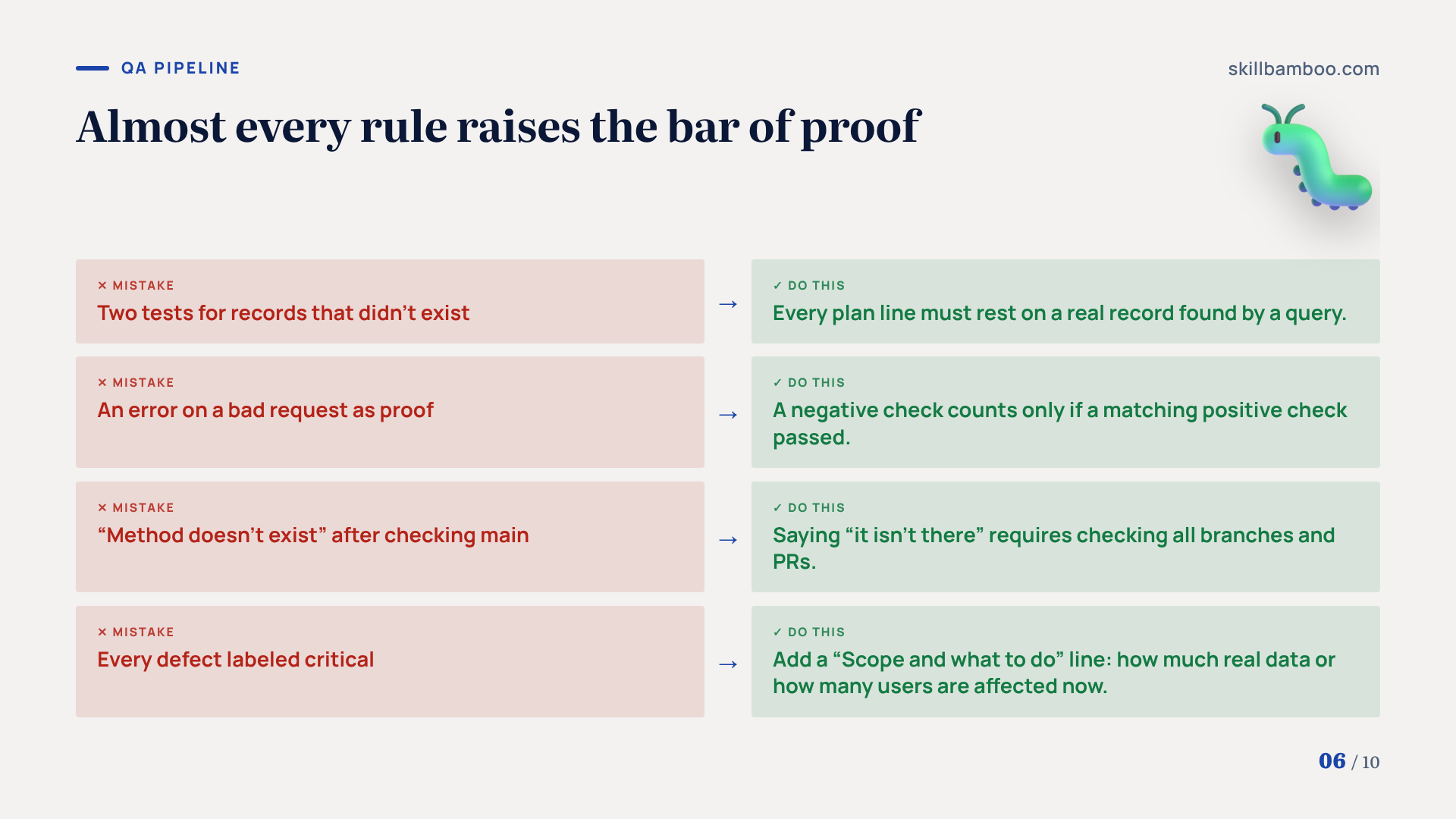
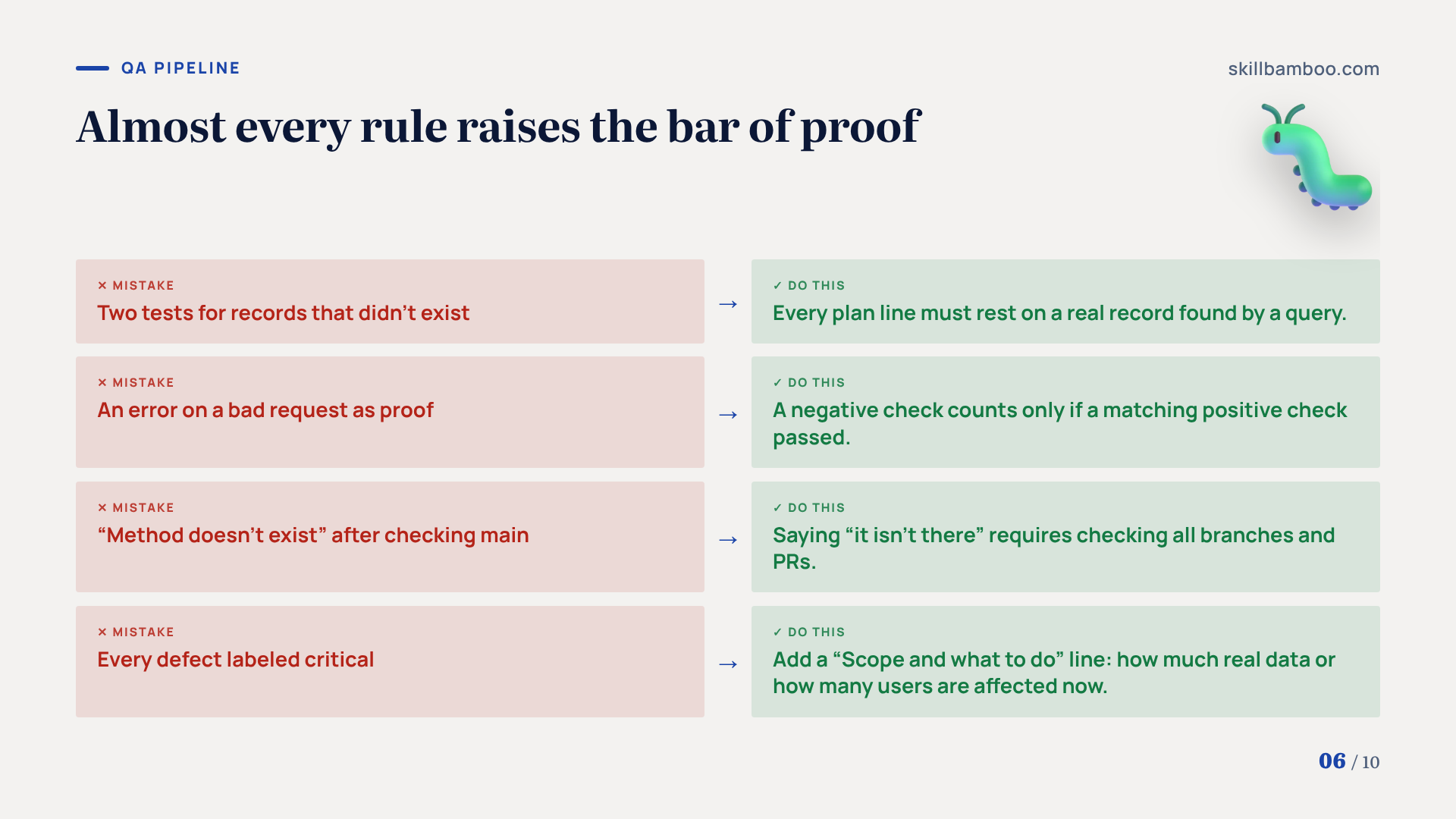
| What the agent got wrong | Rule now in the skill |
|---|---|
| A deploy failed with “application did not start.” The agent searched app logs, but a database migration had failed with the same message. | Check migrations before deploying, and look at them first when a deploy fails. |
| It wrote two test cases for records that didn't exist on the test environment. | Every plan line must rest on a real record found by a query. |
| It sent a bad request, got an error and treated that as proof. | A negative check counts only if a matching positive check passed. |
| It said a method didn't exist. The method was in the task branch, and the agent had looked at main. | Saying “it isn't there” requires checking all branches and PRs. |
| It labeled every real defect as critical. | Each bug report includes a “Scope and what to do” line showing how much real data or how many users are affected right now. |
The testing skill adds one more habit. It sends a plan first and only reads until the human types “go.” The plan shows which data the agent will use and what it will count as success, so problems surface before anything changes.
Look at the pattern across the table. Almost every rule is about evidence, which is exactly where agents cut corners.
Claiming absence, claiming failure and claiming severity all get a higher bar of proof.
Guardrails: degrees of freedom, checklists, feedback loops and Claude Code hooks
Not every rule needs the same weight: it depends on the step. Anthropic's guide calls this degrees of freedom (how tightly a skill constrains a given step).
The riskier a step, the more detail and guardrails it gets, and low-stakes steps can stay open to the model. A single skill can mix levels. Writing the email can stay loose while invoice creation is locked to a script.
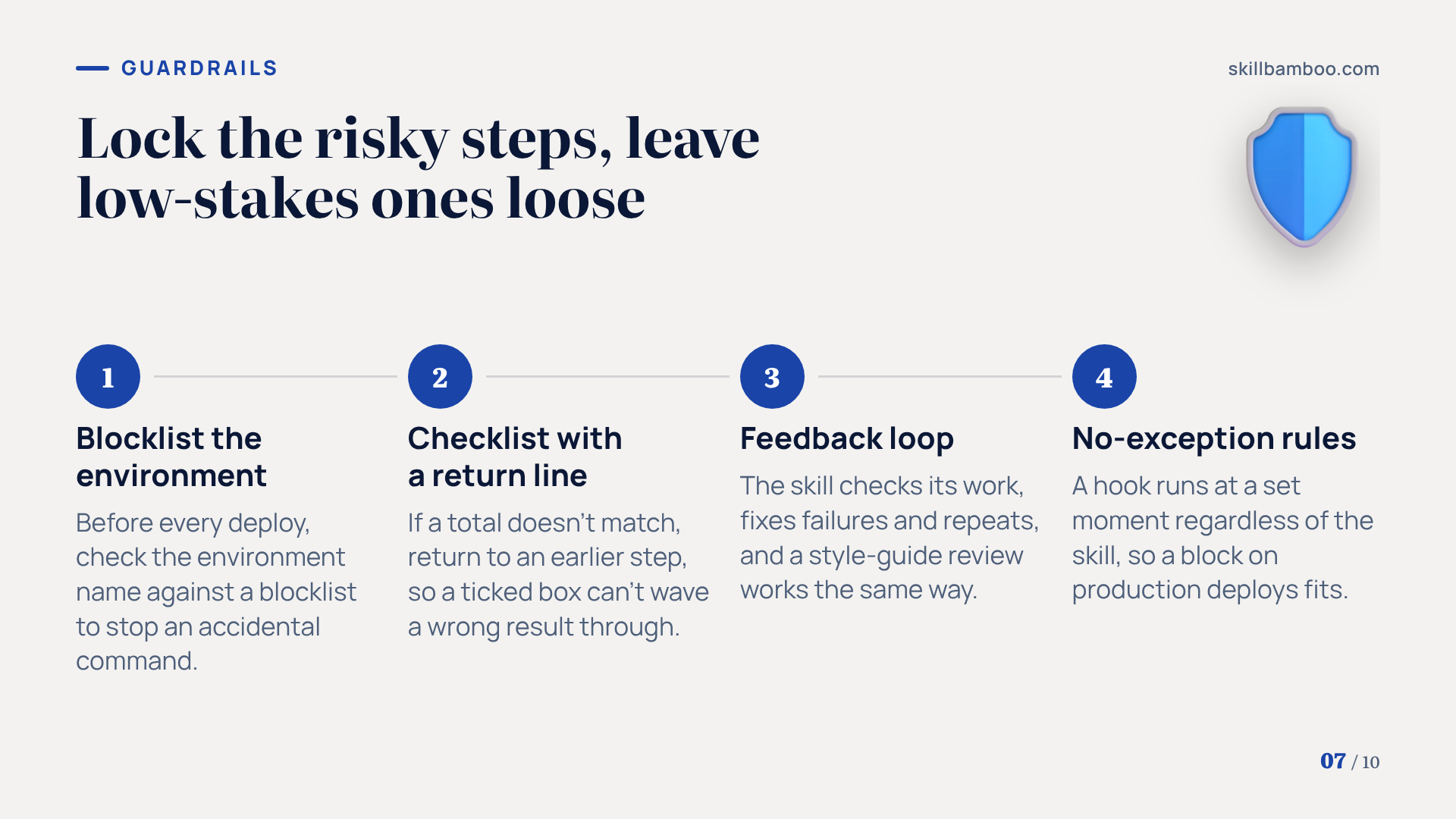
In the QA pipeline, the deploy step is the locked one. Before every deploy, the skill checks the environment name against a blocklist and refuses prod and stable. That isn't a substitute for access rights, but it does stop an accidental command.
For multi-step jobs, the guide recommends a checklist that Claude pastes into its answer and marks off step by step, so critical steps don't get skipped.
It's worth adding a “go back” line under the check step. For example, if a total doesn't match, return to an earlier step. That way a ticked box can't wave a wrong result through.
A feedback loop goes one step further. The skill checks its own work, fixes whatever fails and repeats until everything passes. This isn't only for code, since a style-guide review works the same way.
When text isn't enough, use a hook
If Claude occasionally skips a rule that has to hold without exception, move it out of the skill and into a hook. A hook is code that Claude Code runs at a set moment, regardless of what the skill says. A block on production deploys is a natural candidate.
Finally, test each skill on every model you plan to run it with, because the same instructions can land differently on different models. That gets expensive fast. That's OK: begin with your most-used skills and those where an error would be costly.
Share Claude Code skills with your team without stale copies
A rule written after a bad deploy protects only the person who wrote it until it reaches everyone else.
Mistake-driven skills change often, so distribution matters more than usual. One way to handle it is to set up the team repository as a Claude Code plugin marketplace (a catalog that teammates install plugins from), so teammates install the skills they need and can pick up changes as you push them.
One setting quietly breaks this.
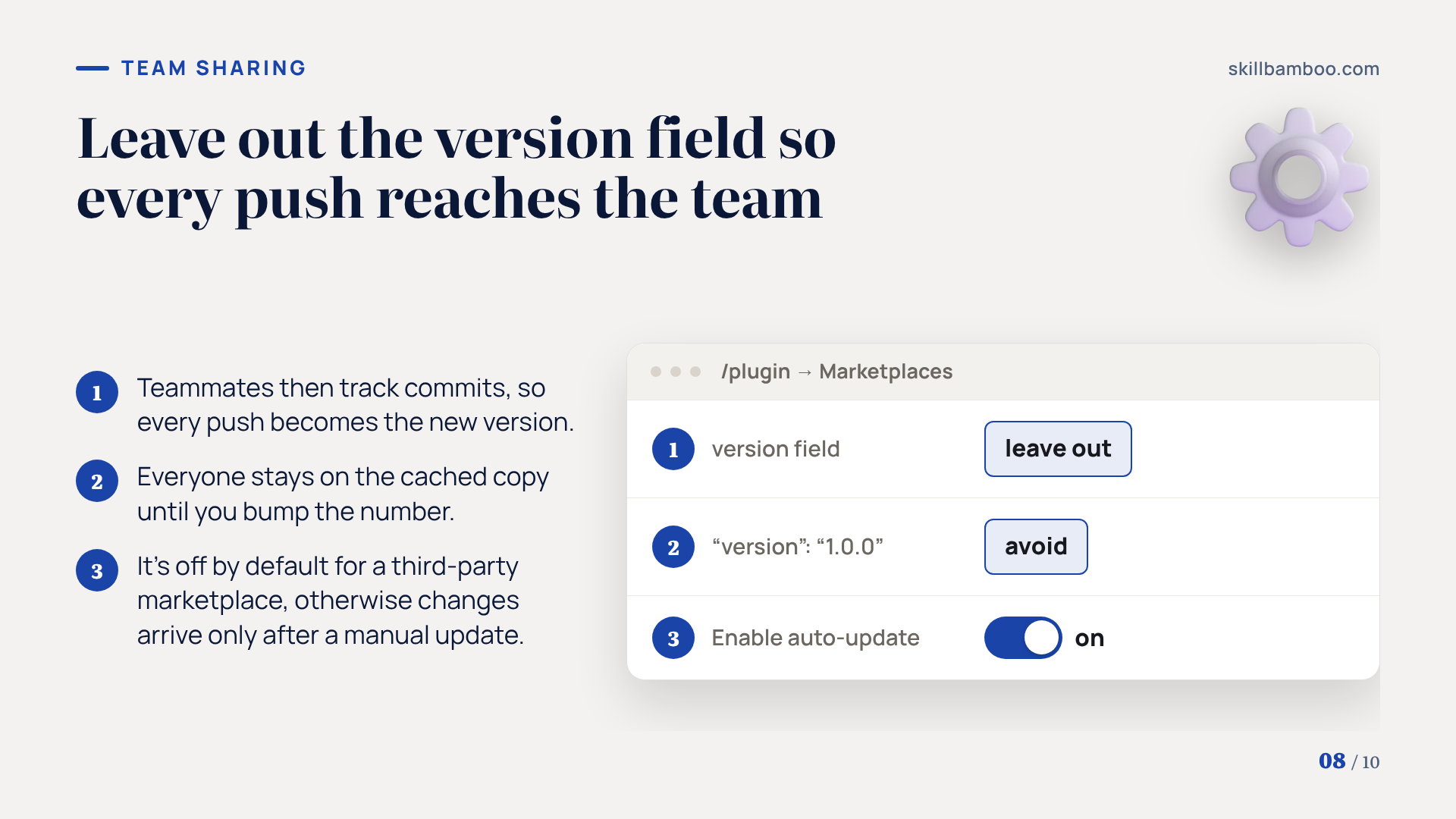
Leave out the version field
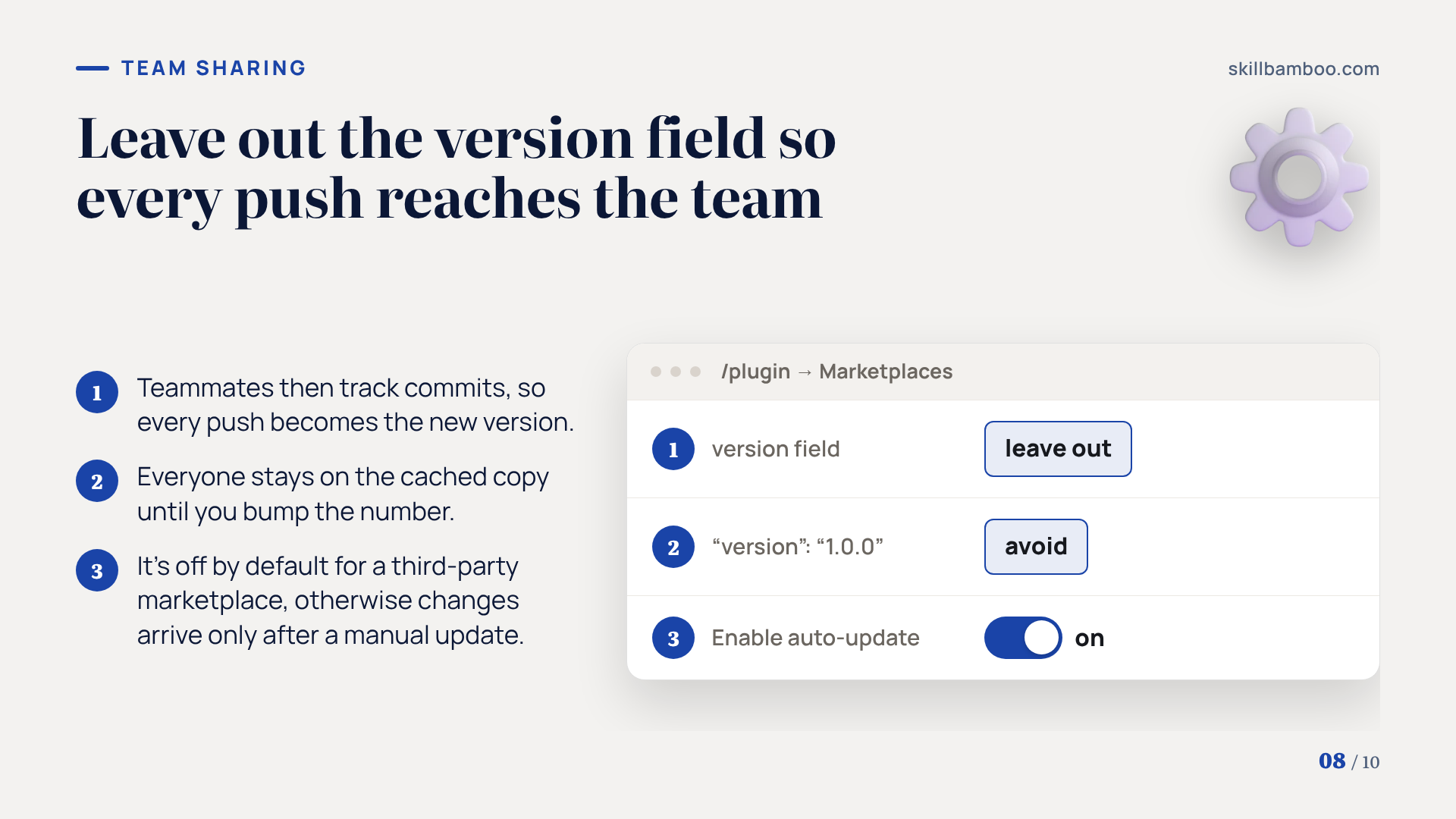
If you omit version, teammates track commits, so every push becomes the new version. Set "version": "1.0.0" and everyone stays on the cached copy until you bump the number. Background auto-update for a third-party marketplace is off by default, so each teammate should turn it on in /plugin→Marketplaces→Enable auto-update, or changes arrive only after a manual /plugin marketplace update.
With version left out and auto-update on, a new rule can reach the whole team soon after you push it.
Key terms
- Skill – A folder with a SKILL.md file and optional references and scripts that Claude loads only when a request matches its description.
- Progressive disclosure – Structuring a skill so Claude reads the main file first and opens supporting files only at the step that needs them.
- Degrees of freedom – How tightly a skill constrains a step, from plain instructions to a template to an exact script.
- Feedback loop – A pattern where a skill checks its own output, fixes failures and repeats until the check passes.
- Hook – Code that Claude Code runs automatically at a set moment, such as before a command, whether or not the model follows the skill.
- Plugin marketplace – A repository with a .claude-plugin/marketplace.json file through which a team installs and updates shared Claude Code plugins and skills.
Summary: from routine to a self-correcting pipeline
Routine requests become skills that load only when needed. Every reviewed mistake becomes a rule with its backstory. Structure keeps those rules readable, and hooks cover the few that can never be broken.
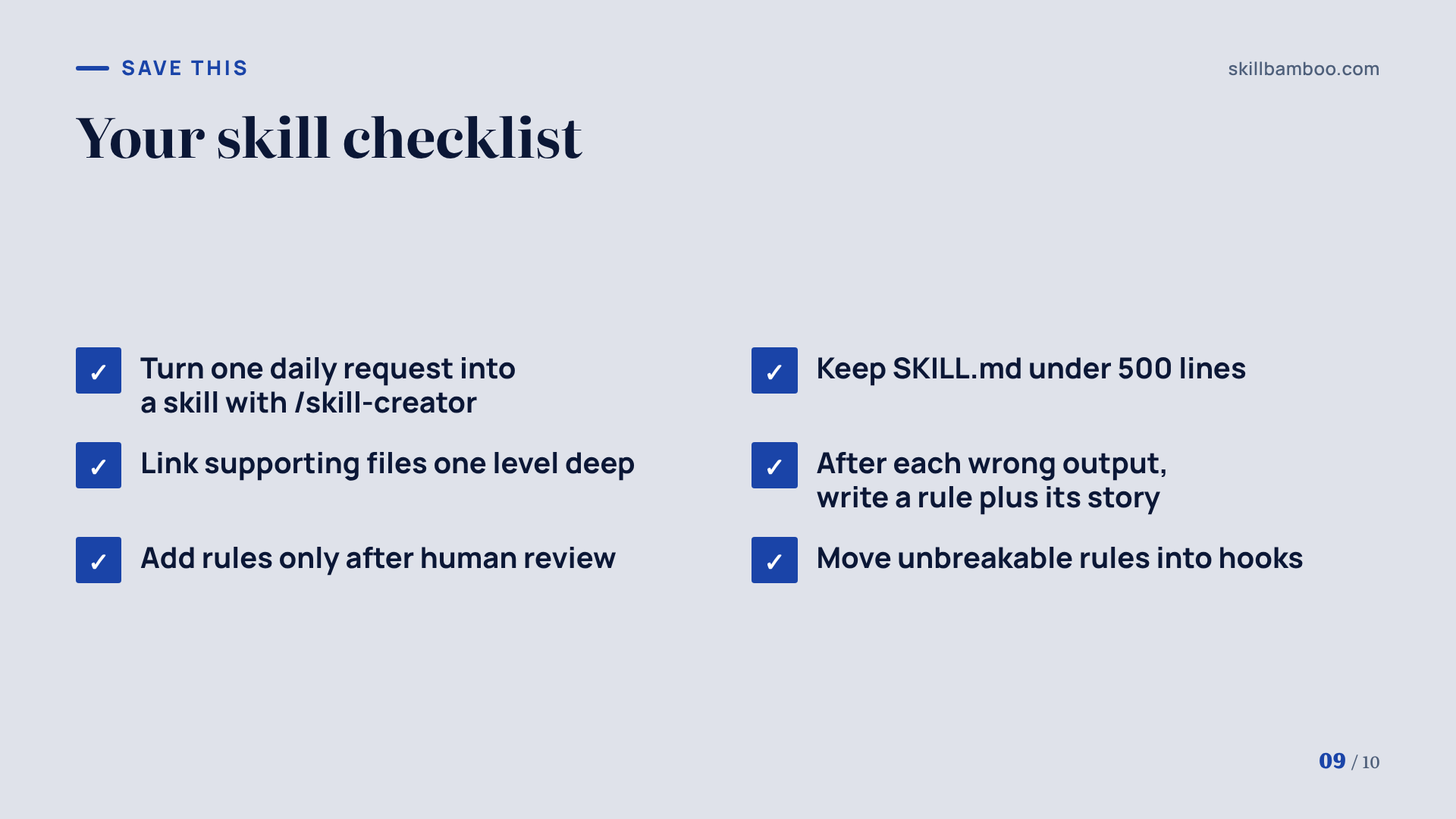
- Pick one request you repeat every day and turn it into a skill with /skill-creator.
- Keep SKILL.md under 500 lines, with supporting files linked one level deep.
- After each wrong output, write a short rule plus the story behind it.
- Move unbreakable rules into hooks.
Summary
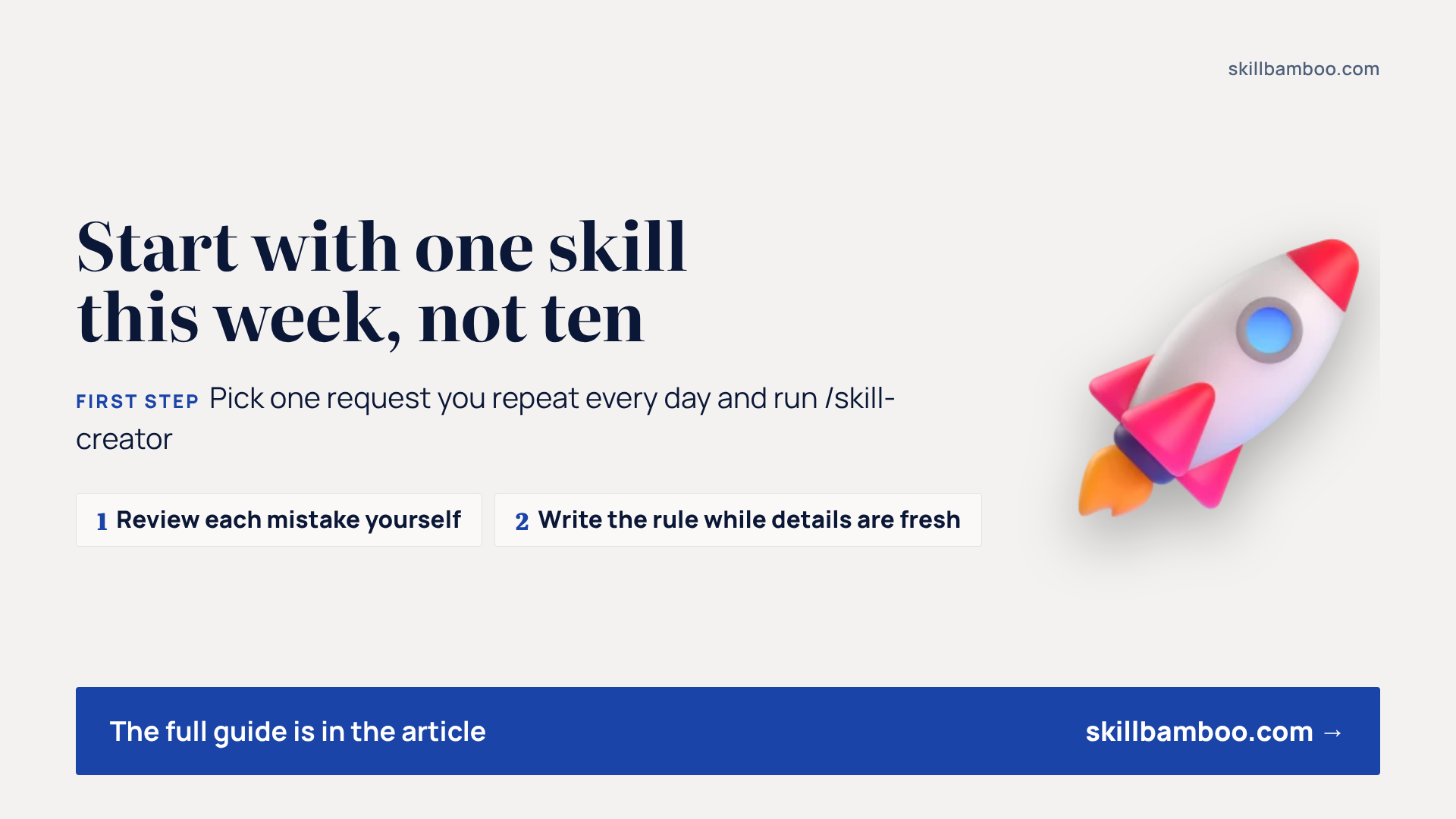
Start with one skill this week, not ten. Let the agent make its mistakes, review each one yourself, and write the rule while the details are fresh. Over time, the skill will know your environment's traps better than any prompt you could paste.
Check yourself
1. Your skill is 900 lines, with the key rules near the end of a file that is linked from another reference file. What is the best fix?
- A. Move the key rules up, keep SKILL.md under 500 lines and link every reference file directly from SKILL.md
- B. Move everything into CLAUDE.md
- C. Write the key rules in capital letters
Show answer
Answer: A. Nested references may be previewed only partially, so one-level links and a lean SKILL.md keep important rules visible.
2. The agent sent a malformed request and got an error, then reported the negative case as passed. What is wrong?
- A. Nothing – an error is the expected result
- B. Negative checks should be skipped on test environments
- C. A negative check only counts if a matching positive check with correct data passed
Show answer
Answer: C. Without the positive pair, the request might fail even with correct data, so the error proves nothing.
3. A rule must never be broken, e.g. never deploy to production. Where should it live?
- A. In the skill description
- B. Only in the skill text, stated firmly
- C. In a hook or a hard check that runs regardless of whether the model follows the skill
Show answer
Answer: C. Text rules are followed most of the time; a hook runs every time.
4. Why should a human, not the agent itself, add new rules to a skill?
- A. A self-written rule can lock in a wrong conclusion
- B. Agents can't edit files
- C. Rules written by an agent take more tokens
Show answer
Answer: A. Human review filters out mistaken lessons before they become permanent rules.
5. Which skill description is better?
- A. “Bug report skill”
- B. “I can help you write bug reports”
- C. “Creates short two-layer bug reports from API responses, traces and logs”
Show answer
Answer: C. Third person and concrete triggers help Claude pick the right skill.