 SkillBamboo

Introduction: Solving the "Generative Drift" Problem
Most attempts at cinematic AI video still look "plasticky." You get temporal flicker, characters whose faces change shape between shots and scenes with no emotional weight — the uncanny valley in motion.
The cause is how people use the tools. Most creators treat AI like a vending machine: put in a short prompt, get a random clip. But for those managing $5,000 to $50,000 AI productions, the workflow looks very different.
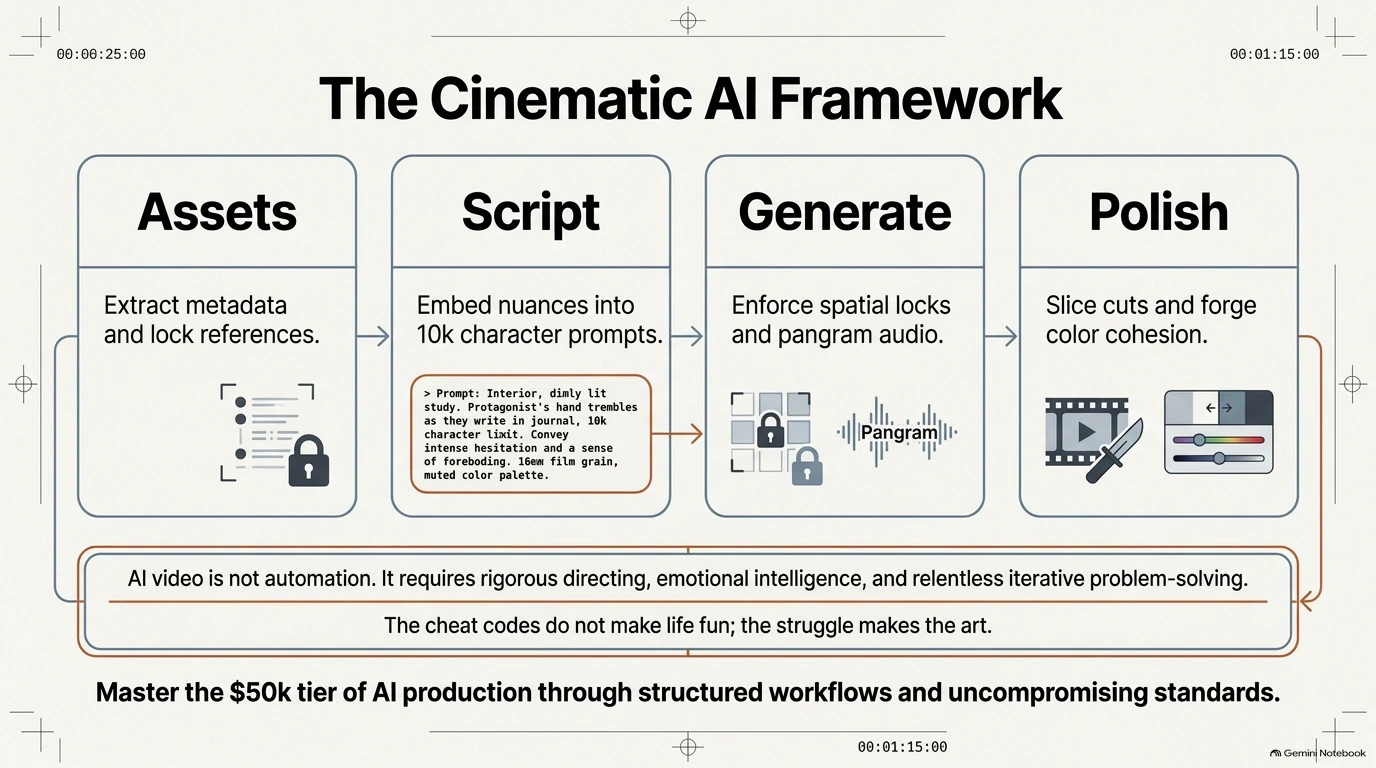
Professional AI cinematography means directing the latent space (the model's internal space of possible images and motion), and "prompting" is only a small part of it. That takes a rigorous method: deep metadata, phonetic anchors and aggressive iteration. If you want work that holds up next to traditional film, stop acting like a prompter and start acting like a creative tech strategist who knows where the human fits inside the machine.
1. Locking the "Global Header": Camera and Lens Prompts for Continuity
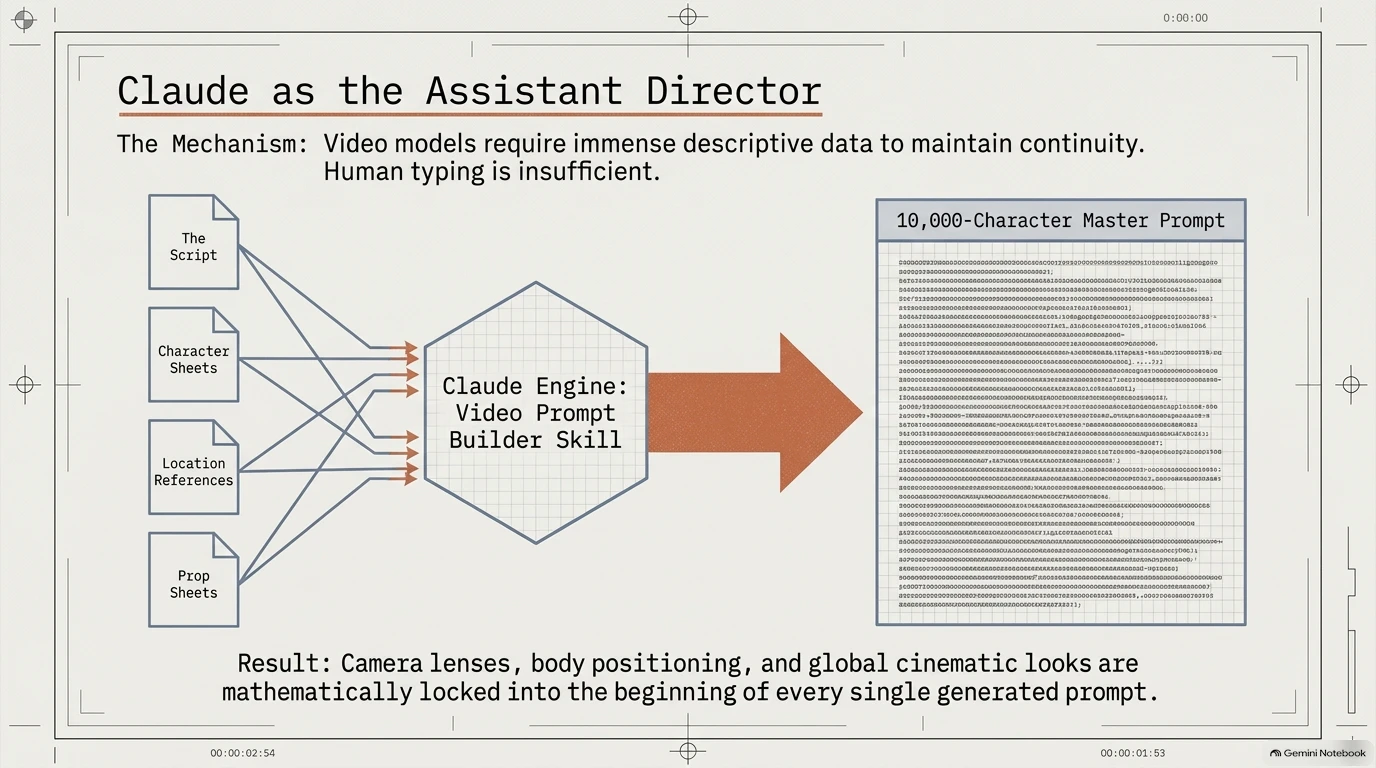
The biggest threat to a professional AI project is visual inconsistency. In traditional film, continuity holds because the crew uses the same Arri Alexa 35 body and Signature Prime lenses across the whole shoot. To get the same effect in AI video, use a "Global Header" technique.
Think of the Global Header as the camera package you'd rent for a shoot: you pick it once, and it stays the same for every scene.
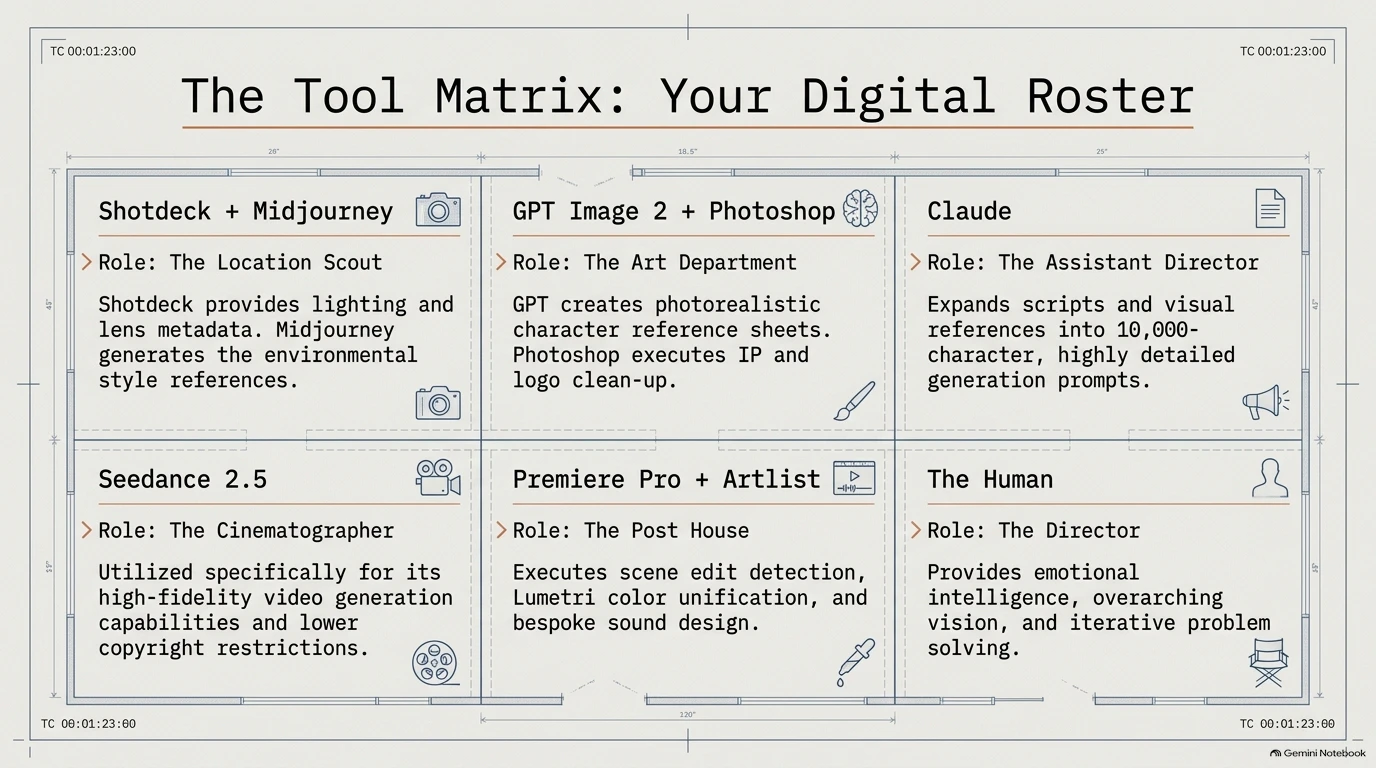
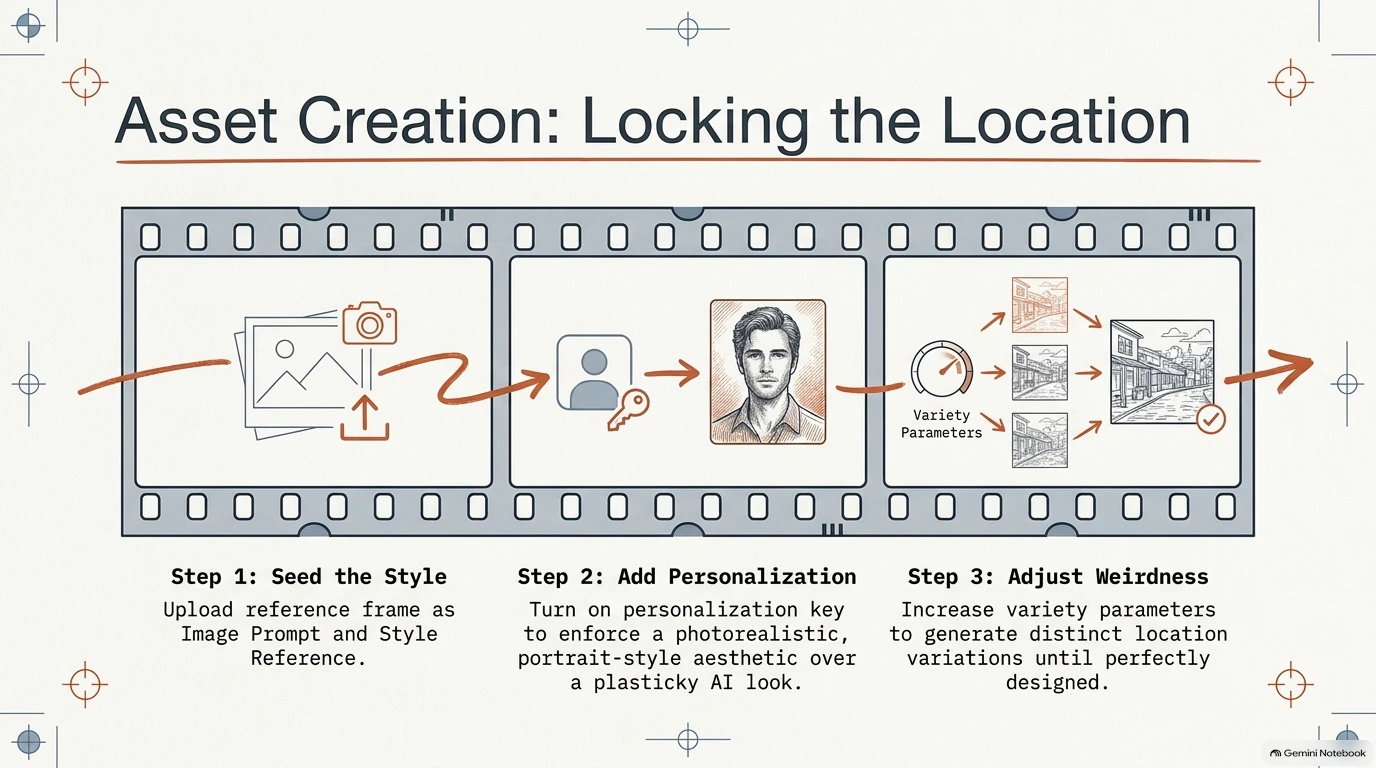
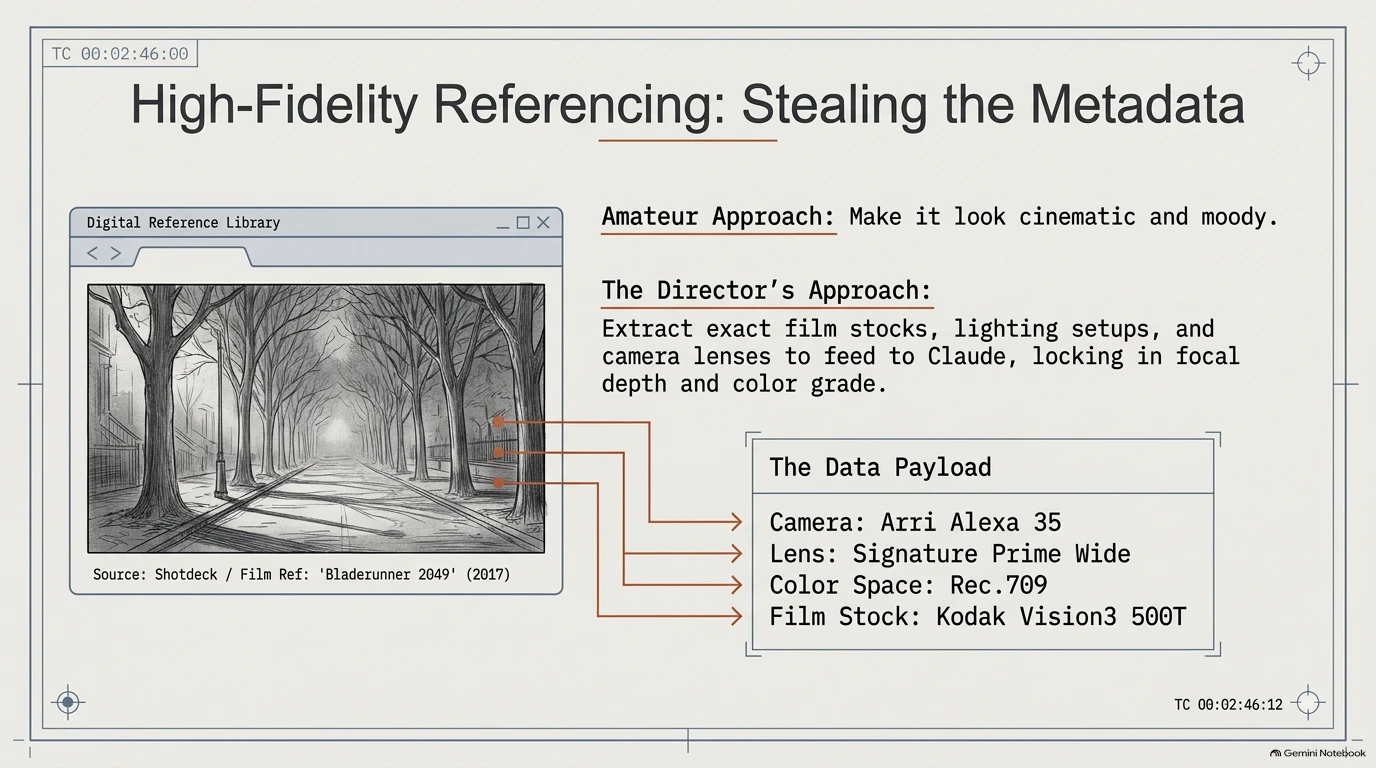
Platforms like ShotDeck let you pull "rich data" from real film frames: camera bodies, lens types, lighting and, for some frames, film stocks. You then lock that data at the start of every prompt.
- The Technical Anchor: Referencing an Arri Alexa 35 and a 35mm Signature Prime wide lens gives the AI specific instructions for how to calculate light, texture and depth of field.
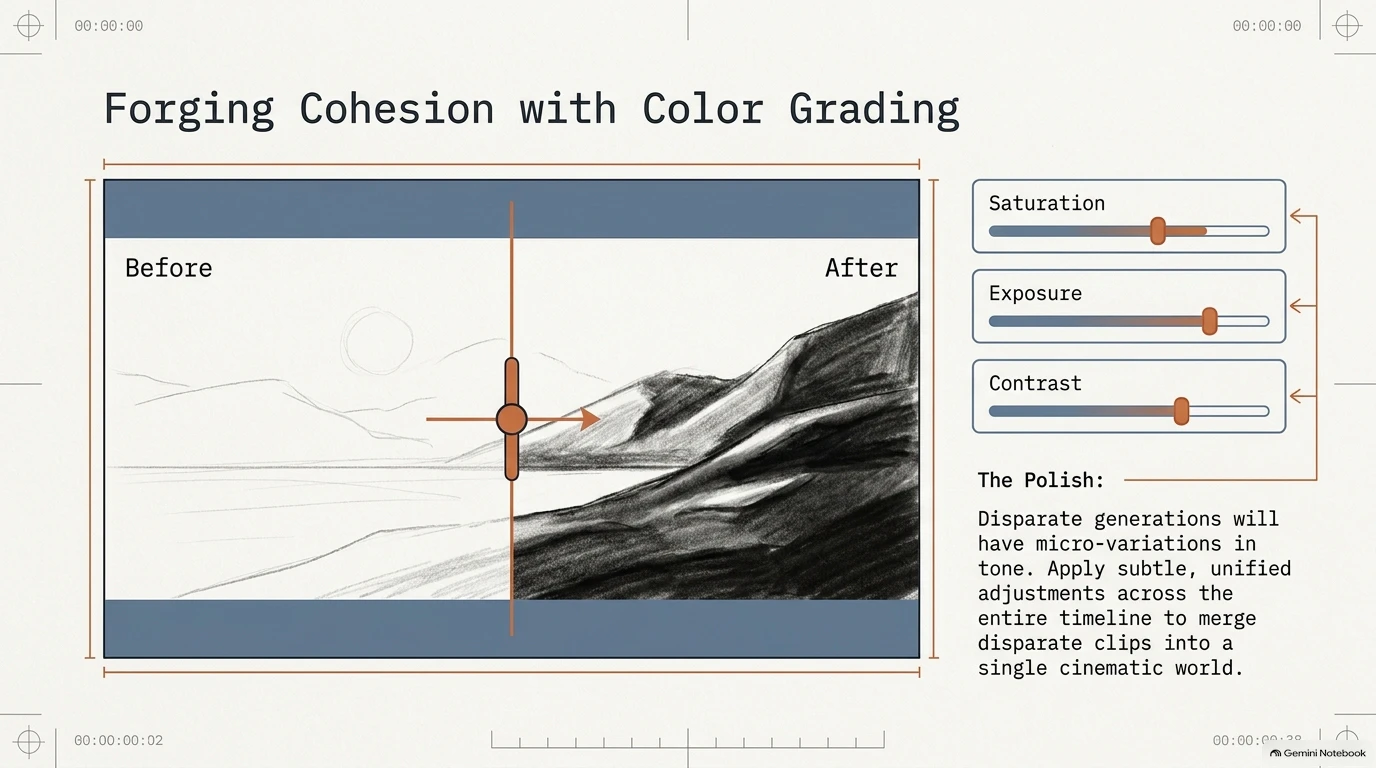
- Color Continuity: Adding the color palette (hex codes) and lighting details from ShotDeck keeps your color grade consistent across different generations. That prevents the "focal change" that usually screams "AI-generated."
Netflix shots feel continuous because the same gear is used for each of them. There's no sudden jump in focal length or aperture, so depth of field stays consistent from one shot to the next.
2. Directing the Latent Space: The Power of Nuance
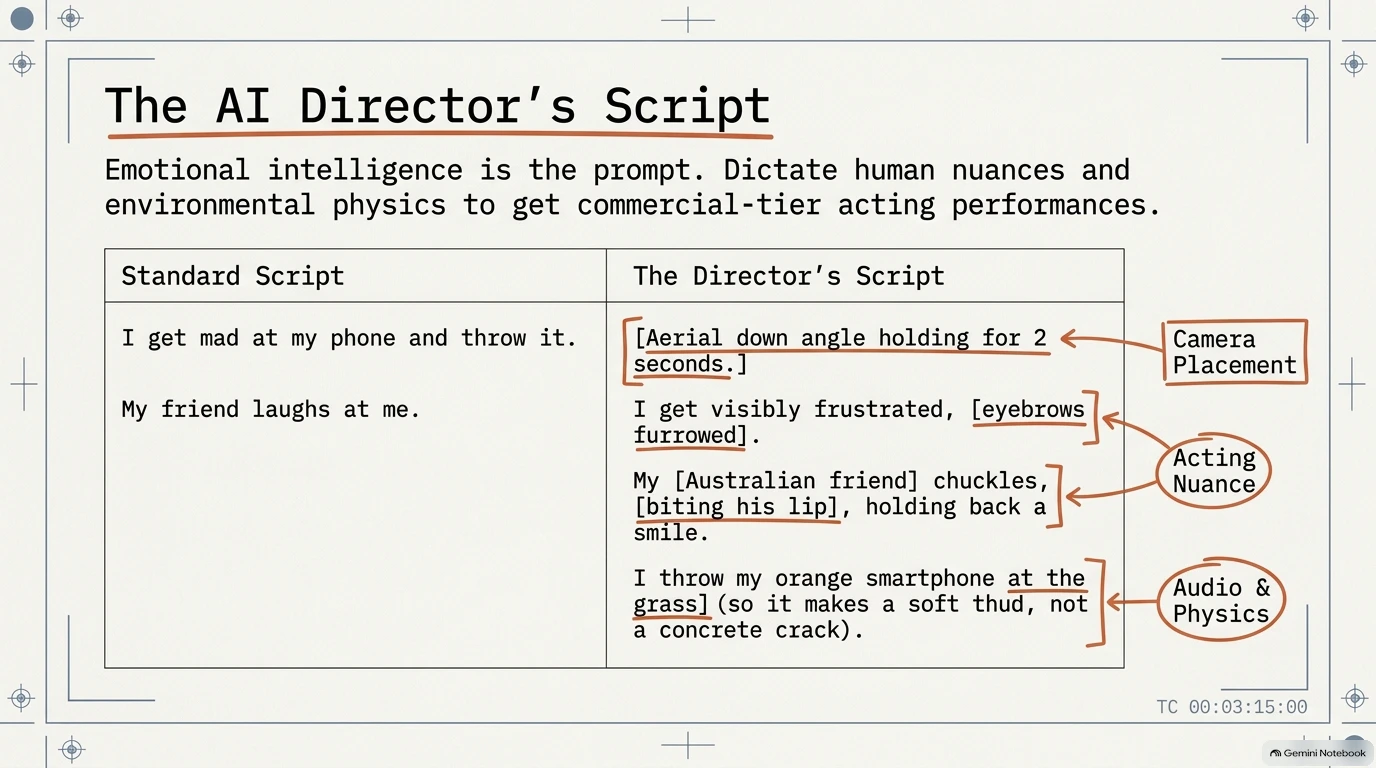
High-end AI video means moving from generic descriptions to specific acting nuances. If you want a character to feel "real," direct their physical micro-expressions.
- Micro-Performance: Instead of "sad," prompt for "a slight lip quiver, a furrowed brow, and a subtle shoulder drop in disappointment."
- Physical Sound Design: Direct the environment, because it dictates the visual weight. If a character throws a phone, say it hits "lush grass" rather than "concrete" — so the AI gets the impact and the visual "thud" right.
- Phonetic Personality Allocation: Give an AI avatar a specific regional accent, like a "Southeast Asian twang" or an "Australian friend." The model then allocates phonetic weights and personality nuances to that character. In other words: a distinct "person," not a generic generation.
3. The 30-Second "Mining" Strategy for Cinematic AI Video
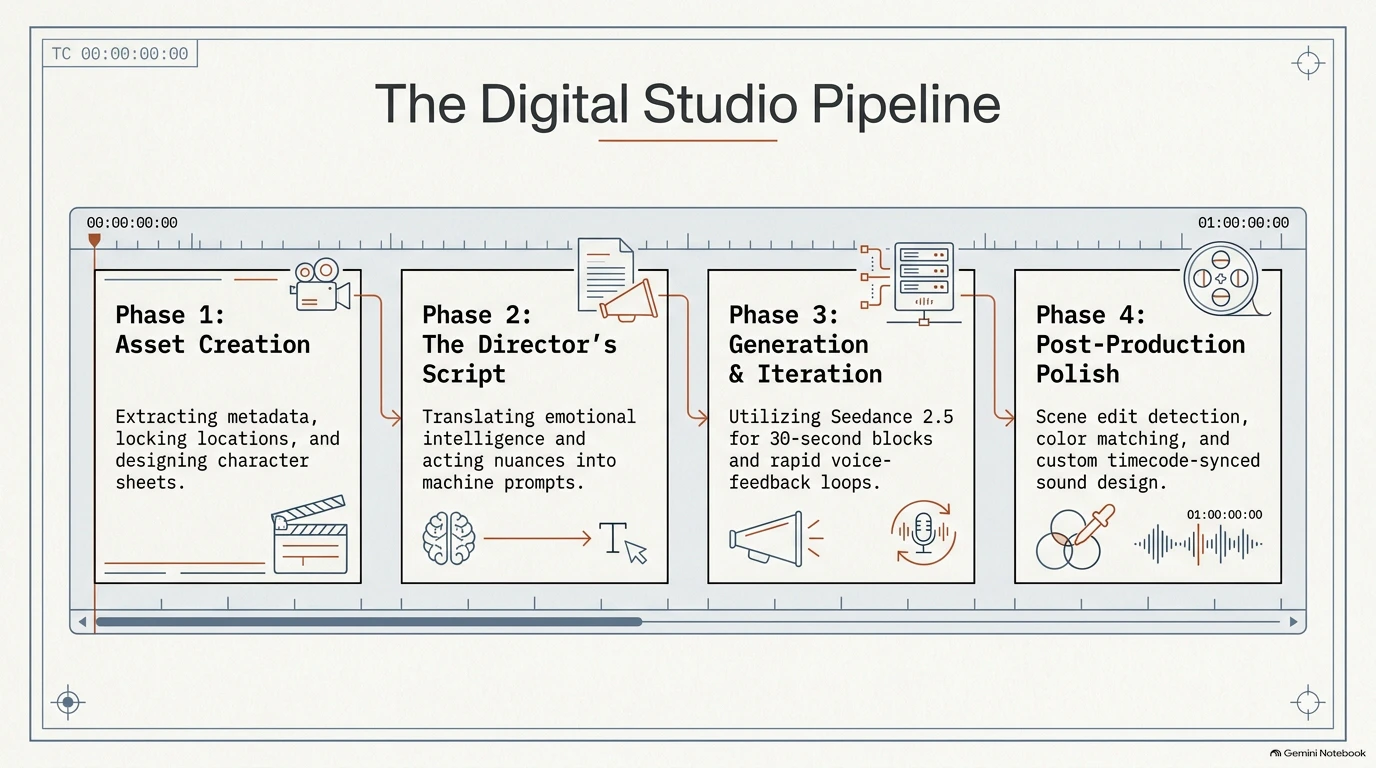
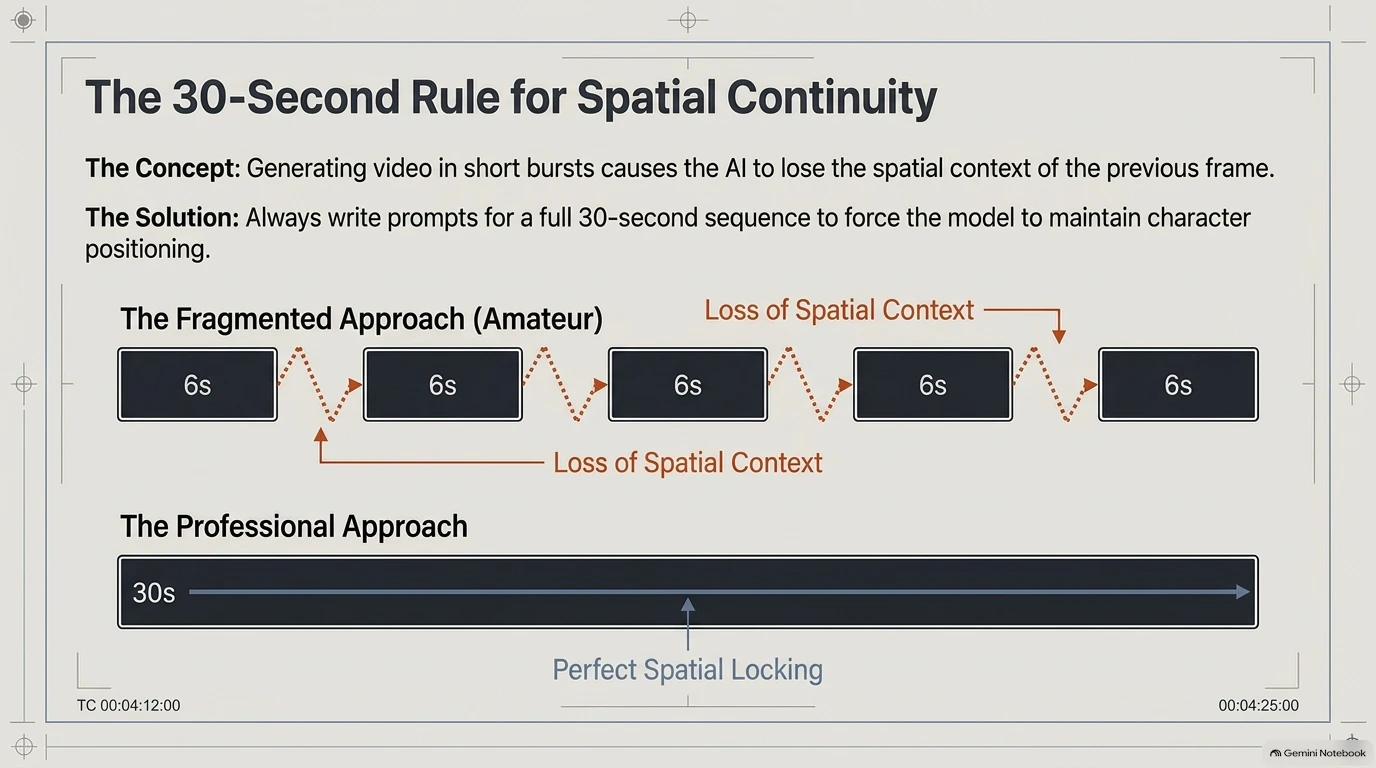
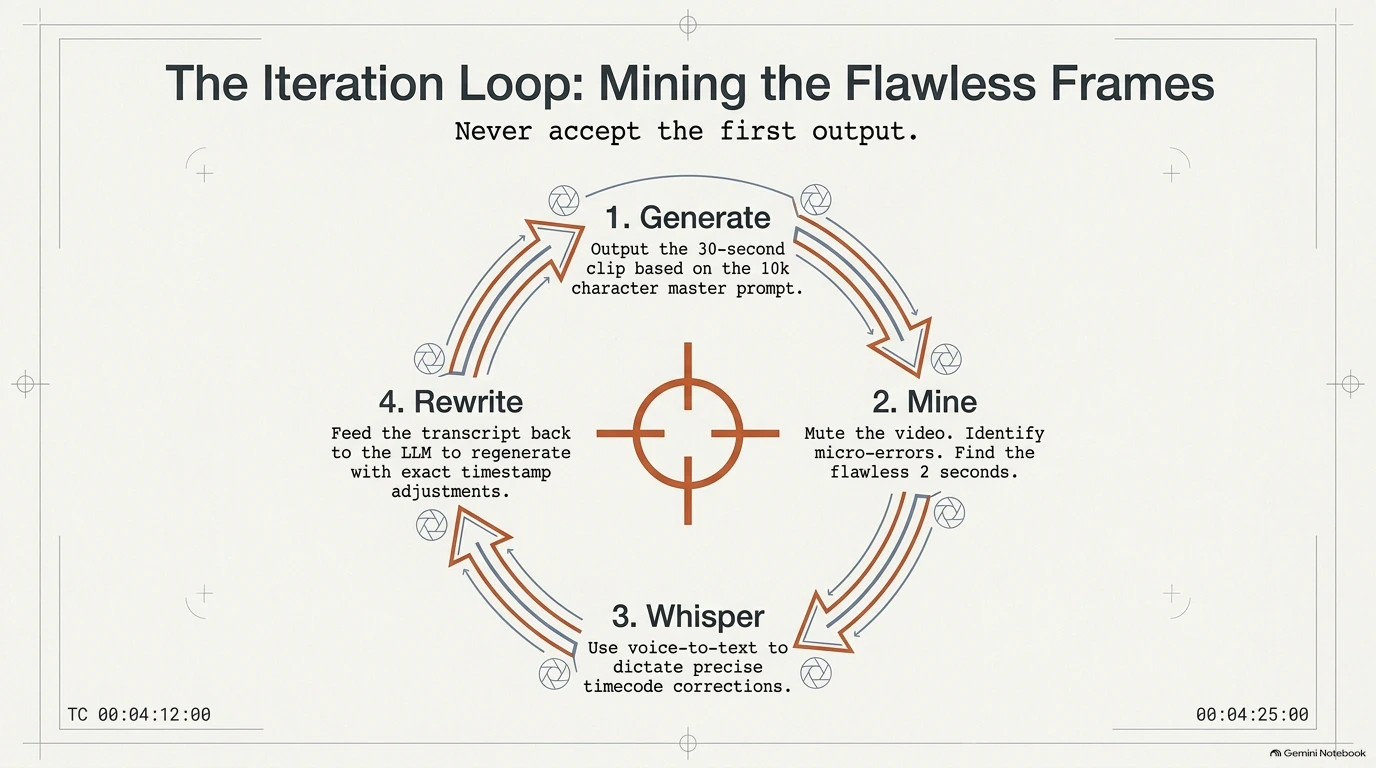
Many tools limit you to short clips of roughly 5–15 seconds. Professional workflows use Seedance 2.5 instead (for example, through the open-source desktop app ArtCraft). So it's worth generating 30-second "master" clips and then "mining" them.
Why Mine?
- Continuity: In a 30-second generation, characters stay in the same physical space, so character consistency in AI video holds, and so does the flow between shots.
- The Haywire Effect: Long AI generations often suffer from "generative drift": the dialogue speeds up or the physics go haywire toward the end of the clip.
- The Gold Extraction: You generate 30 seconds of footage to salvage the 5–10 seconds of "cinematic gold."
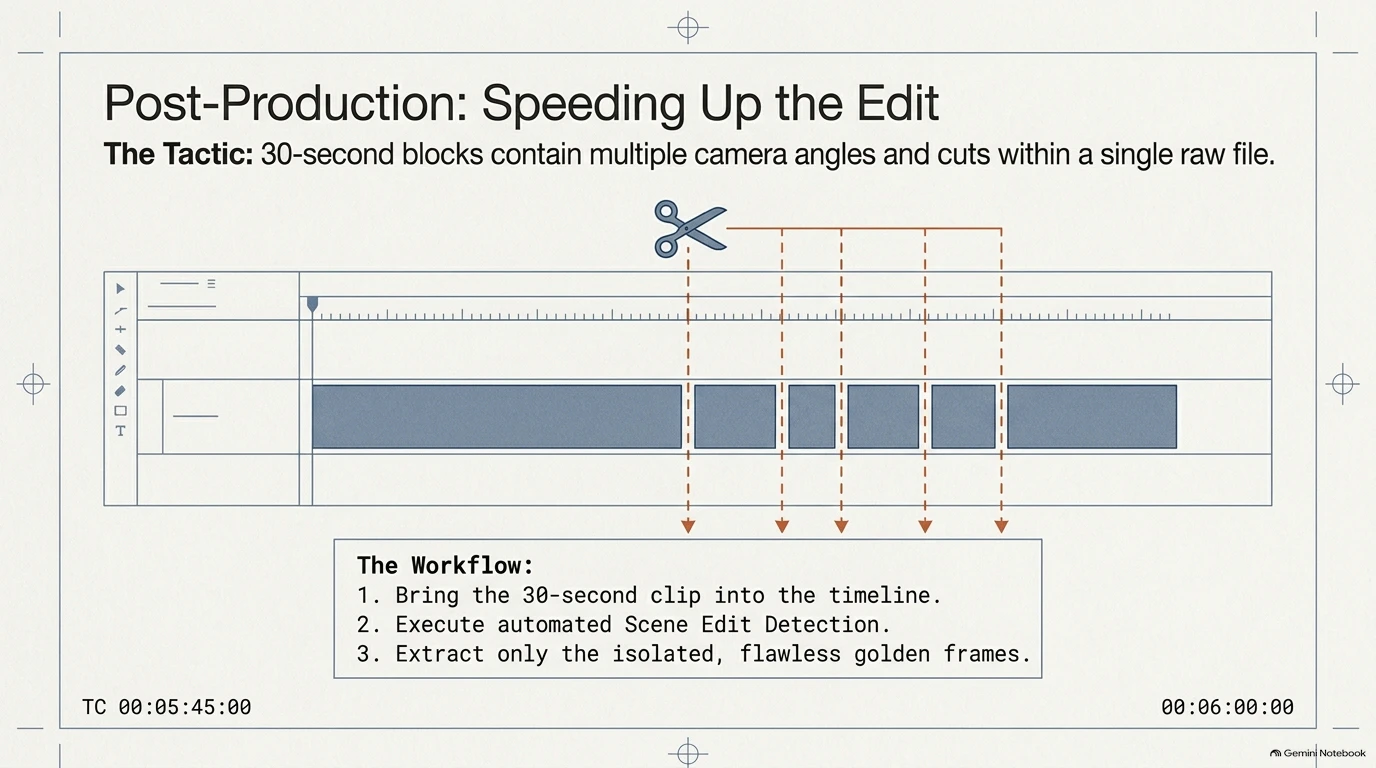
So here's how to handle it in post-production. Open Premiere Pro, right-click your 30-second master and run Scene Edit Detection. The software analyzes the clip and cuts it automatically at every camera change. That makes it quick to isolate the strong performances and throw away the hallucinations.
4. The Spoken Feedback Loop and a Phonetic "Cheat Code" for a Consistent AI Voice
What makes professional AI cinematography efficient is the Whisper Iteration Loop. Instead of typing corrections by hand, you use voice-to-text (Whisper) to give Claude "Directorial Notes." Watch a clip and narrate your changes out loud, for example: "Raise the left eyebrow at 2 seconds, bite the lip earlier." Then feed that transcript back into the LLM to refine your prompt. It's faster than typing, and you react to what you actually see on screen.
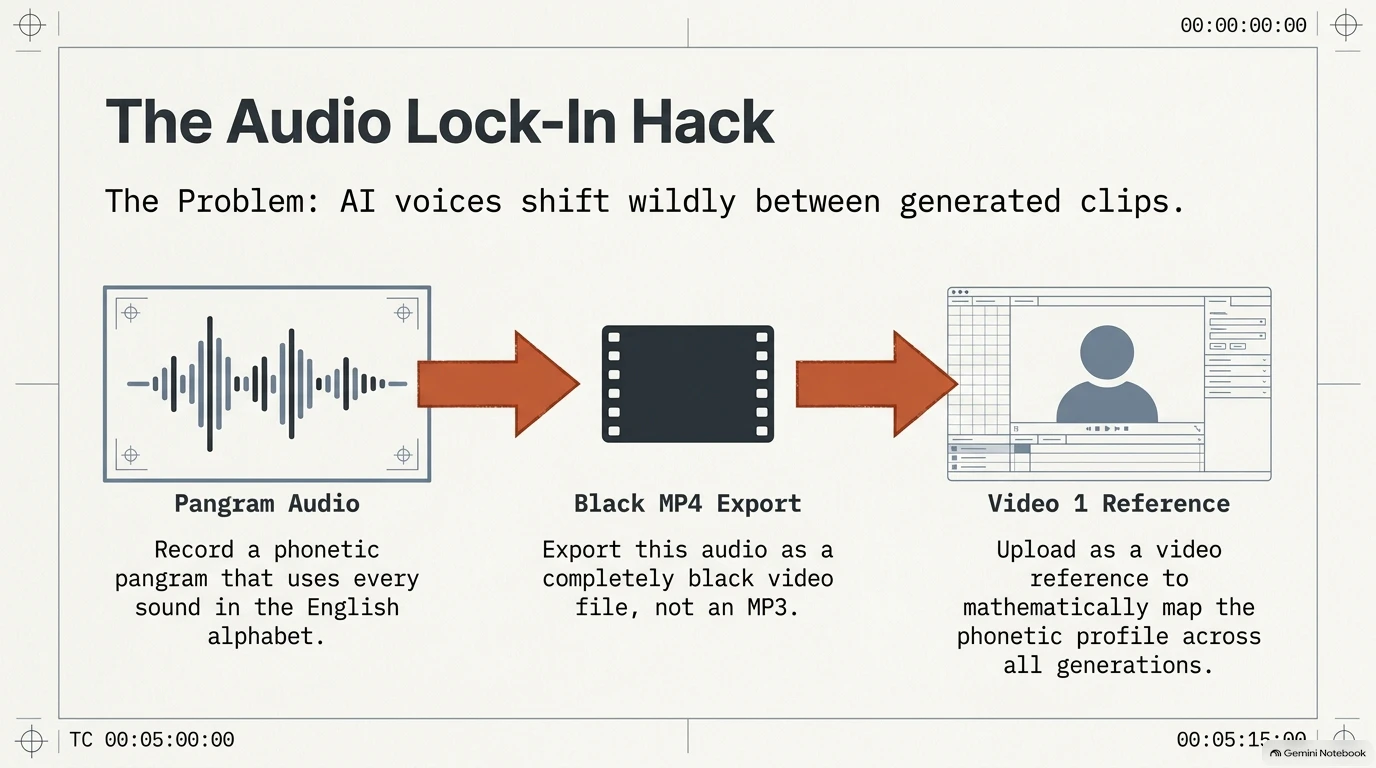
If you want the voice itself to stay consistent across the whole project, here's the phonetic reference sentence to use:
The Reference Artifact:
"That quick beige fox jumped in the air over each thin dog. Look out, I shout, for he’s foiled you again, creating chaos."
The Hack: Record yourself or a voice actor reading this sentence, which covers all 44 phonemes of English. Export it as a black MP4 and upload it as the "Audio Reference." This gives the AI a complete phonetic map, so it can replicate the target voice with high fidelity across any script.
5. The "Pixel Pal" Approach: Managing Model Restrictions
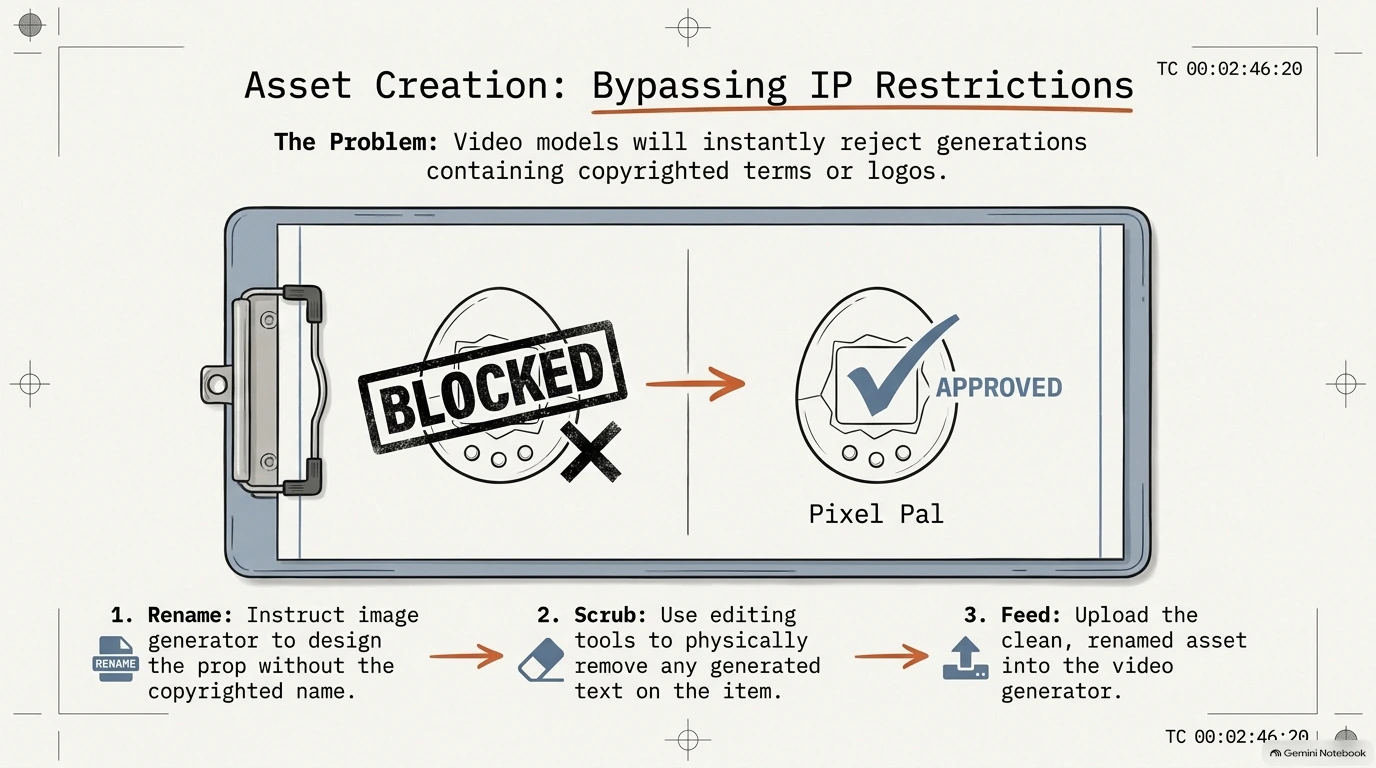
Model filters often block trademarked terms like "Tamagotchi." So build your own generic assets. Your own prop won't trip the filter.
- The Photoshop OCR Check: If a reference image triggers a filter, the cause is often Optical Character Recognition (OCR) — the model reading text in the image — picking up words or a logo. Use references without third-party logos or text, or remove them in Photoshop, so the image shows only the shape and style you need.
- Renaming the Asset: Create a "Prop Sheet" for an original, generic item with its own name. For example, a retro handheld digital pet in your story could become a "Pixel Pal." Reference the Pixel Pal sheet in every prompt, and the model gets a consistent prop that belongs to your project, not to someone else's brand.
Conclusion: The Human in the Machine
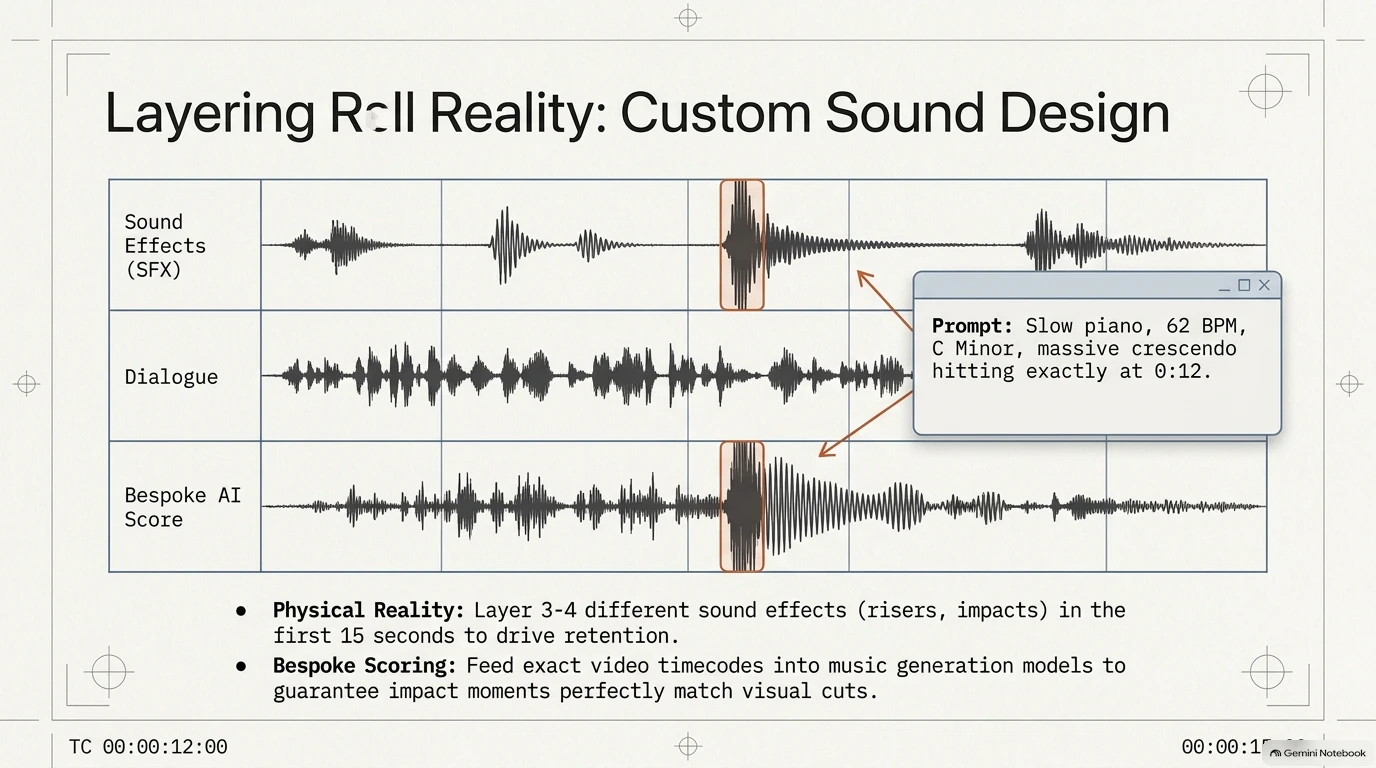
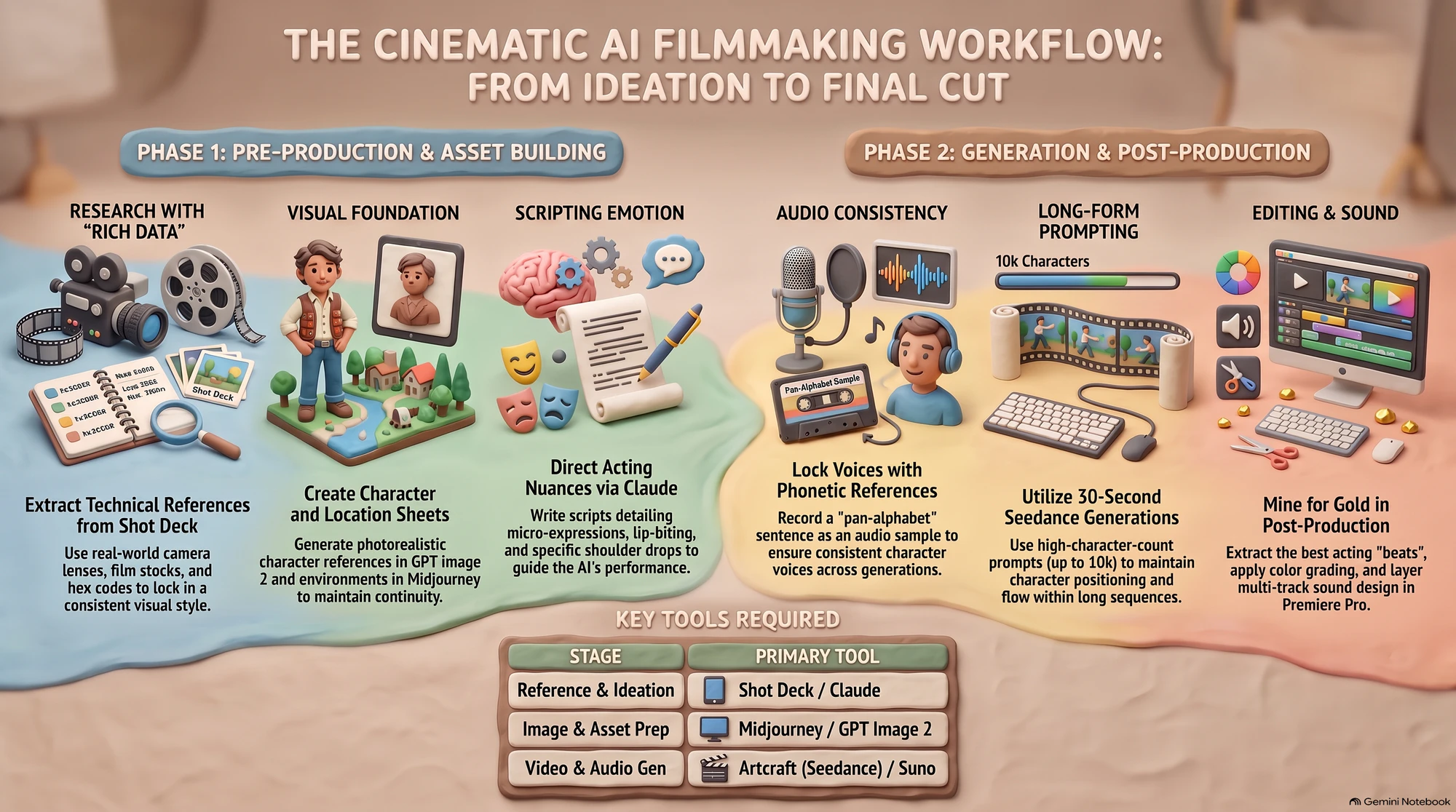
A professional AI filmmaking workflow is a whole stack of tools. ShotDeck handles metadata, Artcraft handles the latent space, Udio writes music at a tempo (BPM) you set in the prompt, which you then align with your script’s pacing by hand, and Artlist supplies high-end SFX risers.
But the technology is still a tool, not the creator. Cinematic value comes from the human ability to direct emotional nuances that a machine can't feel.
Creatives don't actually want an agent to make the work for them. The whole point is to make people feel something, and a model has never felt anything. Good ideas still come from a person's mind, not from a machine.
The future of AI cinematography isn't about saving time. It's about what you choose to do with the time you've saved. So before your next project, answer one question: do you want more efficiency, or do you want to create something meaningful?
Check yourself
1. What is the primary technical reason for extracting camera body and lens data from frames on platforms like ShotDeck when preparing for an AI video project?
- A. It ensures visual continuity by forcing the AI to simulate the same depth of field and focal length across all generated shots.
- B. It reduces the rendering time of the video generator by providing a simplified technical preset.
- C. It automatically adjusts the frame rate to match the cinematic standards of the referenced film.
- D. It bypasses copyright restrictions by citing real-world equipment used in professional cinematography.
Show answer
Answer: A. Using specific gear data allows the AI model to maintain consistent visual properties like aperture and focal changes, preventing shots from feeling disjointed.
2. When developing a script for Sea Dance 2.5, why is it critical to describe specific 'nuances' like an eyebrow raise or a lip quiver?
- A. To guide the AI in delivering emotional depth and acting performances that feel human rather than static.
- B. To ensure that the character's face remains geometrically consistent across different lighting environments.
- C. To allow the post-production software to automatically detect and tag different emotional states.
- D. To provide the AI with the necessary data to calculate the exact duration of each lip-sync movement.
Show answer
Answer: A. Detailed descriptions of physical micro-expressions are necessary to overcome the 'plastic' or unnatural look often found in basic AI generations.
3. A creator records a specific sentence that covers all 44 phonemes of English to use as an audio reference. What is the goal of this technique?
- A. To measure the background noise levels to ensure the AI generates 'clean' dialogue without artifacts.
- B. To provide a comprehensive sample that allows the AI to replicate a consistent voice across all generated dialogue.
- C. To create a secret watermark in the audio track to prevent others from stealing the video content.
- D. To test the AI's ability to sync speech with complex lip movements in high-resolution shots.
Show answer
Answer: B. A phonetically rich sentence ensures the AI has a reference for how the voice sounds across all possible English pronunciations, leading to better consistency.
4. Which of the following are considered essential 'ingredients' to upload into the video generation platform to ensure visual and character consistency? (Select all that apply.)
- A. Location references generated in Midjourney.
- B. The raw Premiere Pro project file containing the initial sound design.
- C. Prop or object sheets to define items the characters interact with.
- D. Character sheets designed in tools like GPT Image 2.
Show answer
Answer: A, C, D. Uploading a specific environment image prevents the AI from hallucinating a different background for each new prompt. Specific prop sheets (like a 'pixel pal') help the AI maintain the appearance of key items involved in the action. Character sheets provide a stable reference for the AI to maintain a person's appearance across multiple shots.
5. What is the benefit of generating a 30-second long sequence rather than several 6-second clips when working with characters on a bench?
- A. It reduces the total credit cost because the platform charges per generation rather than per second.
- B. It maintains character positioning and environmental continuity, preventing actors from 'jumping' between cuts.
- C. It allows the AI to automatically perform scene edit detection and export individual files.
- D. It increases the resolution of the final output by focusing on a single continuous stream of data.
Show answer
Answer: B. Longer generations provide the AI with context of where characters are standing or sitting, which is often lost when starting fresh with short clips.
6. Why did the creator in the source workflow choose to run Sea Dance 2.5 through ArtCraft?
- A. It is the only platform that supports the upload of black MP4 files for audio referencing.
- B. It integrates directly with Shot Deck to automatically pull hex codes into the prompt bar.
- C. It uses a proprietary 64-bit architecture that renders cinematic sequences twice as fast as its competitors.
- D. The creator believed it had fewer copyright restrictions, although ArtCraft's own documentation does not claim this.
Show answer
Answer: D. The creator described it as less restrictive regarding copyright 'bouncebacks', but ArtCraft is actually an open-source desktop app, and its documentation says nothing about looser content filters.
7. During the post-production phase, what is meant by the term 'mining'?
- A. The automatic search for similar color grades across different film databases using AI.
- B. The technical act of using GPUs to process the high-resolution upscaling of the final video.
- C. The process of identifying and extracting the most usable snippets of acting or cinematography from a long AI generation.
- D. The collection of user engagement data from social media to refine future script ideas.
Show answer
Answer: C. Because AI generations are rarely perfect from start to finish, editors must 'mine' the specific seconds where the acting and motion are ideal.
8. When a generation has 'gone haywire' (e.g., characters moving too fast or dialogue overlapping), which steps can be taken to remedy the issue? (Select all that apply.)
- A. Switch to a different phonetic sentence for the audio reference to slow down the character's speaking rate.
- B. Split a single long prompt into multiple shorter prompts to allow for more dialogue breathing room.
- C. Increase the 'weirdness' setting in the generator to force the AI to adhere more strictly to the original script.
- D. Provide iterative feedback to Claude describing exactly what went wrong and where.
Show answer
Answer: B, D. If the AI is rushing through a script, giving it more time (or fewer instructions per 30-second block) prevents the 'fast-forward' effect. Claude is used as a conversational partner to refine prompts based on observed errors in the video output.
9. What is the function of 'Scene Edit Detection' in the workflow described for Premiere Pro?
- A. It identifies where the AI has made a continuity error and suggests a corrective generation.
- B. It applies a consistent Lumetri Color grade to every individual clip in the timeline.
- C. It syncs the AI-generated dialogue with the original audio recording of the creator.
- D. It automatically places cuts in a long AI-generated sequence whenever the camera angle changes.
Show answer
Answer: D. Since the AI generator creates multiple 'cuts' within a single 30-second file, this tool helps the editor quickly separate those shots for 'mining'.
10. How does the creator suggest using Udio in conjunction with the script for cinematic projects?
- A. To create the phonetic reference sentences that are then used for character voices.
- B. To generate custom music tracks at a prompted tempo, which the editor then aligns manually with the script's pacing.
- C. To translate the script into Chinese for better compatibility with the Artcraft platform.
- D. To generate the sound effects for physical objects, like a phone hitting the grass.
Show answer
Answer: B. Udio lets you set the tempo (BPM) in the prompt and extend or regenerate sections; matching the music to the script's time-codes is then done by hand.